
New Participant
August 4, 2015
Question

Run Time Error - R6030 CRT Not Initialized

  • August 4, 2015
  • 4 replies
  • 14045 views

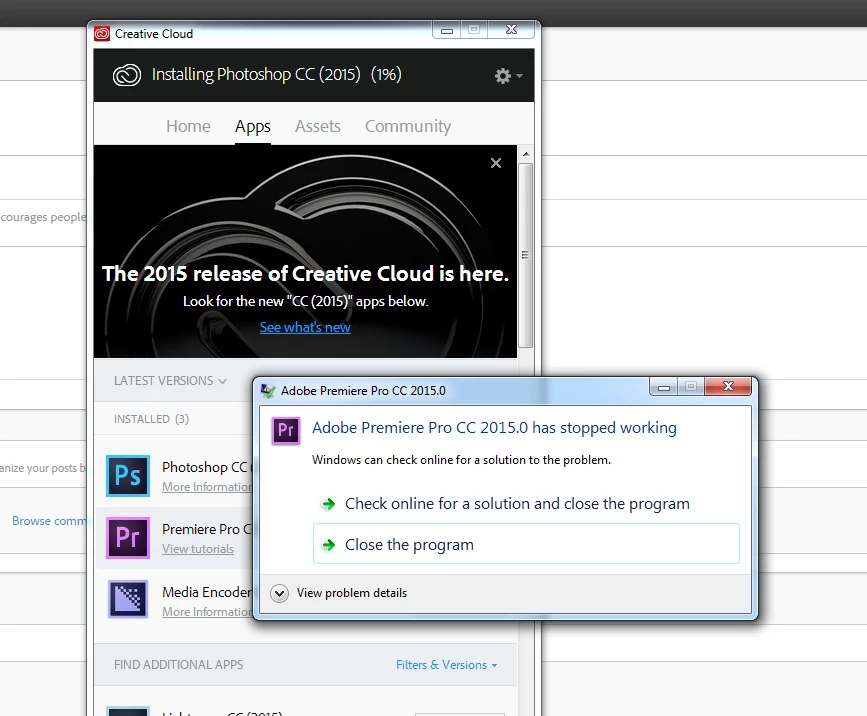
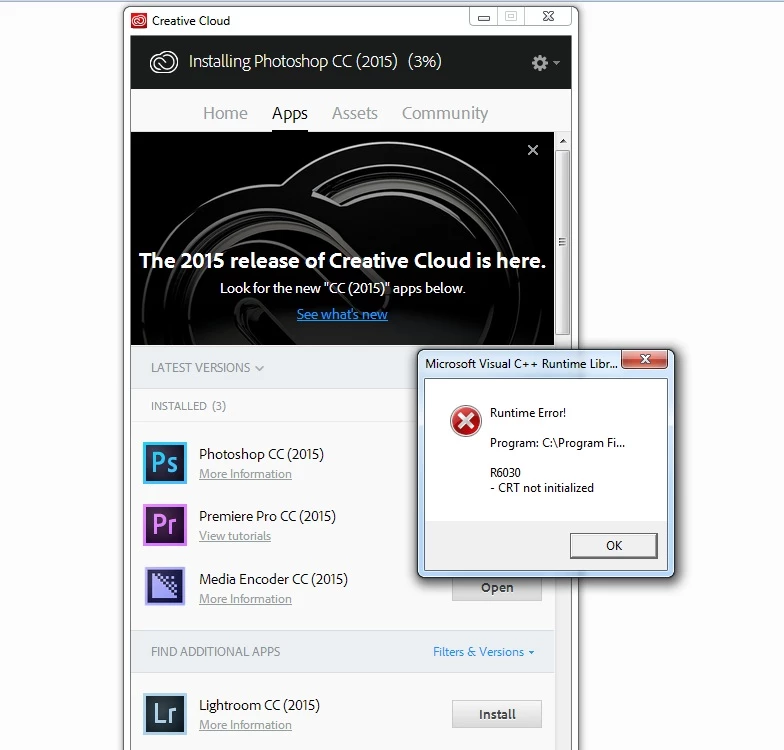
Hi, I am getting run time error - R6030 CRT not initialized error when I try to open Premiere Pro CC 2015 from Creative Cloud App.

I tried formatting my C drive and re-installed the Creative Cloud.

Screen Shot - 1 : Show window that I get when I click on Open in front of Premiere Pro CC 2015
Screen Shot - 2 : Show window that I get when I click on Close the program
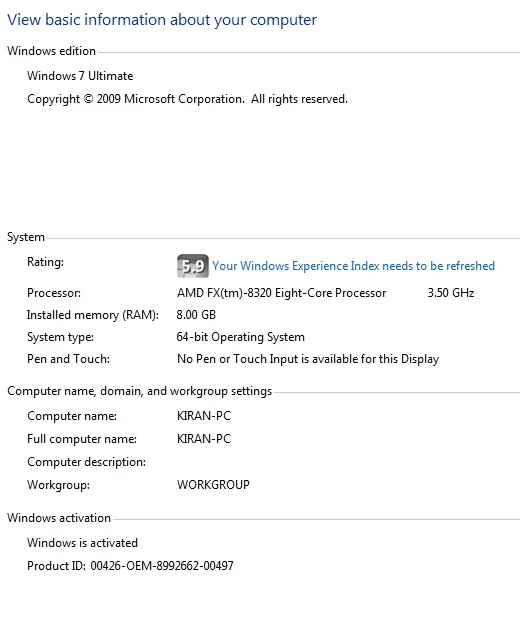
Screen Shot - 3 : Show information about my computer


Problem signature:

  Problem Event Name: APPCRASH

  Application Name: Adobe Premiere Pro.exe

  Application Version: 9.0.1.36

  Application Timestamp: 55acd8dd

  Fault Module Name: MSVCR120.dll

  Fault Module Version: 12.0.21005.1

  Fault Module Timestamp: 524f83ff

  Exception Code: c000001d

  Exception Offset: 000000000008ca90

  OS Version: 6.1.7600.2.0.0.256.1

  Locale ID: 16393

  Additional Information 1: f911

  Additional Information 2: f9117f2c8a52791eb11044aaa5172d0e

  Additional Information 3: 4cf1

  Additional Information 4: 4cf1f666ee18a19b219f845b0dba8216

Read our privacy statement online:

  http://go.microsoft.com/fwlink/?linkid=104288&clcid=0x0409

If the online privacy statement is not available, please read our privacy statement offline:

  C:\Windows\system32\en-US\erofflps.txt

Please help me resolve the problem

    This topic has been closed for replies.

    4 replies

    New Participant
    February 3, 2018

    MSI Afterburner... Thanks, it helped me to

    May 21, 2017

    Happened to me as well with the newest version.... the solution was easy - turn off MSI AFterburner. Then Premiere works.

    New Participant
    August 26, 2017

    that is awesome dude. thanks it worked for me.

    New Participant
    May 16, 2017

    Just fixed mine, was doing this on the newest 2017 CC version.

    If microsoft,...

    Run a clean boot

    1. msconfig.exe under windows tab

    2. Under services tab check box "hide all microsoft services"

    3. Then sort by service and uncheck the IBUpdater service box

    4. Click okay and restart when prompted

    Restart PP, if it opens you are good to go. Uninstall IBUpdater from programs and files

    If this does not work, redo the above steps but after hiding all microsoft services, click disable all, then ok and restart. This will allow a clean boot of only microsoft software, all other services will be off.

    Then youll slowly have to add back in each service one by one with a reboot until PP doesnt open, then youll have identified the application that is causing your error.

    Good luck

    New Participant
    August 5, 2015

    msvcp110.dll file is present in my C:\Windows\System32

    Tried with the Win10 runtime solutions as well. Still facing same problem.

    Now I am trying to run Photoshop.exe

    Problem signature:

      Problem Event Name: APPCRASH

      Application Name: Photoshop.exe

      Application Version: 16.0.1.168

      Application Timestamp: 55af6140

      Fault Module Name: MSVCR120.dll

      Fault Module Version: 12.0.21005.1

      Fault Module Timestamp: 524f83ff

      Exception Code: c000001d

      Exception Offset: 0000000000096cd5

      OS Version: 6.1.7600.2.0.0.256.1

      Locale ID: 16393

      Additional Information 1: 096a

      Additional Information 2: 096a2e6fc4d77a7a966ff48506139a6c

      Additional Information 3: 5cde

      Additional Information 4: 5cded7c753a20d42b6bf4371366ead44

    Read our privacy statement online:

      http://go.microsoft.com/fwlink/?linkid=104288&clcid=0x0409

    If the online privacy statement is not available, please read our privacy statement offline:

      C:\Windows\system32\en-US\erofflps.txt