unihumi_2
Participating Frequently
June 27, 2019
Answered

Same project, different LUT/color in Lumetri

  • June 27, 2019
  • 1 reply
  • 1201 views

Dear fellow Premiere users,

I have experienced this issue twice now and the last time I think I found out something interesting.

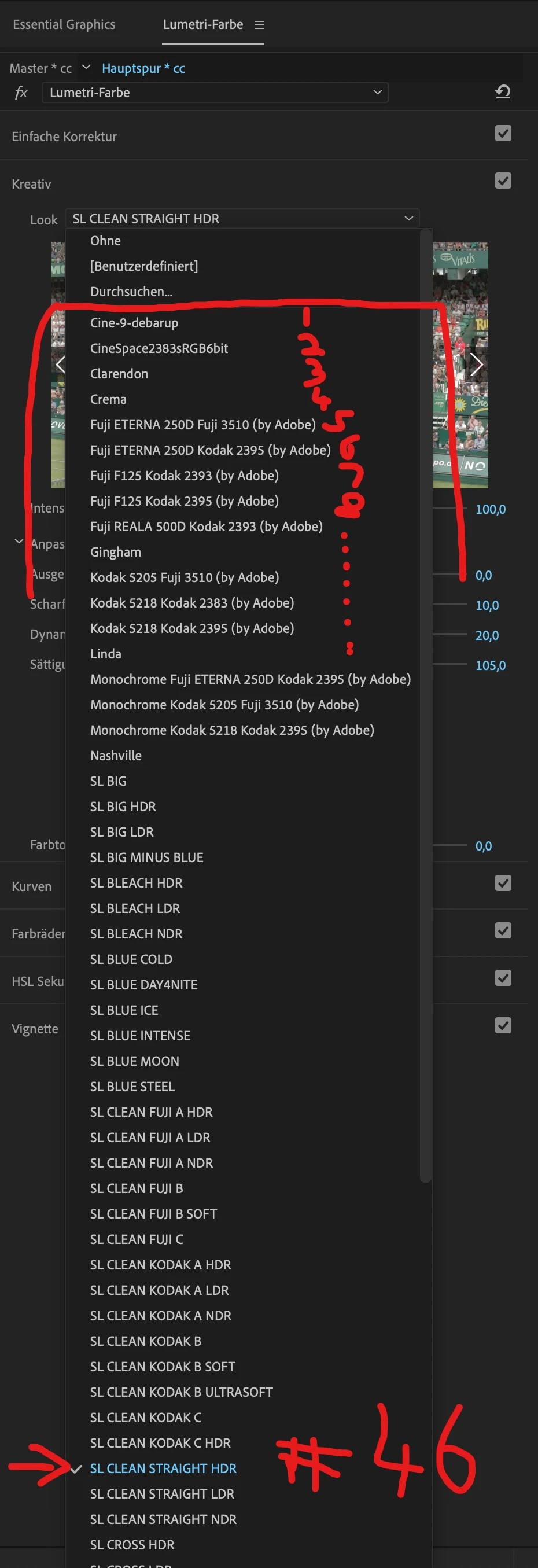
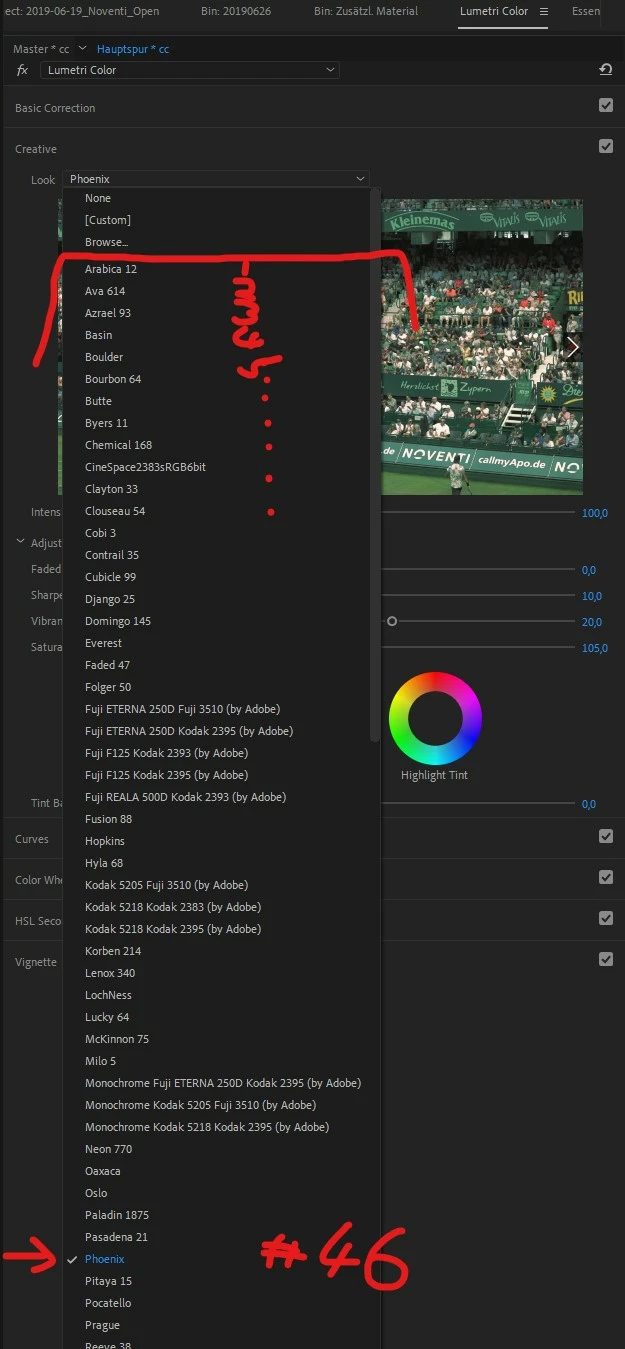
Let me try to be brief: A colleague works on an iMac with both MacOS as well as Adobe Premiere Pro set to German language. He created this project, did the final touch in Lumetri Color and saved it all on a network drive we all have access to. Later I had to do some final adjustments in the project. Naturally I opened up the project with my machine, a Windows 10 PC (german) with Adobe Premiere Pro set to English (as well as the complete Creative Cloud Suite), which you will notice in the coming screenshots. After opening up the project I noticed the look was completely off. I could compare the colors inside Premiere with the final MP4 he rendered earlier – they were completely different. I figured it was due to the different LUT, which was selected inside Lumetri Color. In my project it was set to "Phoenix". My colleague initially used "SL CLEAN STRAIGHT HDR". After running back and forth between those two machines I could affirm, the old project on his machine was saved with this LUT and when I opened up the project the LUT changed.

Out of the blue I thought it might have something to do with the order of the LUTs. Apparently the LUT he used was his 46th LUT in his list. On my LUT list the 46th entry is the "Phoenix" LUT.

Is this a bug I ran into or did I do something wrong? I'm glad I could figure it out, because the previous time I was not so lucky and had to reset all the Lumetri settings because I did not know how to fix it.

Thanks for your time

Stefan
This topic has been closed for replies.
Correct answer R Neil Haugen

The problem is very simple. He did NOT install his LUTs in the proper place.

He added LUTs to the folder in the Program/Package files folder where Pr stores it's own included ones.

DO NOT! Pr accesses the specific LUT there by place in the list as you noted rather than name.

I'm on my phone or I'd post a chart of the proper places to park LUTs so that Premiere, AfterEffects, MediaEncoder, and Prelude will all see them and use as you expect. Use those locations and you won't have this trouble. Period.

Search this forum for LUT locations for Premiere.

Neil

1 reply

Ann Bens
Community Expert
Community Expert
June 27, 2019

Luts are shown alphabetically.

Left machine has more luts installed then right machine; hence the difference.

unihumi_2
unihumi_2Author
Participating Frequently
June 27, 2019

Yes, but the problem remains. Why is Premiere not storing the previously chosen LUT in its project file so that the other colleague on a different workstation gets the very same LUT? The fact that the different amount of LUT's between those two machines result in a collaboration problem is a bug.

Premiere should store the LUT effect by its name or LUT-id or whatever and not the ranking number inside of Lumetri Color.

R Neil Haugen
R Neil HaugenCorrect answer
Legend
June 27, 2019

The problem is very simple. He did NOT install his LUTs in the proper place.

He added LUTs to the folder in the Program/Package files folder where Pr stores it's own included ones.

DO NOT! Pr accesses the specific LUT there by place in the list as you noted rather than name.

I'm on my phone or I'd post a chart of the proper places to park LUTs so that Premiere, AfterEffects, MediaEncoder, and Prelude will all see them and use as you expect. Use those locations and you won't have this trouble. Period.

Search this forum for LUT locations for Premiere.

Neil

Everyone's mileage always varies ...