

Saving multiple exports as a batch
I've recorded a concert with multiple cameras. Having synchronised everything, balanced the light as best I can, and done a multi-track edit, I'd now like to export.
I need to export it as individual pieces, rather than the whole concert, sticking apropriate titling etc on the beginning and end of each. Set In/Out point then export. So far, so good. However, I would very much like to be able to repeat that export, after tweaking some settings. Maybe the MD didn't like me including the shot of them looking goofy. Maybe the light needed adjusting on one of the tracks. Maybe I missed out a name of one of the performers on the closing title slide.
Is there a way to save multiple in/out points, or a set of exports to then load it up and redo all the exports? Ideally, I'd like to include track titles there, but if it did it as export_1, export_2, etc, I can always catch that and rename them later.
At present I'm including the clothing graphic on a hidden track, extended to the limits of the track so I can set my in/out points to the selection and export - but I still have to this for each one. Not such an issue when it's four long pieces, but a real pain when the gig was 20+ short pieces.
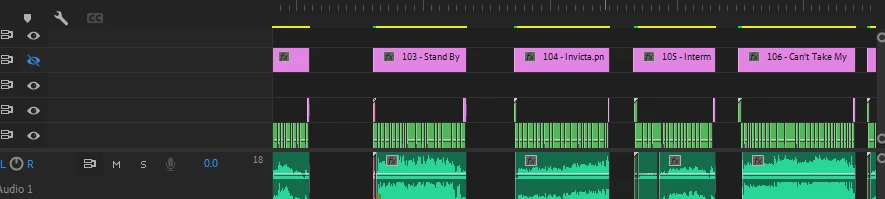
I did try pushing it all to Media Encoder and then saving the list, but that only worked once or twice then started throwing errors..
(Side note - I'm annoyed that I'm having to cut it up into individual pieces in the same place as my multi-track edit, but I'm aware of the bug with nested sequenced. Found that one out the hard way on the last concert.)
Thanks
 AdChoices