
Scene Edit Detection Issue - Analysis stops resp. didn't start
I can't get the scene detection to work and have tried it in Premiere Pro 2020 (14.9.0) and Premiere Pro 2021 (15.1.0).
When I start the scene detection in version 2021, only the analysis window opens but nothing else happens.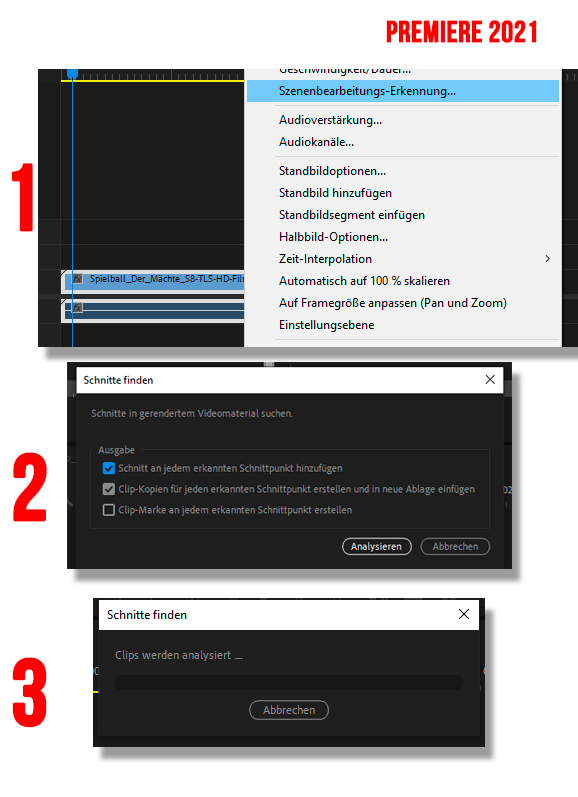
When I start the scene detection in Premiere Pro 2020, the analysis starts and always stops about halfway through. But this is not always the case with every video format. Sometimes it didn't start like in 2021.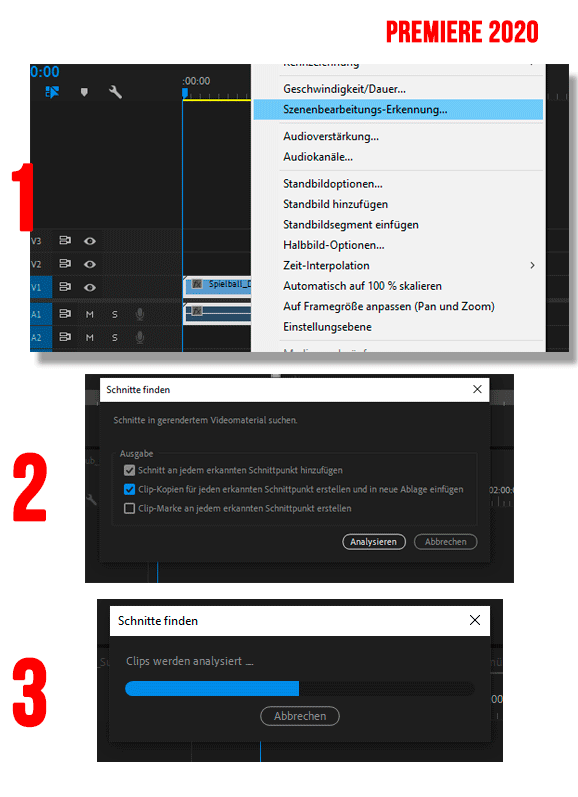
As i wrote, I have tried several different video formats and let time for the analysis (>24h ^^) and I am still going crazy. 😞
By the way, I have also tested several variations
1. via right mouse click
2. via the menu bar
3. both without linked tone
4. as nested clip
Does anyone have a solution for this - I have a lot of scanned Super-8 material to re-cut and I don't want to do it by hand - when we have such a great tool. 😉
thank you in advance for your support.
Andreas
I work with a WIN10 PC 64bit:
Processor: I7-6700K
RAM: 64GB
GPU: NVIDIA GeForce GTX1080
GPU: NVIDIA GeForce GTX770
 AdChoices