
valentinc818304
Participant
March 28, 2018
Answered

Screen tearing when playback

  • March 28, 2018
  • 13 replies
  • 36037 views

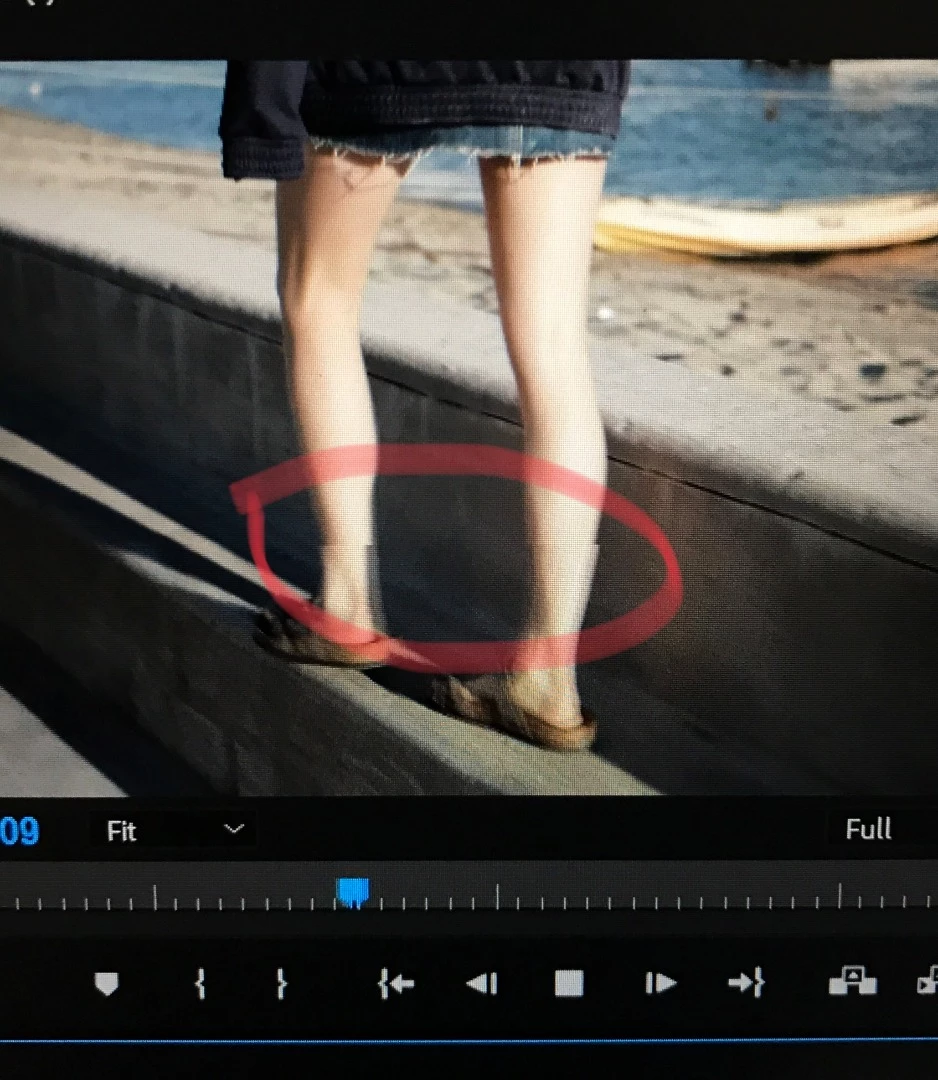
When i playback/preview my sequence, the video is being teared apart and flickering. I do render the sequence first.

I edit CC2018, on my brand new Dell inspiron 15 7577

Is there any settings, that need to be changed?or is it just not the right PC
This topic has been closed for replies.
Correct answer grantv85747955

I had this exact same issue on my PC with a GTX 1070 and new 60Hz BenQ monitor. The fix for me was to go into Nvidia Control Panel > Manage 3D Settings > Program Settings > Adobe Premiere Pro > Vertical Sync and change this setting from 'Use the 3D application Settings' to 'On'. After that I relaunched Premiere and the issue was immediately resolved. Hope that helps for anyone else with the same problem.

13 replies

Participant
November 16, 2022

Found that this worked for me: In the console Debug Database View I found DS.ForceEnableVsync and set it to true. This did solve the problem, without any other system changes.

AnthonyL92
Participant
February 3, 2023

I recommend this 100% to anyone still having issues after trying the recommended fix. To get to it, go into a project and click CTRL+F12, then click on Console Options and look for DS.ForceEnableVsync and set it to true Fixed my problem on a Dell XPS 15 with an i7 and a GTX 1650

Participant
March 28, 2023

In conjunction with Vsync set to Adaptiv (half refresh rate), this worked for me.

Participant
May 20, 2022

for me nothing is working, went through all solution available online

msi creator m16 a11ud

dogfather1
Participant
April 19, 2022

Yea me too, I had this issue for ages until I found this post.  I had a Gtx 1070 switched the nvidia setting to ON rather than Use the 3D application Settings, solve stright away, thant you 

Participant
September 15, 2021

You are a lifesaver! Thank you for posting this!!!

anaism59153805
Participant
September 15, 2021

I'm having this issue on an M1 mac. I was able to create proxies that don't tear but when I render the tearing shows up. Anyone else?

grantv85747955Correct answer
Participating Frequently
December 29, 2020

I had this exact same issue on my PC with a GTX 1070 and new 60Hz BenQ monitor. The fix for me was to go into Nvidia Control Panel > Manage 3D Settings > Program Settings > Adobe Premiere Pro > Vertical Sync and change this setting from 'Use the 3D application Settings' to 'On'. After that I relaunched Premiere and the issue was immediately resolved. Hope that helps for anyone else with the same problem.

Inspiring
January 18, 2021

thank you, that fixed it for me too on Nvidia 2070 Max q Laptop

Had tearing and wobly playback. Fixed with this setting on.

Participant
October 3, 2019

Any luck on this?  I have been having this problem on a new asus laptop w the 1070 card.  No issue in the imported file but in the source monitor and timeline it tears and flickers/glitches and shows up in my exports. I have exasted myself looking and trying different settings etc. What is going on?!?

Joel@Menara
Participant
April 9, 2019

I have a similar issue to this which I have documented in my own post here: Re: Screen tearing/vsync issues in Premiere timeline I still have not been able to solve the problem overall, but was able to solve it in the program and source monitors.

Participant
April 20, 2018

Did you fix this issue?  I have this same issue.. It's really annoying..  The only good thing is when i export it's completely gone.  Only on Playback it happens

robbv15302024
Participant
April 2, 2018

I am having this exact same issue. Recently bought a Razer Blade 14". Laptop is set to always default to the GTX 1060 graphics card. I was running old graphics drivers, so I updated them. Issue still persists.

robbv15302024
Participant
April 2, 2018

Also, of note is that it becomes FAR more frequent when I take the preview full screen.