
Inspiring
May 26, 2017
Answered

Scrolling end credits

  • May 26, 2017
  • 2 replies
  • 7000 views

Can someone please explain to me how I now create scrolling end credits for a film with the so-called "Essential Graphics" panel?

I've spent two hours trying to create a large text box which scrolls onto and then off the screen but that creates a weird mask where the bottom of the initial text box hit the screen boundary which hides half the text. Rubbish.

I thought something like this would be, frankly, made easier by this new-fangled "Essential Graphics" and is something that ALL VLEs I've used provide. And now I've updated to 2017.1 I've lost the Title panel, which for all its faults, at least allowed me to do simple tasks like this. All the "credits" in this "Essential Graphics" travesty are like poster credits and therefore completely useless in a VLE.

Anyone know how to do this?
    This topic has been closed for replies.
    Correct answer Meg The Dog

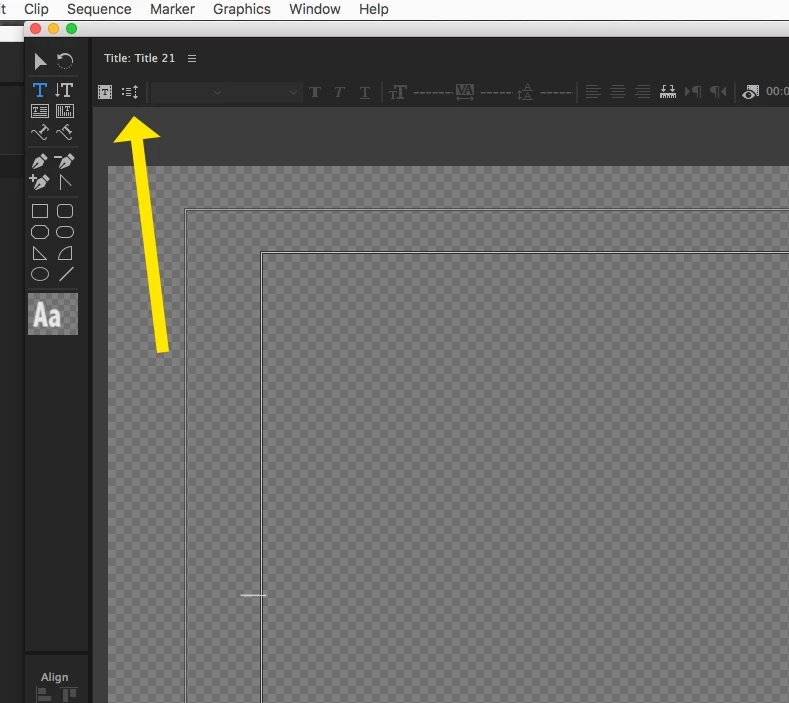
    To use the old title tool, go to the menu File > New > Legacy Title.

    The roll/crawl button is  in the upper left corner.

    MtD

    2 replies

    Ann Bens
    Community Expert
    Community Expert
    May 26, 2017
    Inspiring
    May 26, 2017

    Thanks, Ann.

    So there isn't a way to do it with "Essential Graphics" - hardly essential then eh?

    P.

    Peru Bob
    Community Expert
    Community Expert
    May 26, 2017

    It's still a work in progress.  That's why the Legacy Titler is still there.

    Meg The DogCorrect answer
    Inspiring
    May 26, 2017

    To use the old title tool, go to the menu File > New > Legacy Title.

    The roll/crawl button is  in the upper left corner.

    MtD

    Inspiring
    May 26, 2017

    Thanks MtD.