
Selective Cropping an Exact Section of a Sequence in Premiere
Question: How can I selectively crop an exact section of my sequence without distorting the image?
Background Explination:
I have a current project where I have a sign falling down and bouncing which I created by setting position and rotation effects on multiple frame. After finishing the animaion, I'v realized there is too much unused space to the right and bottom of the animation. While trying to research how to crop the unused space, I can't seem to find exactly how to do it.
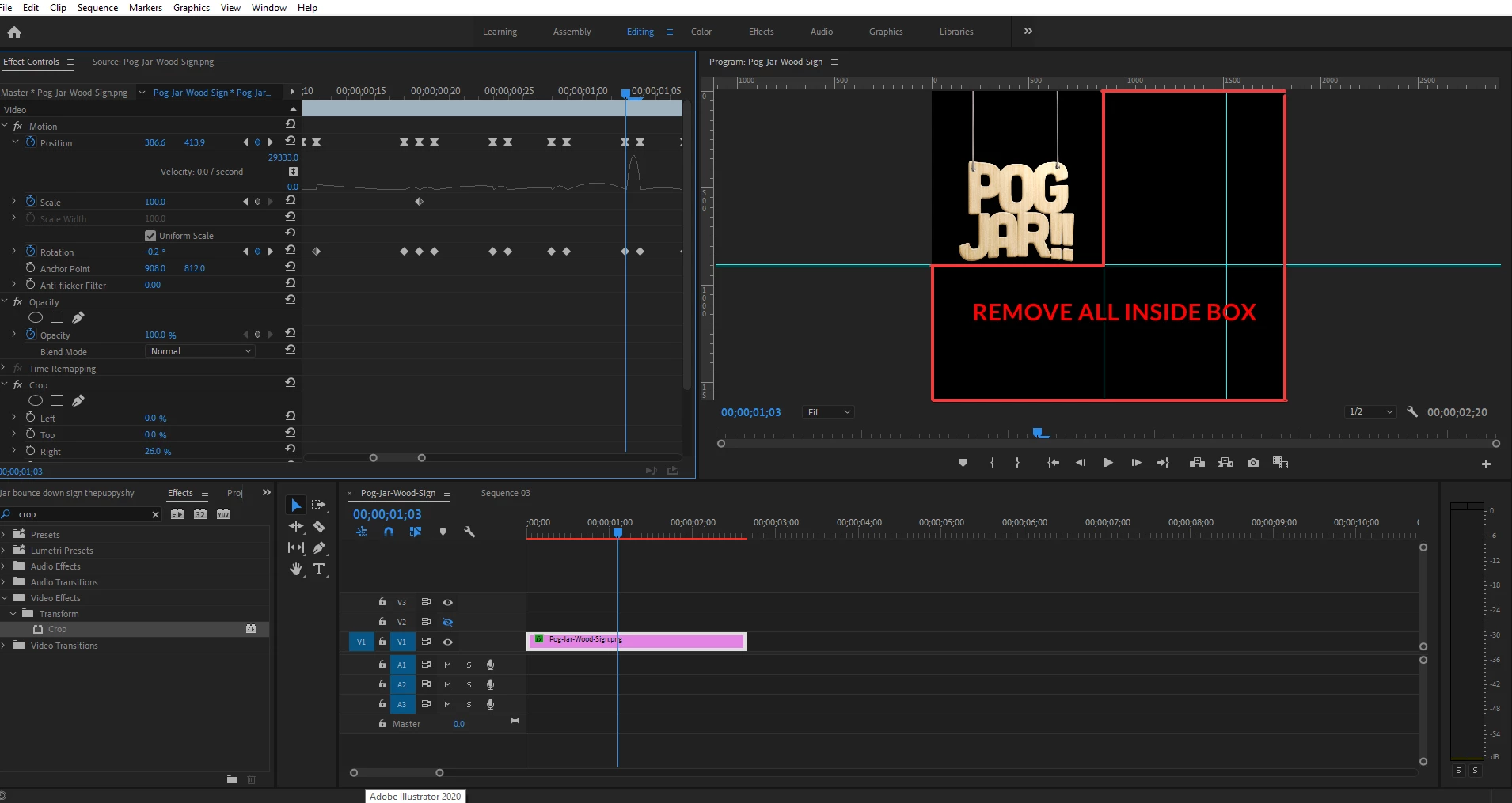
Cropping the space on the bottom is easy. Once I change the Vertical Frame Size in the Video section of the Sequence Settings, it seems to adjust starting from the top from my testing (entering 900 means it will only show 900 pixels down from the top):
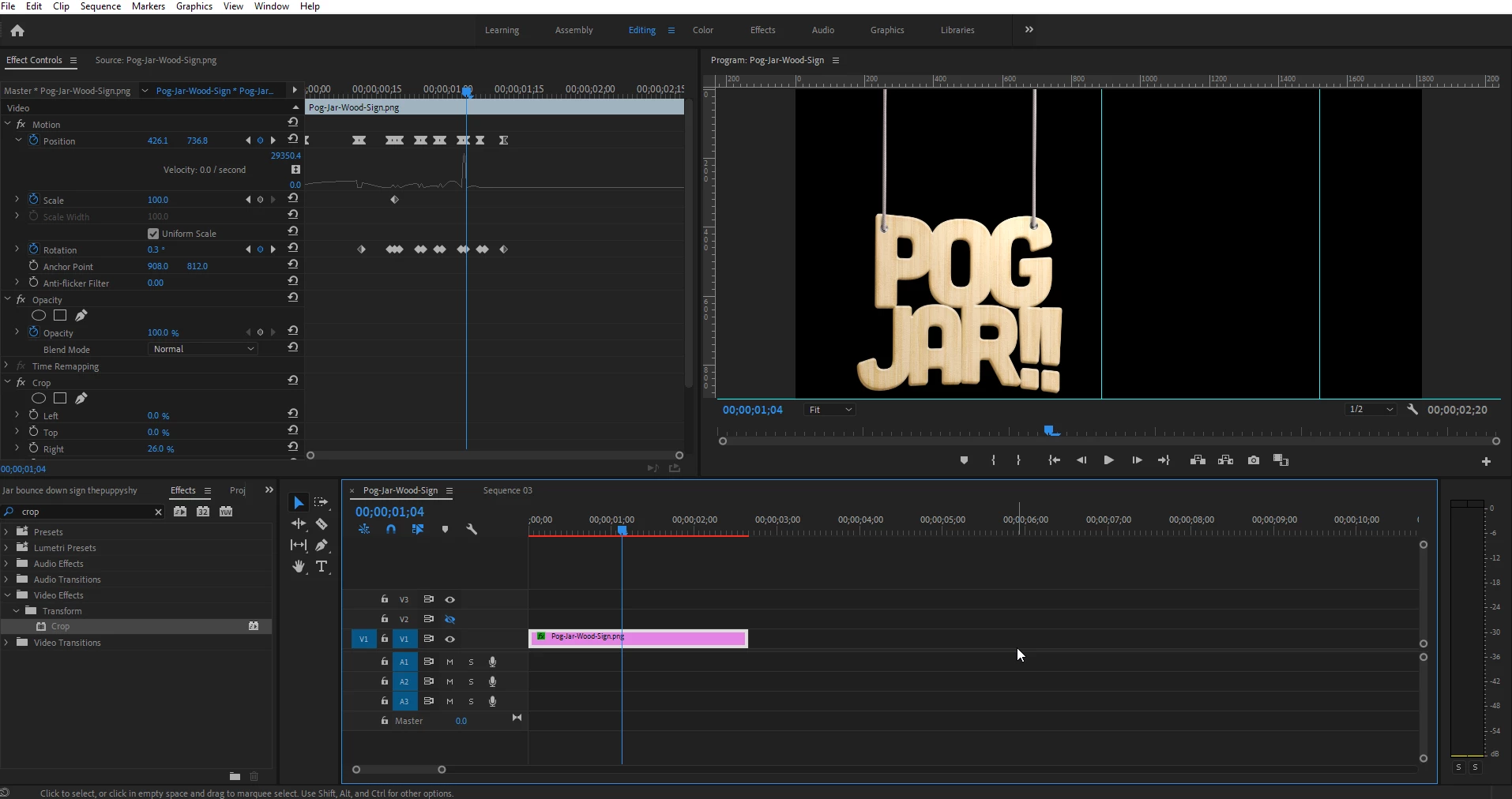
However, changing the Horizontal Frame Size (with "Scale motion effects proportionally" unchecked) in the same Sequence Settings crops equally from both the left and the right side (cropping from 1816 to 1000 removes 408 px from the left and right side):
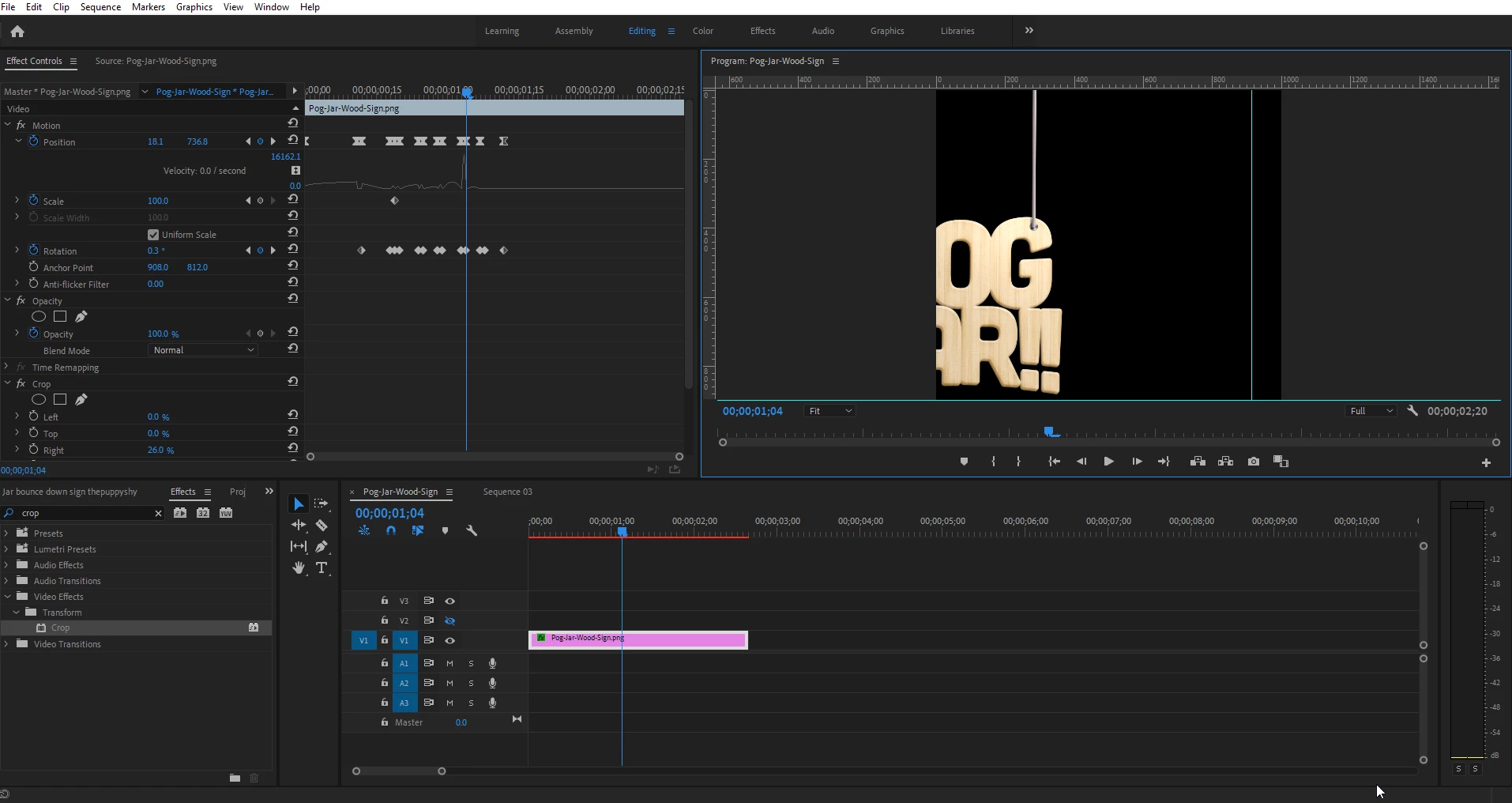
Searching for an answer on how to selectivly crop, or select where the crop takes place has left me empty handed. Cropping with "Scale motion effects proportionally" checked seems to try to scale to the PNG image, but cuts off a bit of the left side. I'm exporting a Webm file to have a transparent background, and trying to add/crop an existing Webm file then exporting always seems to lose the transparency I need. Furthermore, because I have keyframed the position of the transparent PNG file, I cannot find a way to shift over the image along with all of its keyframes to keep it bouncing the same.
In Photoshop, I know you can use the Crop tool and manually drag a box to select what you want in frame and what you want taken out. You can also Canvas Size to select from 9 different places that your new dimensions will crop from. I simply need something similar to one or both of the two tools I mentioned above.
Please let me know if I missed any information that you need, and thank you for any help you have to offer.
 AdChoices