
Question
Selector 17 error code -1609629695 during prerendering AE files in Premier pro
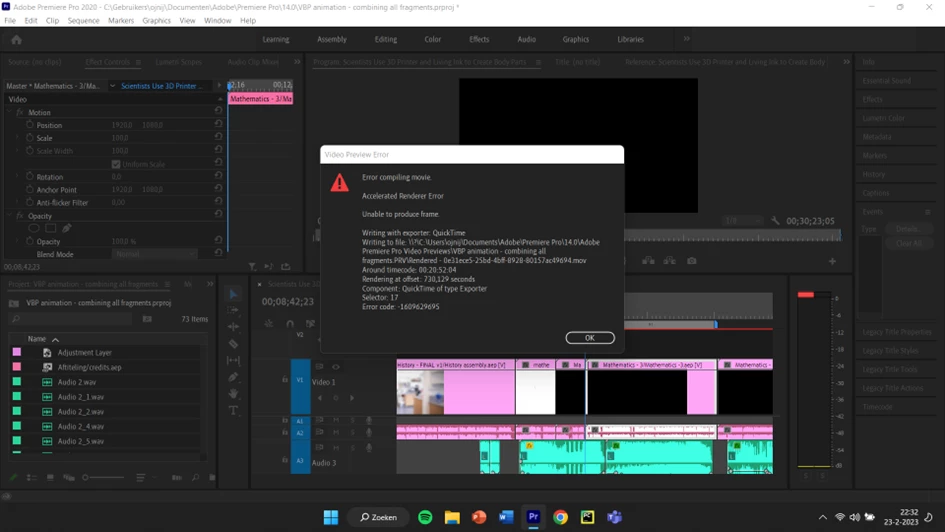
How can I interpret this error message? What is selector 17 error code -1609629695?
And how can I fix it? It sometimes occurs during prerendering, but also during export. I have tried different codecs and used software only, lowered the resolution. Not of it worked. Could it have to do with the linked after effects files?
These are my laptop specs:
Apparaatnaam LAPTOP-JB96AK9P
Processor Intel(R) Core(TM) i7-1065G7 CPU @ 1.30GHz 1.50 GHz
Geïnstalleerd RAM-geheugen 16,0 GB (15,7 GB beschikbaar)
Apparaat-id 628C82F9-21DE-4D9F-A4C4-C1BF4064F9D7
Product-id 00325-96689-66536-AAOEM
Type systeem 64-bits besturingssysteem, x64-processor
 AdChoices