
Participating Frequently
January 16, 2022
Question

Self Made LUTS loading as white

  • January 16, 2022
  • 4 replies
  • 1652 views

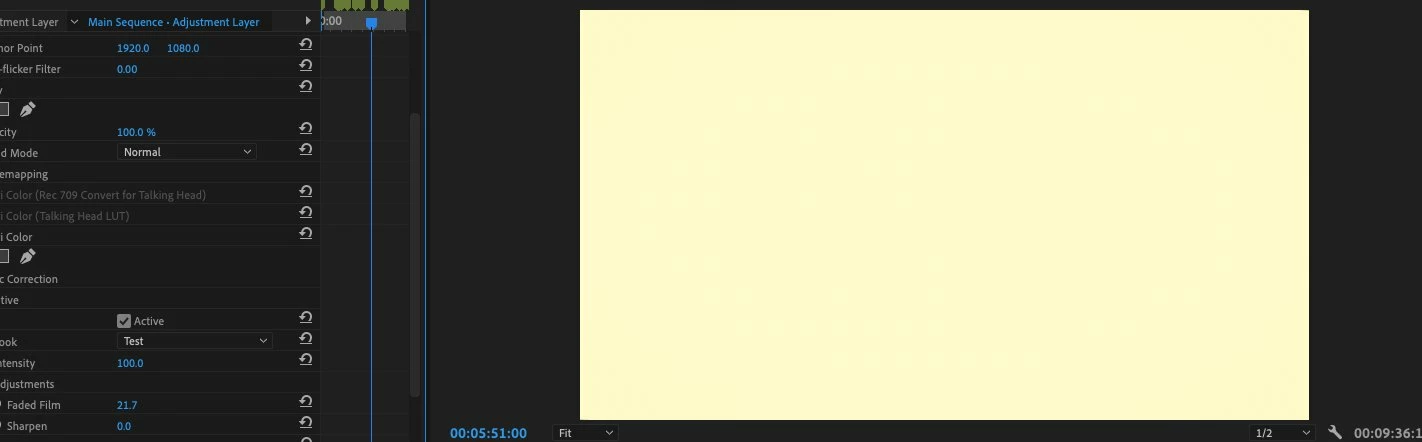
Having an odd issue where when I make a LUT (.cube) in lumetri, when I go to bring it back in the whole screen goes white. Can't seem to find any answers online so thought to ask here. See image for what I mean! 

Thanks in advance 
This topic has been closed for replies.

4 replies

chrisw44157881
Inspiring
January 18, 2022

don't have anything else in lumetri changed, leave all as default except the 10% brightness change lut applied. this is so that we only have one variable to troubleshoot.


what do you mean when you get a different image with a look? can you post a screenshot? how are you making the luts? can you load a 3rd party lut that is not adobe into premiere?(one you haven't made) just to see if premiere can read them?

Participating Frequently
January 18, 2022

Same story with the 10%.

So when I export the LUT as a .look file it works fine, but as a 3dlut/.cube is when it comes through as a white screen. Yes can load any other LUT besides this. I've attached the .look file if that is of any help 

chrisw44157881
Inspiring
January 18, 2022

Post the cube. We know the .look one works.

try my iridas cube lut and see if it goes white.

https://drive.google.com/file/d/1fgZgT76yYfEBiFBf1kB75WvNxjqcIDmC/view?usp=sharing


R Neil Haugen
Legend
January 18, 2022

What are the settings in Lumetri used on those LUTs?


Neil

Everyone's mileage always varies ...
Participating Frequently
January 18, 2022

Basic corrections, creative, and vignette 

chrisw44157881
Inspiring
January 17, 2022

when luts are white, it means premiere can't read them. how did you make them? if made outside premiere, make sure they are iridas cube compatible with no ### headers in the first 3 lines.

Participating Frequently
January 17, 2022

I made it within Premiere Pro. So I did some adjustments in Lumetri Color pannel, then exported it as a .cube.
Are there some settings when making LUTs you can't adjust or something? 

chrisw44157881
Inspiring
January 18, 2022

keyed stuff doesn't really work. or any kind of effects.

try a very, very simple adjustment, like brightness 10% higher, and make a lut, just to see if something is broken.

Ann Bens
Community Expert
Community Expert
January 16, 2022

Make sure they are in the correct folder.

FAQ: Premiere Pro Lumetri Color Custom LUT directory.

Participating Frequently
January 17, 2022

They already are. Any other ideas?