MahaB82A
October 18, 2022
Question

Sequence Settings

  • October 18, 2022
  • 3 replies
  • 1639 views

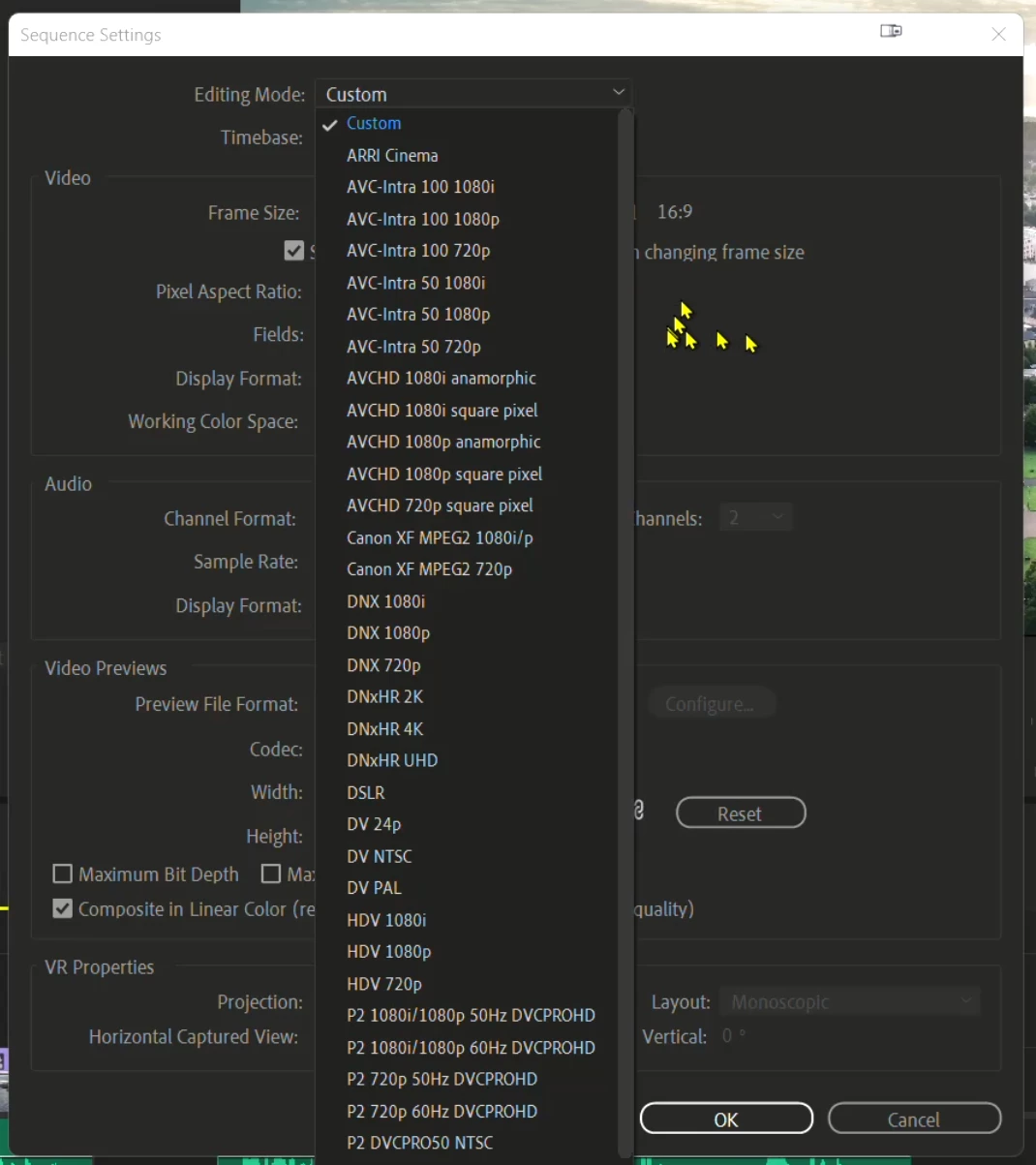
My sequence setting is Custom. I watched many YouTube video's in that sequence setting was not custom. How to decide what should be the sequence setting?

 

This topic has been closed for replies.

3 replies

Kevin-Monahan
Community Manager
Community Manager
October 26, 2022

Maha,

I use Custom exclusively. It is customizable, as the name suggests. It allows for changing the Video Preview codec so I can choose which codecs to render effects to. That way, I can achieve a nice smart rendering workflow. I use QuickTime > ProRes LT. To achieve the best Timeline performance (not yellow), you need the sequence settings and clip properties to match precisely. You need a fast enough computer to handle the formats for some formats.


Thanks,
Kevin

Kevin Monahan - Sr. Community and Engagement Strategist – Adobe Pro Video and Audio
MahaB82A
MahaB82AAuthor
October 26, 2022

If Video Preview is not QickTime - error message

If Video Preview is QickTime - rendering.


R Neil Haugen
Legend
October 19, 2022

Premiere will auto-select the 'closest' first-match from the Sequence settings list to the clip you tell it to make a sequence from. That's all those are ... a variety of potentially correct settings. And as soon as you change anything, the sequence changes from whatever it was to "custom".


Many users have a whole series of saved custom sequences they use for specific things. There's no need for the sequence to 'BE' something, as long as the settings fit the media you are working with.


Neil


Everyone's mileage always varies ...
MahaB82A
MahaB82AAuthor
October 19, 2022

You can see in this video in the timeline yellow line is followed by red line & my Sequence setting is custom. If I change the sequence setting I think I can render without error message. As this is a tutorial, I do not have any other information.  

R Neil Haugen
Legend
October 19, 2022

This is the clip of that tutorial. You can see red line turn into greeen line after rendering. In my case it shows error message.  


What are your Previews set to in the Sequence Settings dialog?


And ... again ... unless you are doing the 'smart rendering' previews are only a help for playback, not anything for exports.


Neil

Everyone's mileage always varies ...
Community Expert
October 18, 2022

I recommend using Media Encoder presets, Social Media, YouTube and whatever your frame size is.