

Serious problem matching SLog3 footage from Sony's FX6 and A74 cameras with Premiere version 22.2
Matching SLog3 footage from two different Sony cameras was in a past a fairly simple operation. Not anymore wiht Premiere v22.2. I understand that more settings and capabilities on color space have been introduced but I am totally confused on what does what.
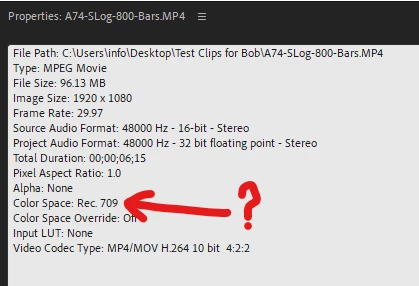
- First issue is that Premiere interprets Sony's A74 10ibt 422 SLog3.cine clips as REC709. And there is no option in the interpret window to force Premiere to interpret them as SLog3.cine... See below.
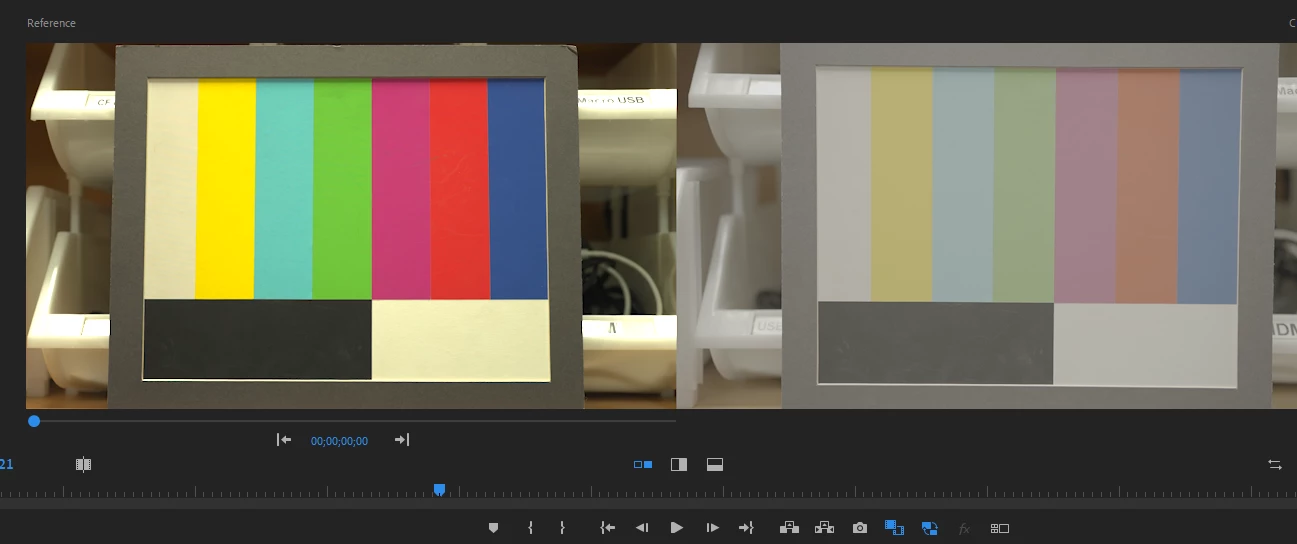
- Then when I dropped a SLog3.cine clip shot on the Sony FX6 in the timeline, it looks like a LUT is automatically applied. Howver, a A74 clip dropped in the timeline looks like.... SLog same as Premiere versions prior to v22.2. See below both clips (FX6 on the left and A74 on the right) using the comparison view
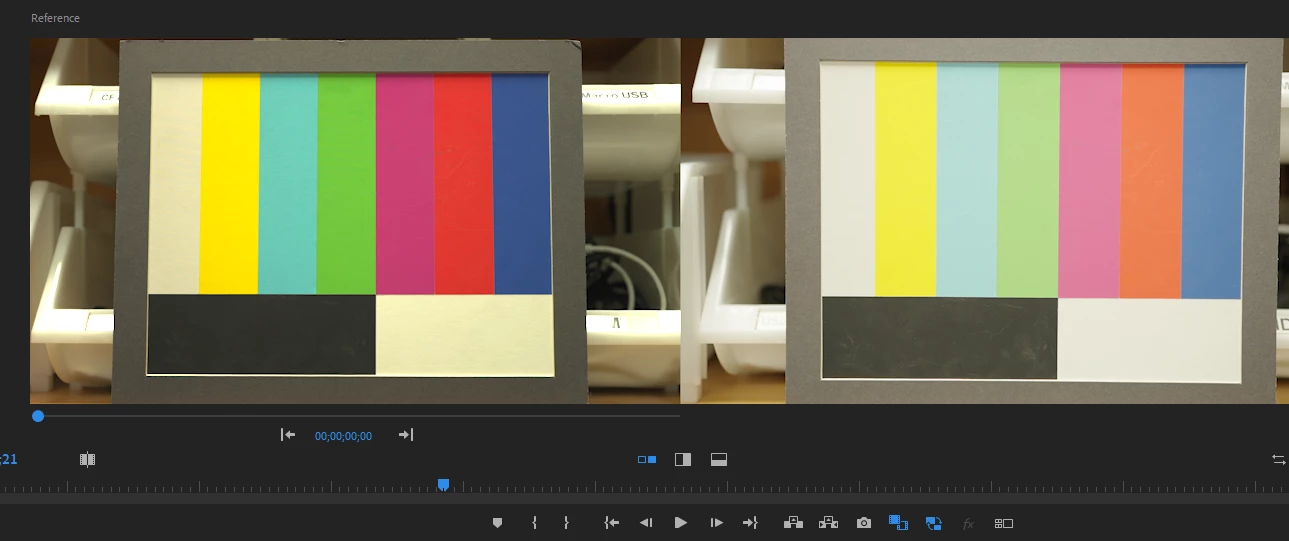
- I would have thought that applying Sony's own SGamut3CineSLog3_To_LC-709 LUT to the A74 clip would give me a good match but not at all. The A74 clip (see below on the right) is still desaturated and overexposed and tweaking the lumetri color settings doesn't create a good match. What a pain... I am at lost. Am I missing something?
 AdChoices