

Set duration of MOGRT
Hello guys,
I'm facing an issue by setting new duration of imported mogrt in a sequence in Premiere Pro 12.1.2 (Build 69). What I've done is: imported a mogrt to my project, created a sequence with some video/audio content, and added the mogrt to the sequence. Hier is how it looks:
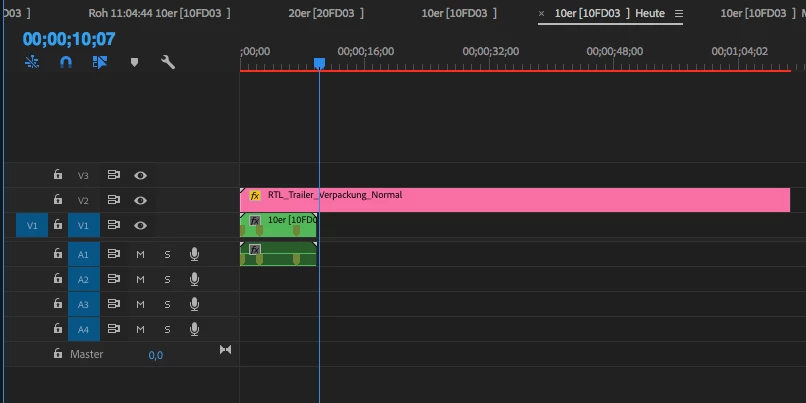
According to the documentation, there should be a setSpeed function on the trackItem. So, I've tried several ways to call this function:
1) app.project.sequences[0].videoTracks[1].clips[0].setSpeed(1.0, "00;00;10;00", false, false, true);
2) qe.project.getSequenceAt(0).getVideoTrackAt(1).getItemAt(0).setSpeed(1.0, "00;00;10;00", false, false, true);
None of these objects have setSpeed function.
I dug into the video track and noticed, that if I call qe.project.getSequenceAt(0).getVideoTrackAt(0) there are two items inside of it (one is type "clip" and the other type "empty"), while calling qe.project.getSequenceAt(0).getVideoTrackAt(1) there is only one item with type "empty". Is there anything I'm missing?
Post moved from Extensions / Add-ons Development to Premiere Pro SDK. [Moderator]
 AdChoices