
Answered
Side black bars on the exported video
Hello, I edited a video using stock footage, which came in different aspect ratios. I'm guessing that's the source of the side black bars, but I don't know.
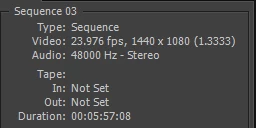
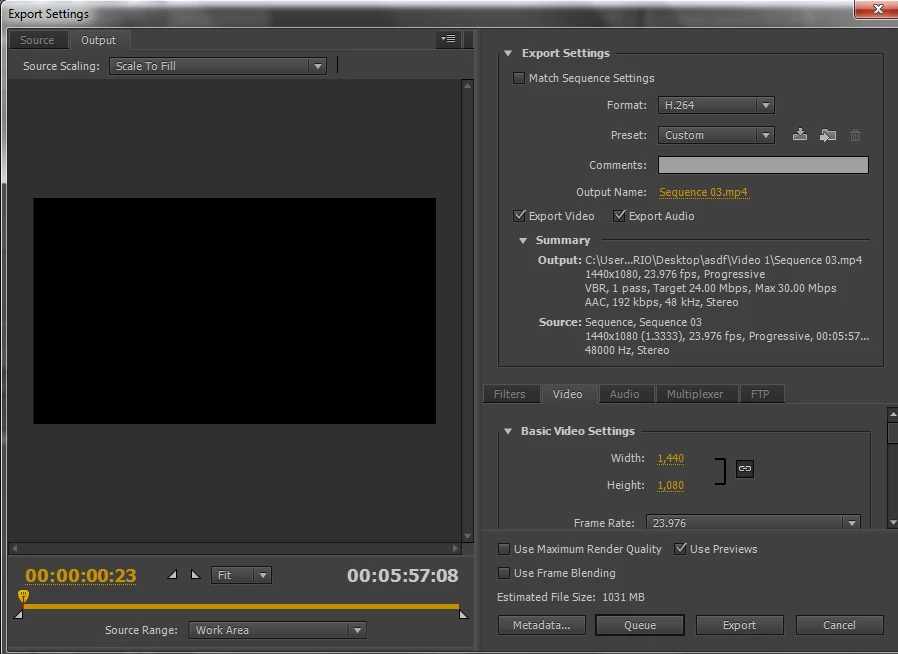
Here's my sequence and export settings:
SEQUENCE SETTINGS
EXPORT SETTINGS
The aspect ratios of the clips used are: 1280x720, 640x360, 320x240 and 1920x1080
Some clips I scaled to frame size, in others I used Motion effects, such as Scale, Scale Width and Scale Length. It appears that one can't change scale, scale width and length in the same clip, so if I were to remove the "scale to frame size" and crop the black bars with scaling I'd lose my effects. And anyway I like how the different aspect ratios work in my video.
So, how could I remove the side bars premiere creates? Thanks.
 AdChoices