jaydeen99056735
Inspiring
April 23, 2023
Answered

Simplify Sequence - Closing Vertical Gaps of Audio Clips?

  • April 23, 2023
  • 3 replies
  • 1179 views

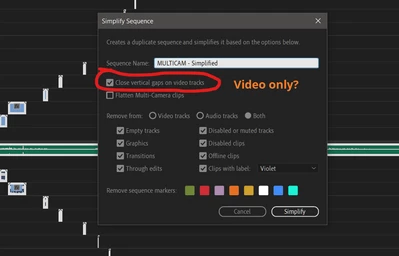
So I just noticed the Simplify Sequence feature, which is a welcome addition. Something I've always longed for.

The part about it that I wanted the most was the close the vertical gaps between clips.

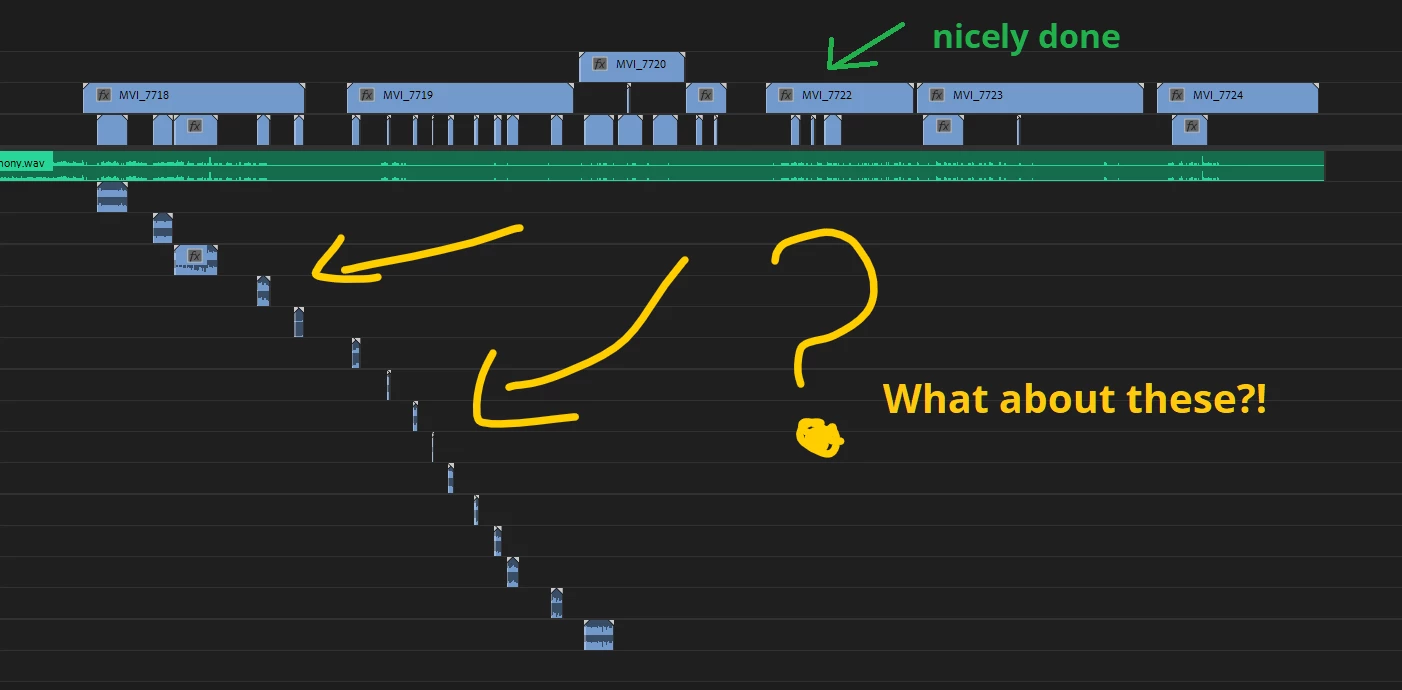
And this feature does it wonderfully.... but only for video.

Now what about audio?

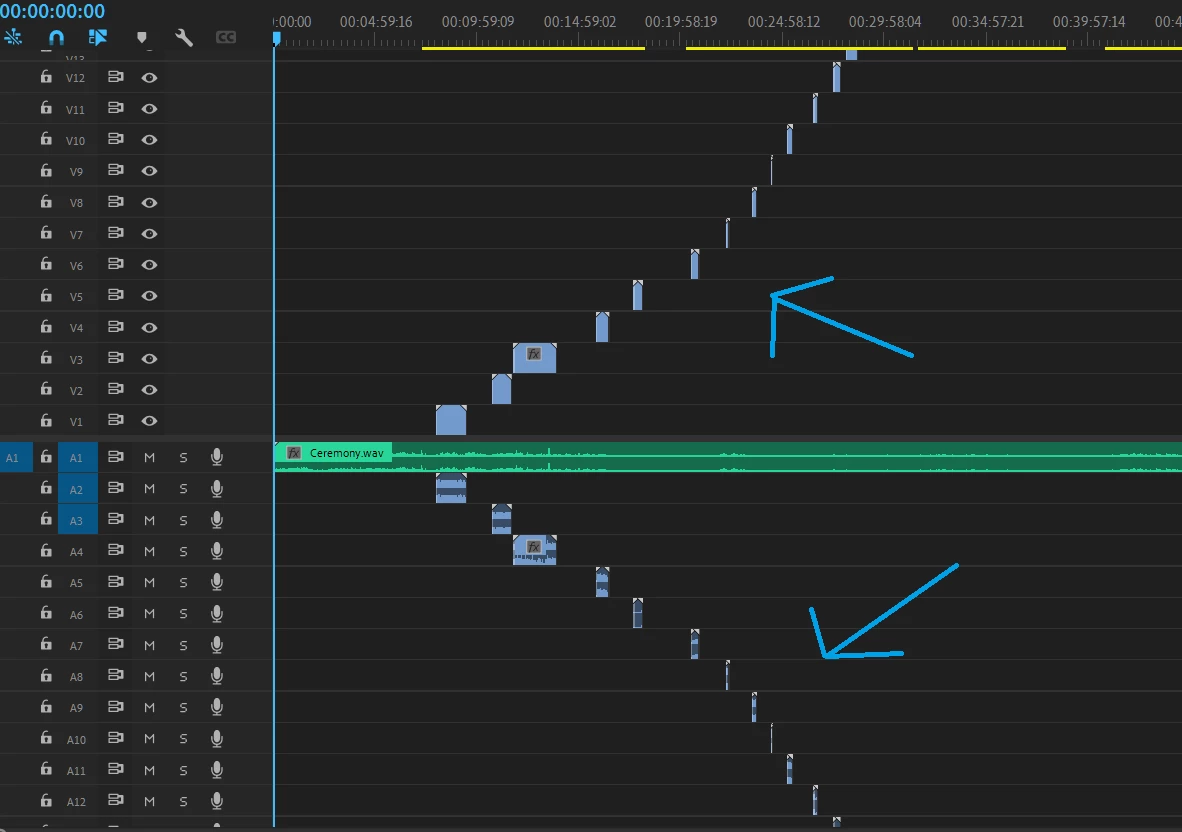
Why can't we close the vertical gaps with audio clips? Did they really just abandonship for the audio portion?

Or am I missing something?

Does anyone know how to easily close the vertical gaps with audio clips?

Let me know, please and thank you.


This topic has been closed for replies.
Correct answer PaulMurphy

This is a much-needed feature.

In the meantime, you can use this technique: Closing Vertical Gaps


Cheers,

Paul

3 replies

Community Expert
July 19, 2024

Just a question, if you flatten the audio tracks what would happen to any track automation?

Community Expert
July 19, 2024

If you move a clip to a new track, the track automation will not move with it.

Cheers,
Paul

fernando202
Participant
July 19, 2024

i can't believe they haven't added the option to close vertical gaps on audio tracks

PaulMurphyCommunity ExpertCorrect answer
Community Expert
July 19, 2024

This is a much-needed feature.

In the meantime, you can use this technique: Closing Vertical Gaps


Cheers,

Paul

Daniel Molokie
Participant
December 4, 2023

Did you ever figure it out? I'm having the same issue.

jaydeen99056735
Inspiring
April 19, 2024

@Daniel Molokie No I haven't figured it out yet, other than manually moving every audio clip myself.

Even in the newest update (Premiere 2024 - 24.3.0 Build 59), there's still no 'audio track' feature for closing vertical gaps.

God knows if Adobe is even working on this. Hopefully they are.