

Trickooo
Known Participant
July 27, 2017
Question

SLOW rendering Premiere Pro CC 2017

  • July 27, 2017
  • 4 replies
  • 2872 views

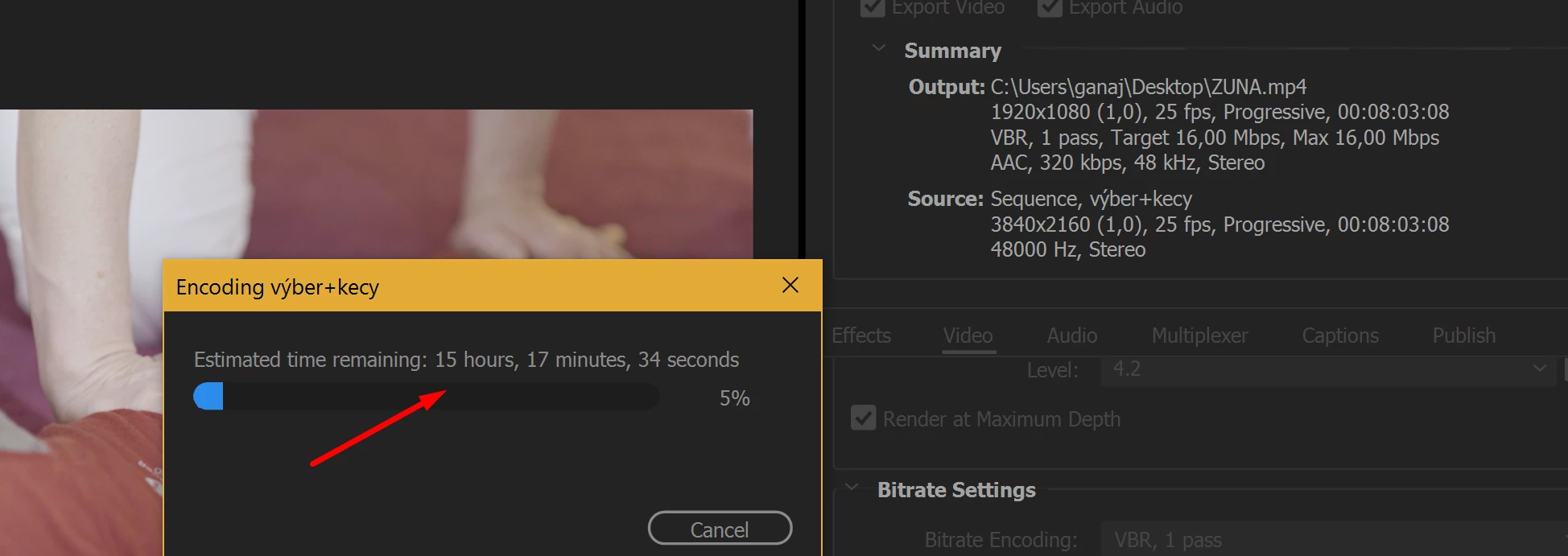
Hi, I am using Pr CC 2017. Yesterday I was exporting an 8 minutes long clip. I don´t know how is that possible, Pr told me, that I have to wait 15 hours for export. But I was waiting probably for 27 hours. Usally I am rendering 70-130 minutes videos and it took about 45-55 minutes to render them. Do someone know what is the problem?
I am using Dell XPS 15, 9560 kaby lake, nvidia 1050 4 gb, 16gb ram, have enough space for cache, final video was 1000 MB.
This topic has been closed for replies.

4 replies

Trickooo
TrickoooAuthor
Known Participant
August 14, 2017

Hi.

So I found out a problem. It was one of the Chung Dha clarity presets. I found answer in another forum, where editors said to me, the clarity preset is not supported by GPU in exporting.

kulpreet singh
Inspiring
July 27, 2017

Hi Trickooo,

Pr told me, that I have to wait 15 hours for export. But I was waiting probably for 27 hours.

This is definitely not normal, I apologize for the trouble. Please check the settings as suggested by Jim_Simon (above).

This might help: FAQ: How do I speed up rendering, exporting, or encoding?

Thanks,

Kulpreet Singh

Jeff Bugbee
Community Expert
Community Expert
July 27, 2017

Looks like you're editing 4k footage. Is your sequence very effect heavy?

Legend
July 27, 2017

Two easy things you can check are CUDA processing and Maximum Render Quality (MRQ).

You want the first turned on and the latter turned off.

Beyond that, faster exports will generally require faster hardware.