
Known Participant
April 12, 2022
Answered

Small Window Opens up showing my Logitech Mouse, but does nothing else when I am editing

  • April 12, 2022
  • 2 replies
  • 765 views

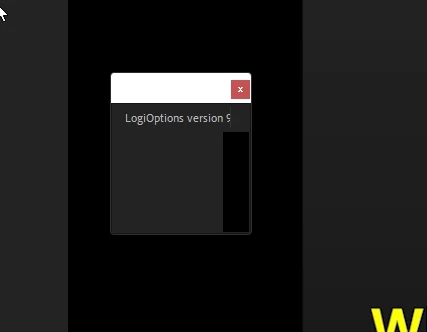
Recently since the latest update to Adobe Premiere Pro, This little window keeps popping up in the main screen while I am editing.  The title header of the screen says LogiOptions version 5.


Here is an image.


I can click on the X to close the window and it disappears and then about an hour or two later it pops up again.  It doesn't affect the program or my editing.  It is rather bizarre and was wondering if anyone can shine a light on it

.


This topic has been closed for replies.
Correct answer Ann Bens

Delete LogiOptionsAdobe from

C:\Program Files\Common Files\Adobe\CEP\extensions

and reboot.

2 replies

Ann Bens
Community Expert
Ann BensCommunity ExpertCorrect answer
Community Expert
April 12, 2022

Delete LogiOptionsAdobe from

C:\Program Files\Common Files\Adobe\CEP\extensions

and reboot.

Jeff Bellune
Legend
April 12, 2022

You should be able to prevent the LogiOptions app from loading at startup, which would prevent your issue.

I'm on a Mac but I used to do Windows. I severely limited the programs I would allow to start automatically and in the background.