

SOLVED: Can't add METADATA to MP4 exports from Premiere Pro
I want to be able to add metadata to finished videos exported from Premiere Pro. We export in H.264 MP4 files primariliy. When I try to add keywords or other metadata using Adobe Bridge, I get an error, "... cannot store XMP metadata. No changes will occur."
If I take that same MP4 from Premiere and put it through Handbrake, creating a new MP4, that new MP4 takes metadata like a champ, takes it all in and holds it tight.
I've tried several different export presets in Premiere (Facebook 1080p, YouTube 1080p, HQ 1080p, Mobile Divice 1080p) all with the same error. What should I be doing differently at export that would create an MP4 that can hold metadata? Why do Premiere's defaults seem unable to do so?
Thank you.
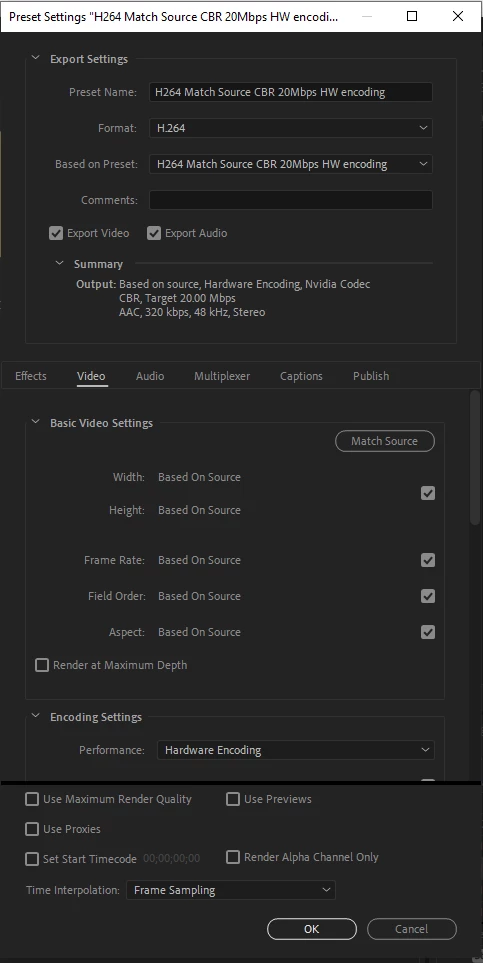
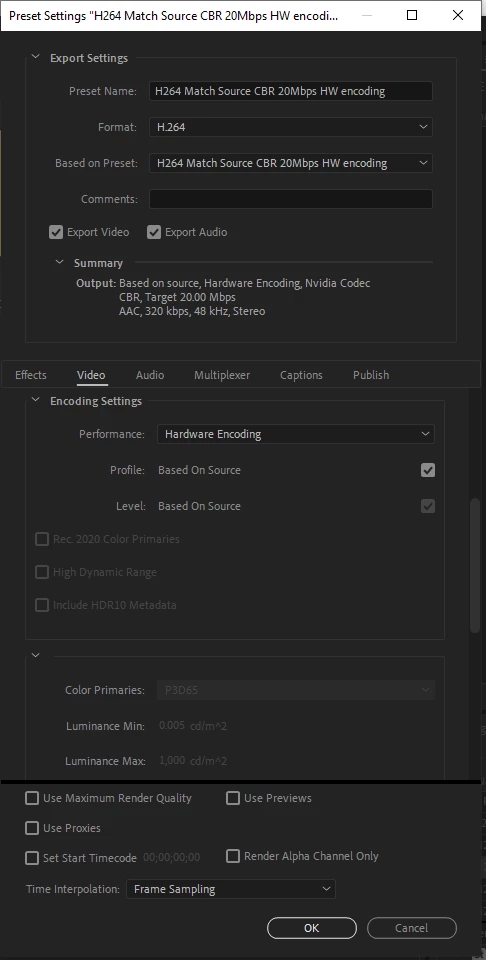
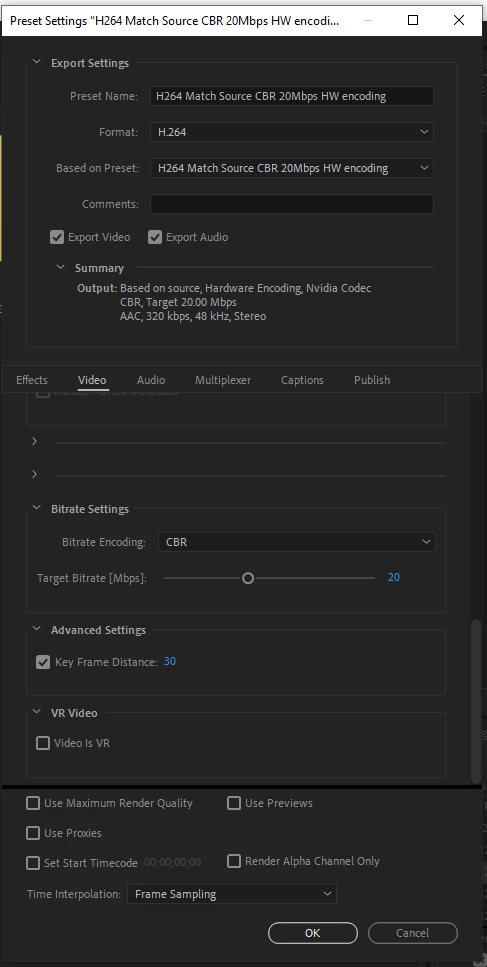
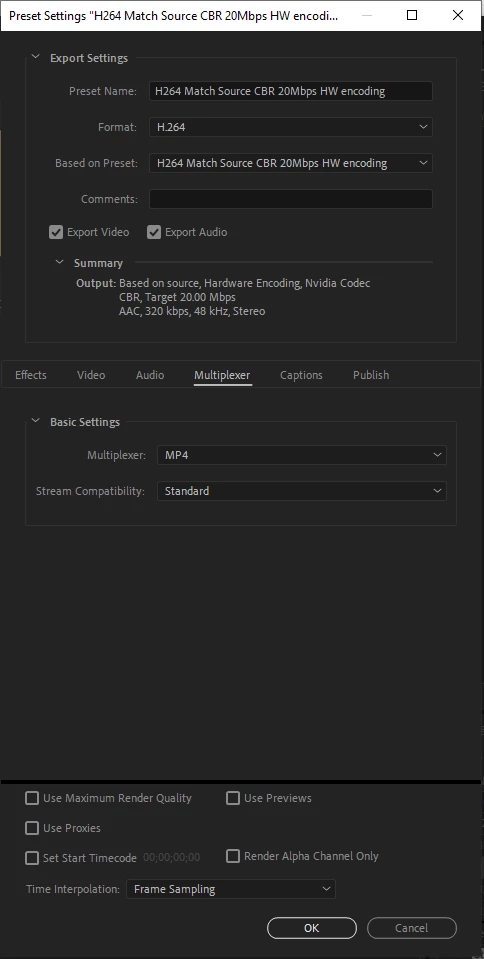
I seem to have found a solution to the problem using custom export settings rather than one of the presets.
 AdChoices