
Participant
August 12, 2019
Answered

Some clips won't load

  • August 12, 2019
  • 2 replies
  • 2013 views

Hi,

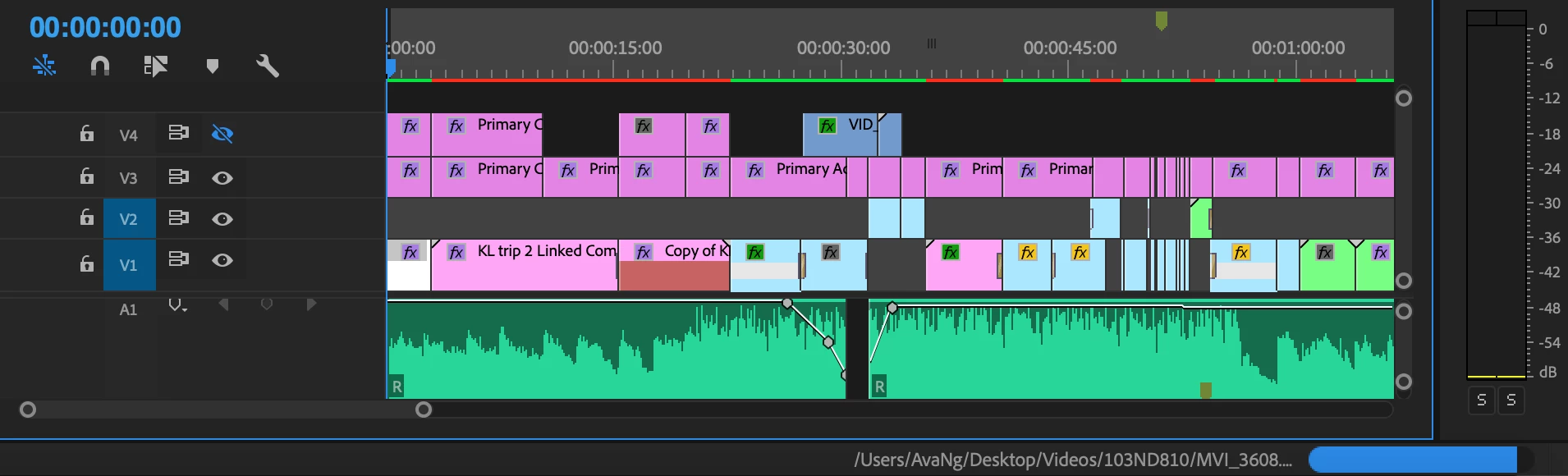
I was working on my Premiere Pro working file last night and all was fine (able to render and export properly), but when I opened it the next morning, some of the clips just won't load (red bar above) and the blue bar below that shows the loading of all the clips just remained stuck at a certain point. Perhaps the image below can better illustrate the problem I'm facing.

Would appreciate some help on this. Thank you!
This topic has been closed for replies.
Correct answer Graeme Bull

I've seen this issue with files that live on external drives and it's trying to retrieve them from there. Have you tried "locating" them with the locate dialogue? Maybe a restart of Premiere first..

2 replies

Peru Bob
Community Expert
Community Expert
August 12, 2019

Have you waited for the files to conform?

Graeme Bull
Community Expert
Graeme BullCommunity ExpertCorrect answer
Community Expert
August 12, 2019

I've seen this issue with files that live on external drives and it's trying to retrieve them from there. Have you tried "locating" them with the locate dialogue? Maybe a restart of Premiere first..

ngsy23Author
Participant
August 12, 2019

Hi Graeme Bull,

The files are all on my desktop, i.e. not stored on any external drive. I've also tried restarting Premiere several times but the problem still persists. I have not moved the location of any of the clips used.

Any idea what could be the problem instead?

Inspiring
August 12, 2019

You might want to try and reset the preferences, and clear out the media cache to force the software to take another look at the clips.

thread

FAQ: How to clean (delete or trash) media cache files?