
Exit
  • Global community
    • Language:
      • Deutsch
      • English
      • Español
      • Français
      • Português
  • 日本語コミュニティ
  • 한국 커뮤니티
0

Sony a7iii XAVC S h.264 export audio/video not syncing

Community Beginner ,
Jul 18, 2020 Jul 18, 2020

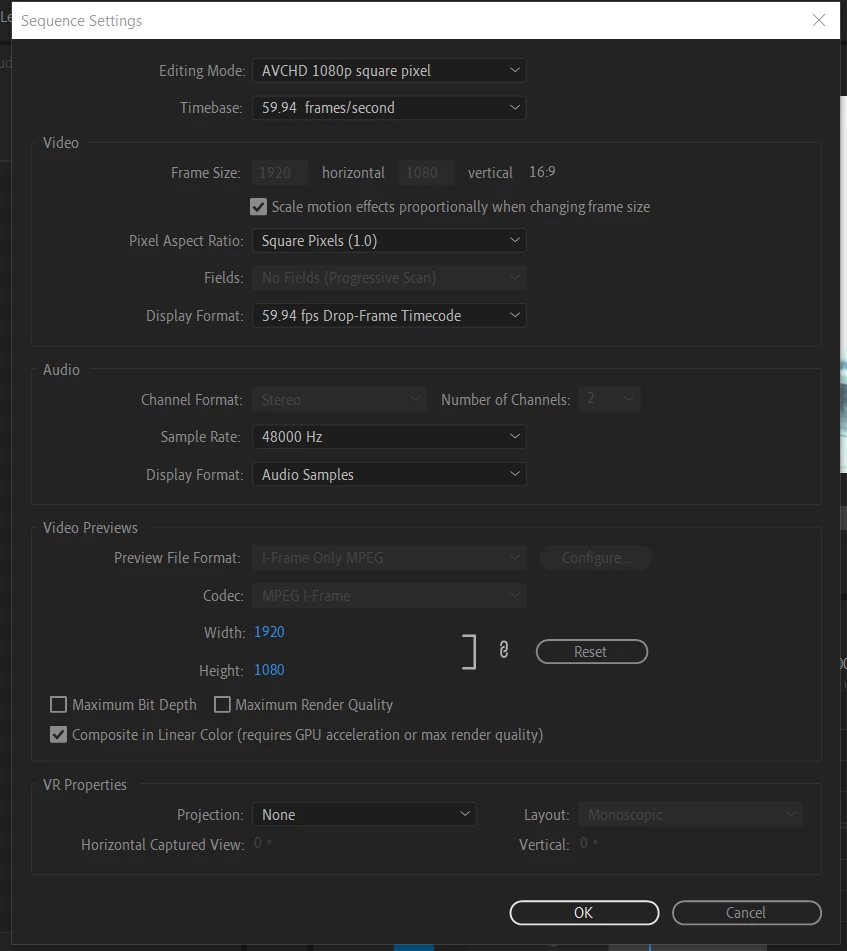
When I export my sequence as (h.264 - high bitrate) my audio/video isn't synced; the audio is sped up and the video is twice as long. It appears synced in the sequence timeline. When watching the source clips in windows app Movies & TV the audio/video is synced and clips are the same length as in my sequence timeline. If I export as an (MPEG4 - 3GPP 352 x 288 h.263) or (AVI - NTSC DV) the audio/video is synced and video is intended length, but video quality is not as good as h.264. Hopefully somone will be able to tell me what I am doing wrong. I tried reinstalling premiere and that didn't help. I shot the video in XAVC S HD using a sony a7iii. I am using premiere pro 2020 cc v 14.3.
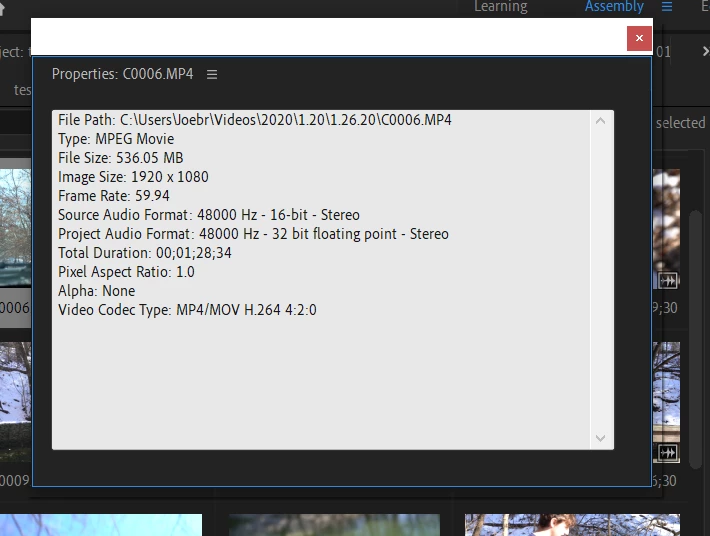
 

clip properties.png


sequence settings.png


system specs: 

AMD Ryzen 5 2500U 

8gb ddr4 ram

1tb ssd

windows 10 home 1903 


TOPICS
Audio , Error or problem , Export , Formats , User interface or workspaces
1.6K
Translate
Report
Community guidelines
Be kind and respectful, give credit to the original source of content, and search for duplicates before posting. Learn more
community guidelines

correct answers 1 Correct answer

Community Expert , Jul 18, 2020 Jul 18, 2020

If you turn off Hardware Encoding does it work? I've seen this issue posted once or twice before but I can't specifically remember the fix. Hopefully someone else also chimes in.


I would also go into your Preferences>Audio Hardware, and make sure your input is set to none.

Translate
Community Beginner ,
Jul 18, 2020 Jul 18, 2020

I put the clips on my friends macbook pro and it exported fine as h.264. Could there be some setting that is saving in PP even when I uninstall/reinstall? Someone please help, I am very confused and tempted to just buy a macbook.

Translate
Report
Community guidelines
Be kind and respectful, give credit to the original source of content, and search for duplicates before posting. Learn more
community guidelines
Community Expert ,
Jul 18, 2020 Jul 18, 2020

If you turn off Hardware Encoding does it work? I've seen this issue posted once or twice before but I can't specifically remember the fix. Hopefully someone else also chimes in.


I would also go into your Preferences>Audio Hardware, and make sure your input is set to none.

Translate
Report
Community guidelines
Be kind and respectful, give credit to the original source of content, and search for duplicates before posting. Learn more
community guidelines
Community Beginner ,
Jul 18, 2020 Jul 18, 2020

Hey Phillip! That worked! Any idea why the audio may be going out of sync with hardware encoding on rather than software encoding? This issue popped out of nowhere for me.

Translate
Report
Community guidelines
Be kind and respectful, give credit to the original source of content, and search for duplicates before posting. Learn more
community guidelines
Community Expert ,
Jul 18, 2020 Jul 18, 2020

I'm not really sure why. Hardware encoding is relatively new so I'm sure there are a few things to work out. Normally the biggest thing is that there are color differences between Hardware and Software. HW is faster, SW is more accurate.

Translate
Report
Community guidelines
Be kind and respectful, give credit to the original source of content, and search for duplicates before posting. Learn more
community guidelines
Community Beginner ,
Jul 18, 2020 Jul 18, 2020
LATEST

well thank you very much sir! you saved me many more hours of headache 😄

Translate
Report
Community guidelines
Be kind and respectful, give credit to the original source of content, and search for duplicates before posting. Learn more
community guidelines