
Sound disappeared
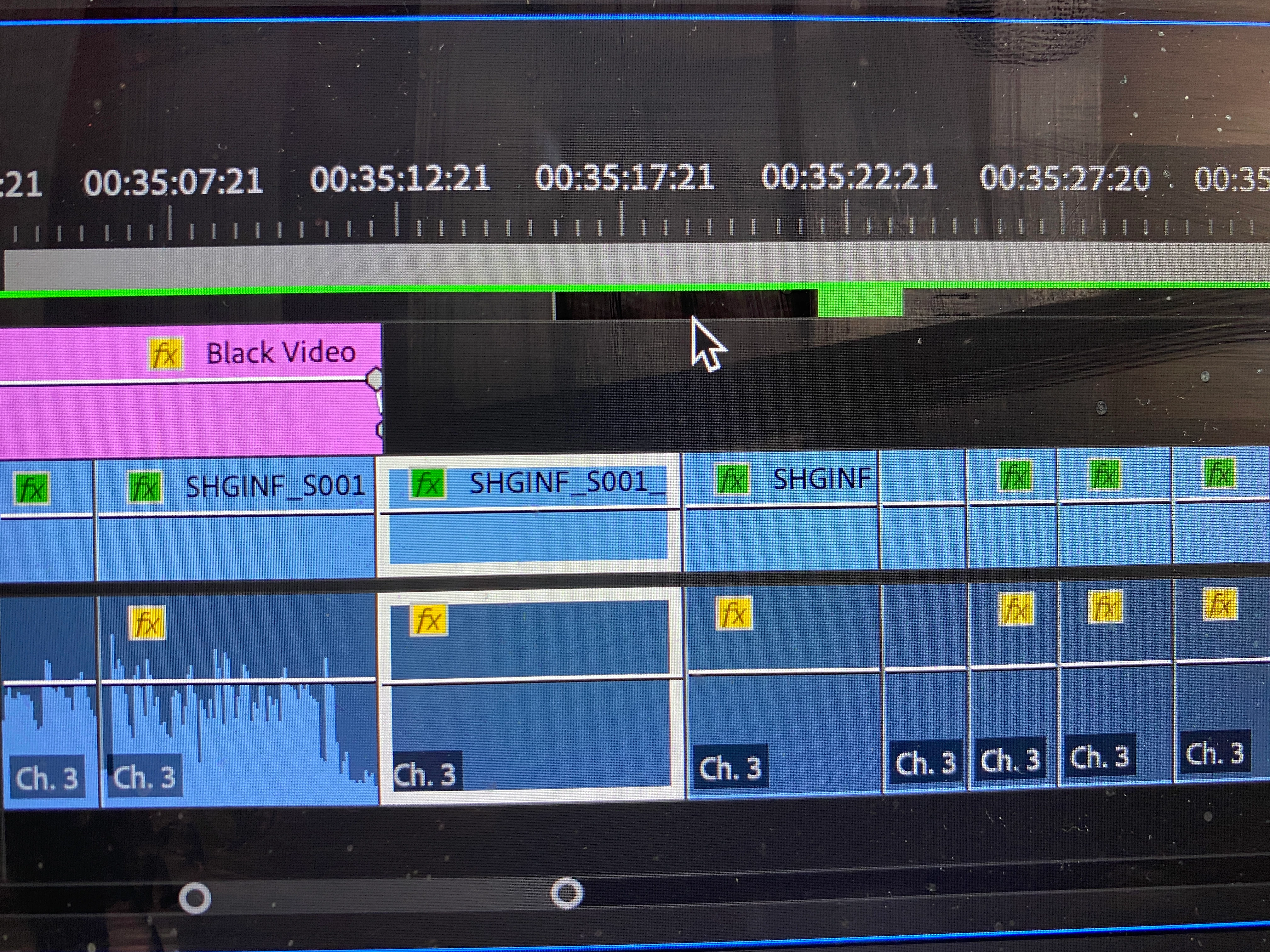
Please help. I have been editing since 16mm and taping cells together, but I am still a beginner in a lot of ways with Premiere. I merged two time lines and am working with 1 hour of footage getting closer to final edit. Suddenly 5 to 10 minutes in the middle (See Picture), has the sound gone, no wave-length, just the sound clip that was there. Long Story just in case this matters, sorry: Now when I merged the 2 time lines and reopened Premiere, it could not find certain proxy files. When the proxy folder was looked at the reference numbers did not match (i.e., it is looking for Girl clip but the only one in the folder is Girl clip_2). So first I painstakingly go to each clip and match it with it's the _2 proxy, but some of the clips don't match up??? and my months of work is all screwed up, but of course I have a back-up hard drive so I go back to the original Merged copy when I did the last back-up, and just choose to say (Off-line all). Everything is working great, then suddenly a scene I just played and other scene suddenly have no sound. I don't think this has anything to do with the Proxy files because it was working fine before it suddenly disappeared. The camera clips originally had 4 audio channels but the sound is only on the third channel so I deleted the other camera tracks and the camera's 3rd audio channel was placed on Audio Track 1 in Premiere. Is ther a way to easily replace the audio tracks with ones that work, without painstackingly finding each clip and having to reedit the sound. Is there a magic fix to this, if someone else has had this problem? Please, any help would be greatly appreciated.
Mark
 AdChoices