
September 27, 2021
Question

Speech to text having a day off

  • September 27, 2021
  • 2 replies
  • 931 views

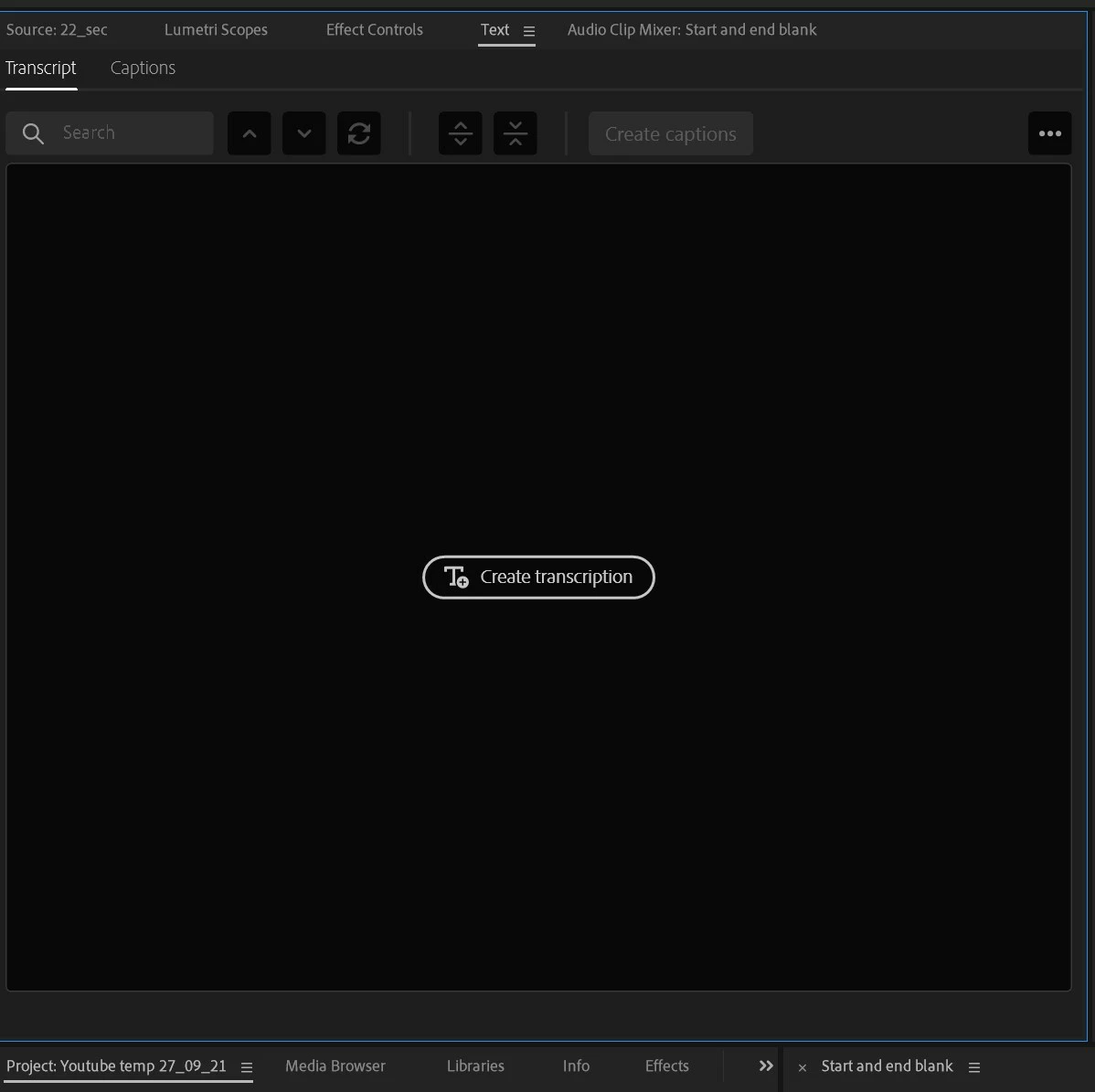
Yesterday it worked, Today it's not, I clicked on 'create transcript' and after waiting for the upload I have a caption in the source monitor (black and blank) saying 'create transcription' the 'create captions' button is grayed out? this keeps repeating. I tried asigning the dialogue track in Essential Sound but no good. Thx
This topic has been closed for replies.

2 replies

Stan Jones
Community Expert
Community Expert
October 1, 2021

First to clarify, what you are seeing is the "Text Panel" - it is not actually the source monitor. And you are on the "Transcript" tab of the Text Panel. When you are there and there is no transcription, that is what you see - a button that says "Create Transcription." 


Normally, when you are in a sequence and there is no Caption Track already, there are 3 buttons in the Text Panel (on the Captions tab), one of which is "Transcribe Sequence." 


No matter which of those 2 you click, you should then see the "Create Transcript" dialogue. That is where you saw the option for audio tracks.


Seven minutes is not long, and I don't recall any reports of short segments causing problems. I emphasize that the workaround you are trying should not be necessary. But you seem to have some success with this, and sometimes workarounds are necessary.


You can limit what is transcribed by using in and out points. Set an inpoint for the beginning and an outpoint for the end of the section you want. Set the out point where there is no talking. Then, in the "Create Transcript" dialogue, check "Transcribe in point to out point only." Since for this step there is no existing transcript, you can omit checking the box for "Merge output with existing transcription."


If all goes well, you get a transcript and the "Create captions" button is active. Don't click on that yet.


Change the in point to the previous out point, and set a new out point. Now in the Transcript tab, click the 3 dots in the upper right, and pick "Re-transcribe sequence." Again check "Transcribe in point to out point only," and this time check the box for "Merge output with existing transcription."


You should now have a transcript with both sections, and the "Create captions" button is active. Repeat until you have all the sequence transcribed. At the end, click the "Create Captions" button.


Let us know if this works.


Stan


October 7, 2021

Stan, thank you for that. I did try the 'in and out' points that didn't work at the time either, I could follow what are saying, in the end, before seeing your reply I just scraped the project and started again (with the whole transcript) and it worked! no idea why, must have caught the server on a good day? I'll be trying another in few days.

regards

Steve 

December 30, 2021

Thanks for reporting back. Good luck!


Not used S to T for months now I come to use it, it's playing up again.

I get this screen but then it goes to this screen (below) after about a minute

And nothing is happening ??

Vishu_Aggarwal
Participating Frequently
September 27, 2021

Did you try any other project or sequence to the transcript? Let's know the version of the premiere pro you use.
Please note the transcribe is done via cloud servers of Adobe and sometimes it would be an issue in the cloud servers itself..so it is better to try after some time. You can check the status of Adobe servers here - https://status.adobe.com


Vishu AggarwalAdobe Certified Instructor, Professional and Expert
September 28, 2021

Version 15.4.1

I tried a small sample video with little dialogue and it was ok, just tried another much longer project and it's the same issue , twice. If this is a hit and miss feature then it needs taking down until it's sorted. How much of an issue is this with other users? 

Vishu_Aggarwal
Participating Frequently
September 28, 2021

How long is another project? It is better to break down the longer project into small sequences and combine them to make the transcribe work.

Vishu AggarwalAdobe Certified Instructor, Professional and Expert