Exit
  • Global community
    • Language:
      • Deutsch
      • English
      • Español
      • Français
      • Português
  • 日本語コミュニティ
  • 한국 커뮤니티
0

split screen when exporting

New Here ,
Nov 28, 2020 Nov 28, 2020

shumilec66167356_0-1606583417322.png

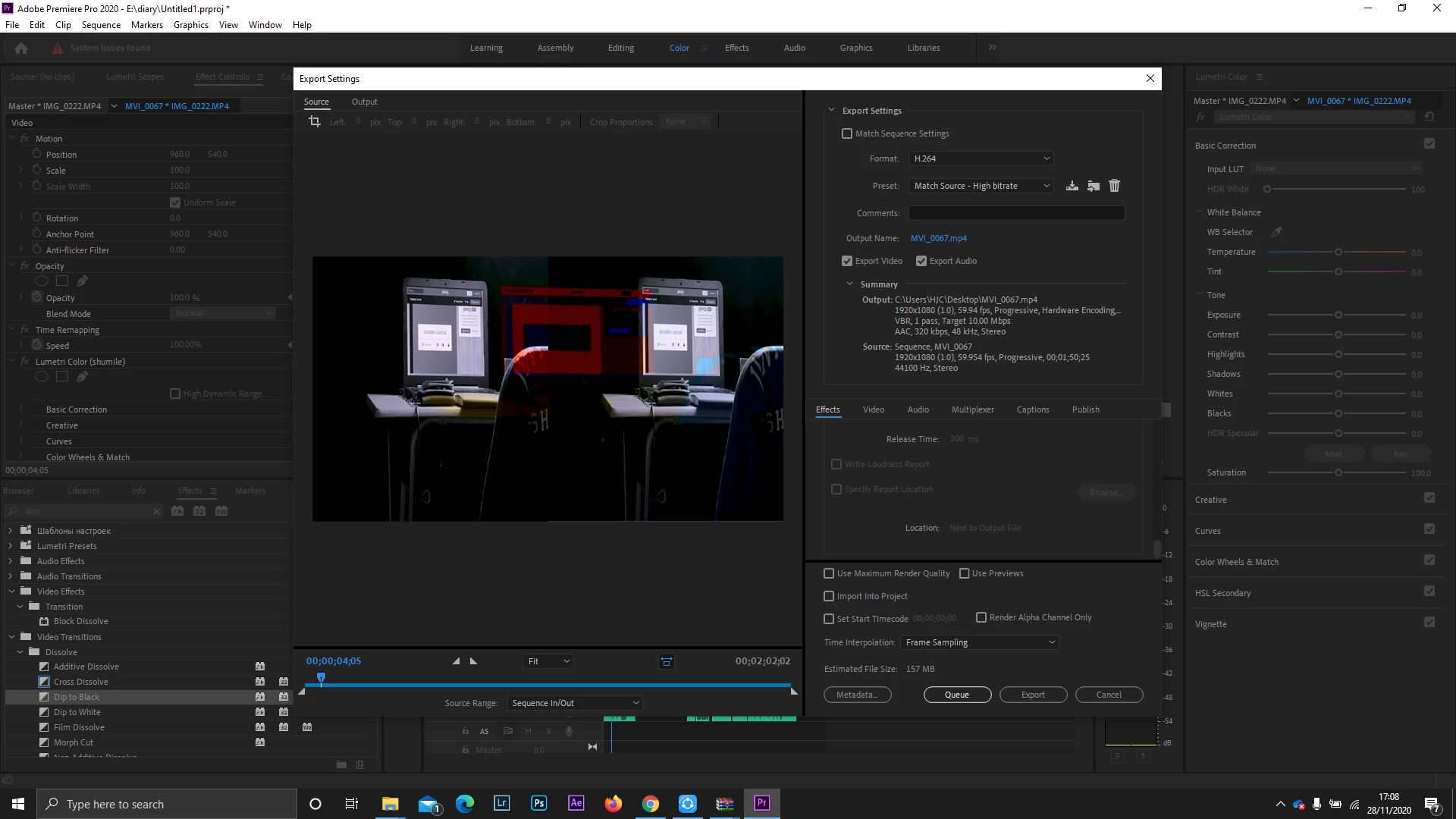
I am currently editing my video and when I had finished I tried to export and I now see a split screen and it seems like the colours have segregated and I don't know what to do.

TOPICS
Error or problem , Export
964
Translate
Report
Community guidelines
Be kind and respectful, give credit to the original source of content, and search for duplicates before posting. Learn more
community guidelines
LEGEND ,
Nov 28, 2020 Nov 28, 2020

Check the clips on either side of your Dip transition to make sure you're not getting any unwanted frames. Also double-check what's going in the video tracks above and below the track where the transition is.

Translate
Report
Community guidelines
Be kind and respectful, give credit to the original source of content, and search for duplicates before posting. Learn more
community guidelines
LEGEND ,
Nov 28, 2020 Nov 28, 2020

Dump all cache/cache media database and preview files, you can go to the Preferences/cache files to do so. Then restart Premiere, see if that helps.


Neil

Translate
Report
Community guidelines
Be kind and respectful, give credit to the original source of content, and search for duplicates before posting. Learn more
community guidelines
Community Expert ,
Nov 28, 2020 Nov 28, 2020
LATEST

Have you actually exported the c;lip and it's showing like this? (Hint: click on the "Output" tab next to "Source")

Translate
Report
Community guidelines
Be kind and respectful, give credit to the original source of content, and search for duplicates before posting. Learn more
community guidelines