
Participant
April 17, 2020
Answered

Stop text from scrolling

  • April 17, 2020
  • 4 replies
  • 3569 views

I just added some text to my video and it automatically scrolls left to right before landing in a fixed position. I've tried copying and pasting a non-scrolling version but it still does it. I can't see any different settings for this particular text.
This topic has been closed for replies.
Correct answer Ann Bens

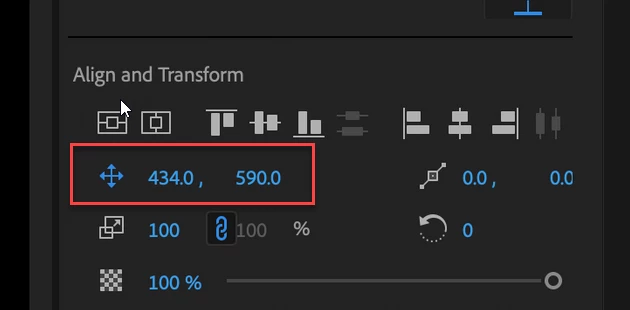
You have keyframes set for position.

4 replies

R Neil Haugen
Legend
April 17, 2020

The crossed-arrow icon for Position keyframe toggle is blue, hence active ... so yes, it is set to move.


Toggle that off, and place where you want it.


Neil

Everyone's mileage always varies ...
WarholAuthor
Participant
April 18, 2020

ok great - thanks!

Ann Bens
Community Expert
Ann BensCommunity ExpertCorrect answer
Community Expert
April 17, 2020

You have keyframes set for position.

Peru Bob
Community Expert
Community Expert
April 17, 2020

Can you post screen shots of that?

WarholAuthor
Participant
April 17, 2020

WarholAuthor
Participant
April 17, 2020

the first titles stay immobile. the second one, as you can see in the last three images, slowly moves from left to right

Peru Bob
Community Expert
Community Expert
April 17, 2020

What version of Premiere Pro?

What operating system?

Exactly how are you creating the text?

How did you apply the scroll?

WarholAuthor
Participant
April 17, 2020

Hello!

It's Mac OS 10.14.6.


Adobe Premiere Pro CC 2018.


To create the text I went to 'graphics' and pressed the 'T' button. I added two boxes of text and positioned them around the center of the screen.


I didn't apply a scroll consciously - I don't want a scroll, I want the text to stay still.