
Question
Striped Clips with Tentacle Sync
I logged on today trying to find answers to the what seems to be the same issue that's suddenly plagueing me, too. After saving and closing yesterday, I opened my project to continue pulling selects from a interview sequence and all my clips that I've made a cut to have the stripes of death. Everything beyond where I left off yesterday is still in sync.
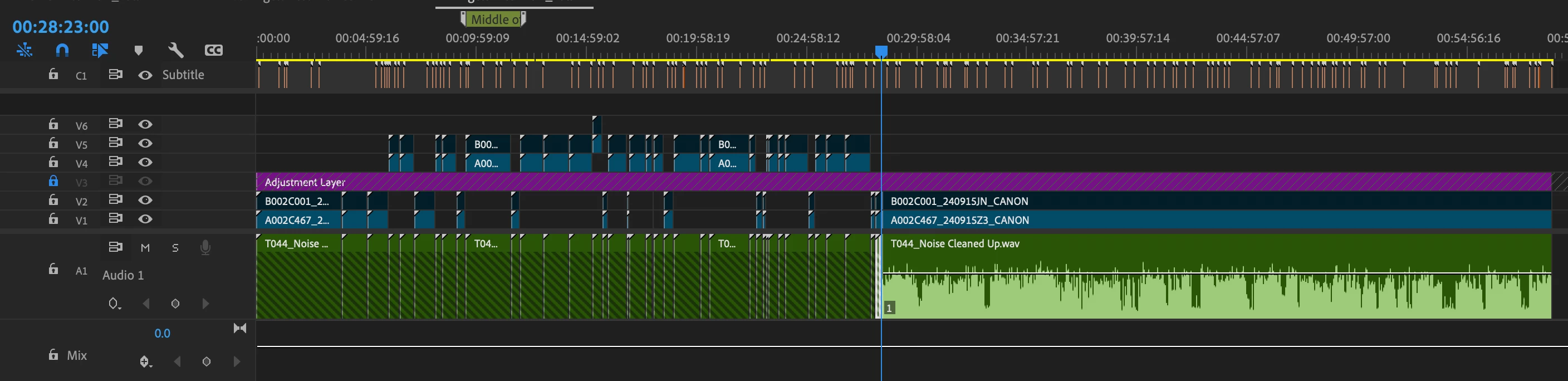
I used Tentacle Sync to sync footage from a two-camera shoot with a separate audio recorder, and it all was fine. Later on I decided I wanted to pull the audio into Audition to clean up the noise a bit, and relinked that cleaned up file with the footage after doing so. Same process I've used many times.


 AdChoices