
sTrying to understand Premier color space handling compared to Resolve
Hi all. Im having a problem finding any documentation on this so I just thought I’d ask. I’m trying to understand how Premiere uses color spaces. I have a project shot on a GH5 and edited in its native h.264 and when I went to color grade it in Lumetri the black levels are all clipped a bit above zero to start and stay clipped when I raise them. But I made a ProRes file in ME from the h.264 and when I bring that back into Premiere the black level do not clip until I try to raise them (they extend beyond zero until I raise the black levels then they clip flat.)
H.264 normal
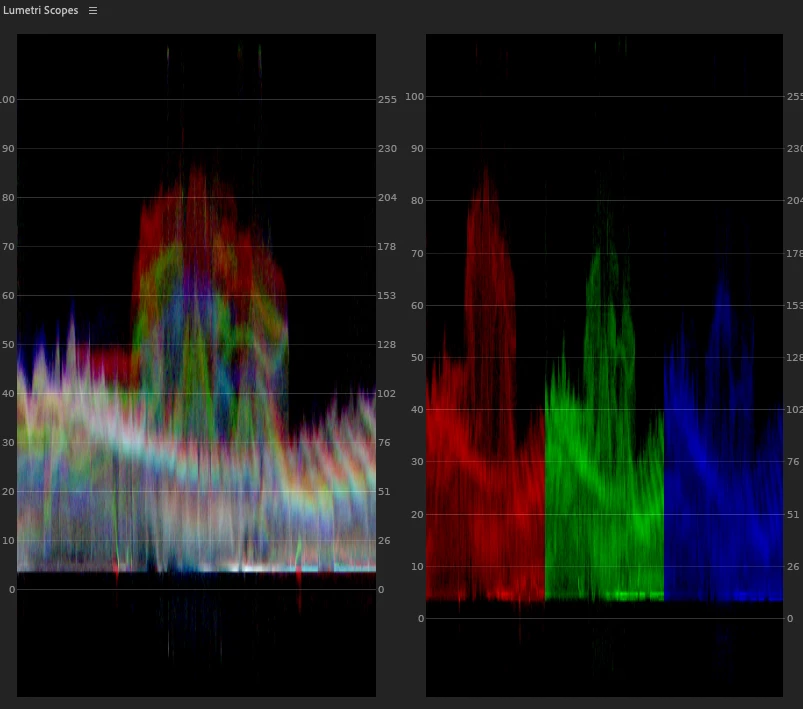
ProRes file Normal
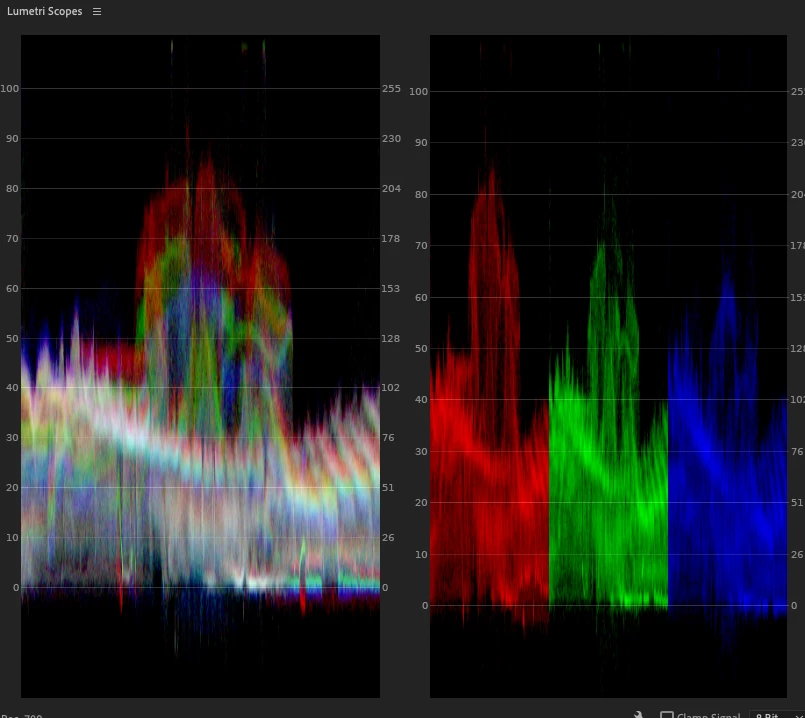
ProRes file after raising black level
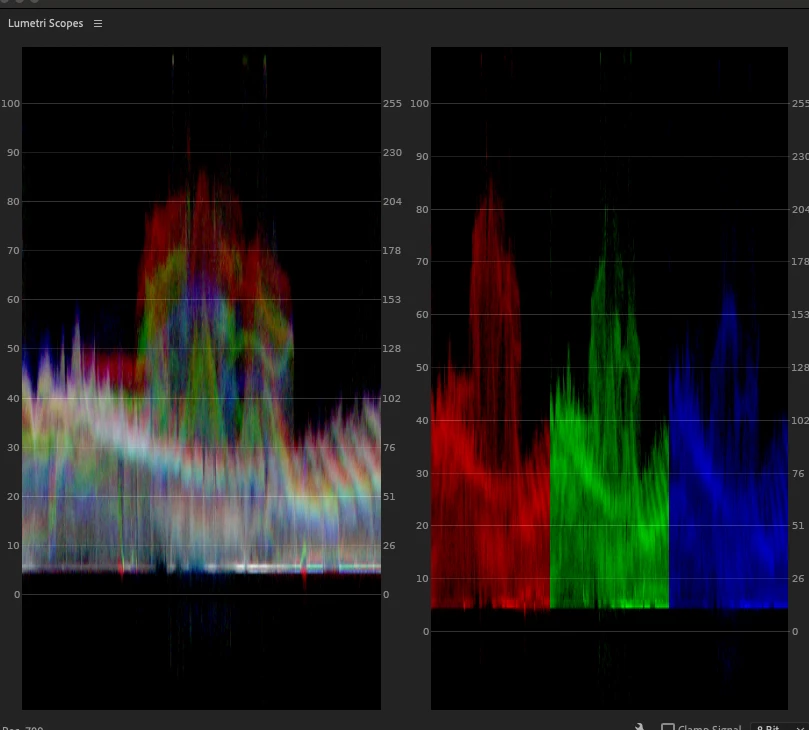
Now the reason I made the ProRes file was to try the clip out in Resolve and sure enough I can raise the black level in Resolve and they do not clip.
Same ProRes clip, left Resolve right Premiere both after raising black levels
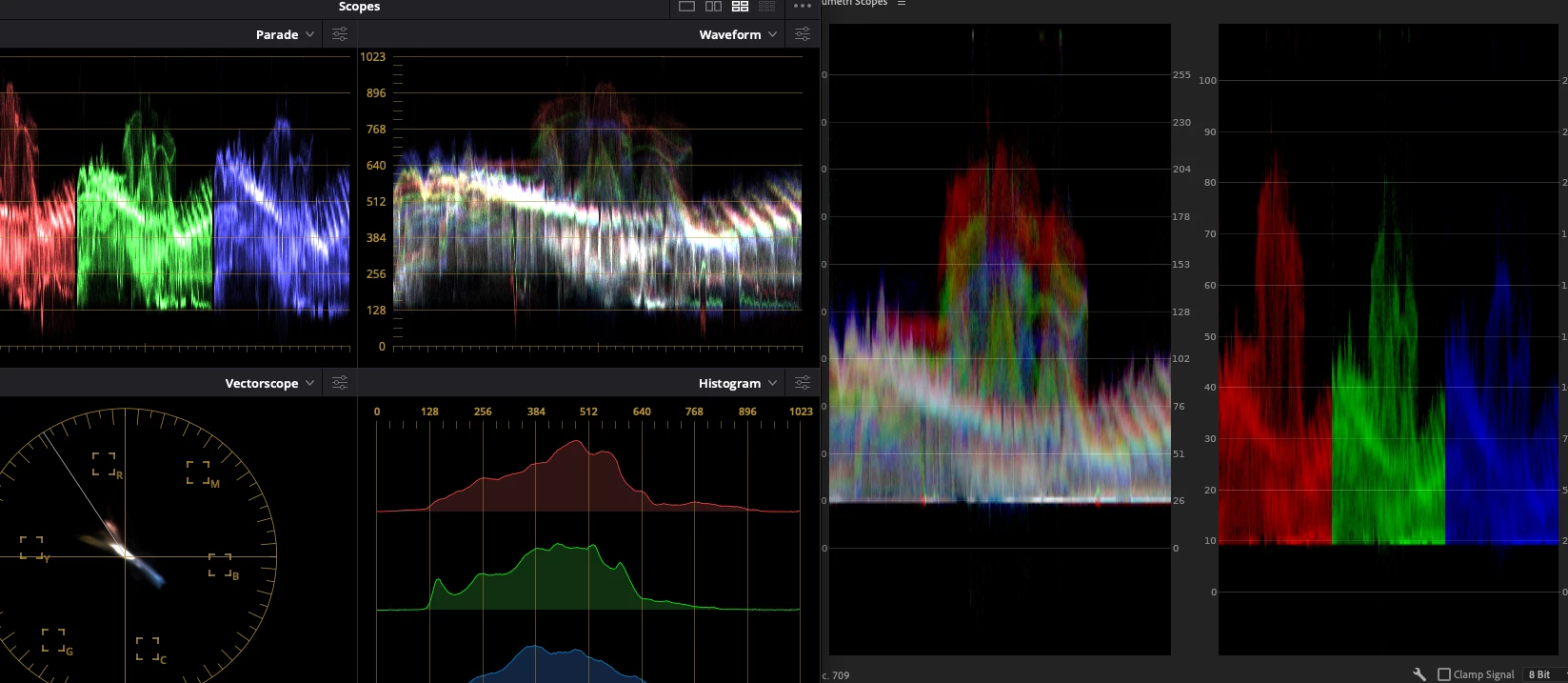
So what I’m trying to understand is this what is going on here? Is it just the way Premiere works or am I messing something up here (I hope I'm messing something up!) Is there something Premiere is doing to the footage that Resolve doesn’t do or is there something that can be changed in a setting? And what is going on with the h.264 file compared to the ProRes? My Premiere settings are Rec709 for both the footage and the sequence and in Resolve the DaVinci Color Managed to Rec709
Sorry for the long complex question but I'm trying to wrap my head around how Premiere handels color spaces before I start this color grade.
Thanks in advnce for any insights!
 AdChoices