


- Home
- Premiere Pro
- Discussions
- Re: Stuttering playback video and audio
- Re: Stuttering playback video and audio
Stuttering playback video and audio

Copy link to clipboard
Copied
Brand new M4 Macbook Pro, fully spec'd out (128GB RAM), even playing proxies I have stuttering in both audio and video. Newest version of Premiere (25.1). This will be footage from a Osmo Pocket 3, Canon c300 mk3, my Panasonic S1H... it's all like this.
I've tried going to Preference/Audio Hardware, and setting the default input to 'No Input' and this doesn't help.
You can see what's happening here:
https://vimeo.com/1069712653/a95354d9d4?share=copy


 25
Replies
25
25
Replies
25


Copy link to clipboard
Copied
Hi ebenabbaan,
We're sorry to hear about this. Are you experiencing these jitters only during the timeline playback, or does it also appear in the export?
Thanks,
Sumeet
Copy link to clipboard
Copied
No it is just when I'm in Premiere. And it's killing me! I have to play edits back multiple times as I evaluate timing. It seems to get worse over time.


Copy link to clipboard
Copied
what are your video preview settings in sequence settings?

Copy link to clipboard
Copied
Try Preferences > Audio Hardware and set Input to None.
Copy link to clipboard
Copied
As I mentioned I already tried Preferences > Audio Hardware and set Input to None. I was really hoping that would worked as it did for so many other people!
And my ProRes proxies, while the do increase JKL responsiveness going forwards and backwards in the timeline, still stutter just as badly when simply playing a sequence (even at 1/4th and 1/8th quality).
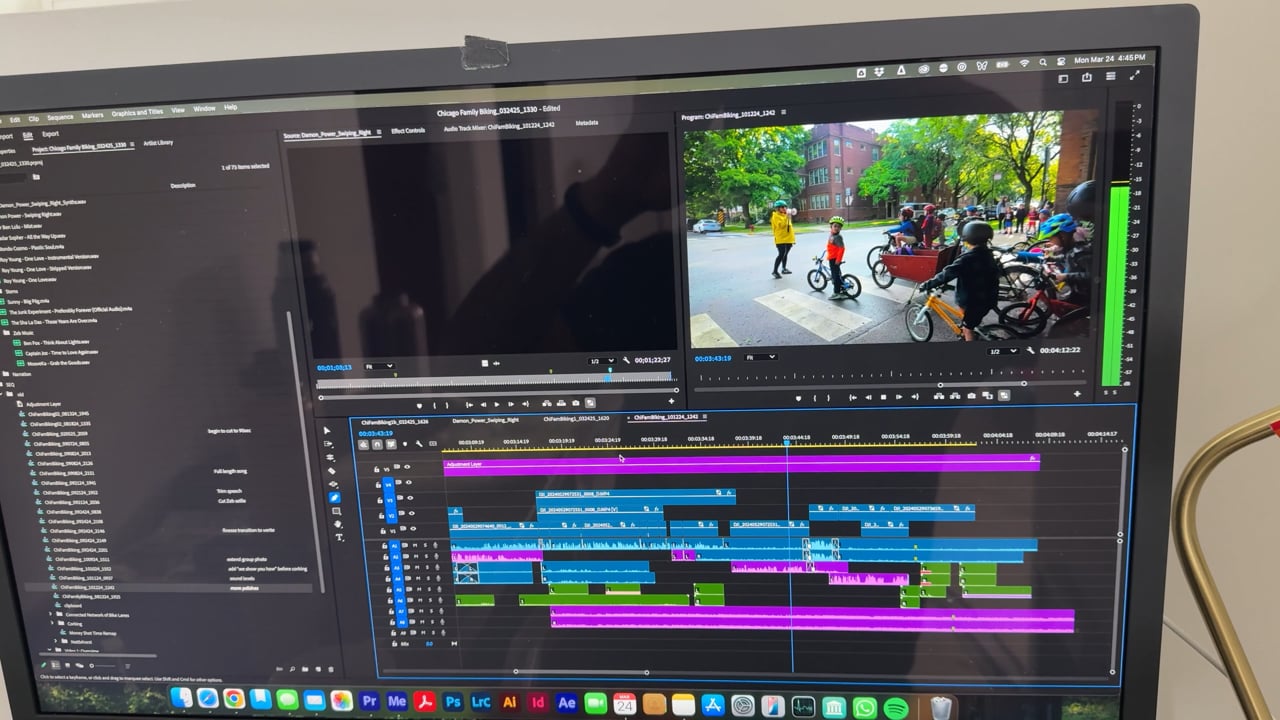
I'm attaching a screenshot of my sequence settings.
Copy link to clipboard
Copied
what proxy format are you using? try Prores
Copy link to clipboard
Copied
The proxies are ProRes.
Copy link to clipboard
Copied
Thanks for the details! Are the media files saved internally, or are they saved on an external or network drive?
-Sumeet
Copy link to clipboard
Copied
On an external SSD.
Copy link to clipboard
Copied
How is the SSD connected?
Copy link to clipboard
Copied
Firewire. And its a good cable; copy speeds are fast like lightning. Im truly perplexed

Copy link to clipboard
Copied
Firewire?
Have you run an actual speedtest on the drive? (AJA System Test for example)
You have an adjustment layer above all your shots and not sure if you have any effects on the audio tracks... your timeline shows yellow at the top, what happens if you render the effects?
How do shots play in your source monitor?
You are running two separate browser applications, media encoder and mail while you are playing back.
Copy link to clipboard
Copied
Just ran the AJA System test; the internal HD is much faster than my external SSD. However, copying media to my internal HD, disconnecting the externals, and relinking media to the local copy did not improve anything.
Match framing media to the source monitor does play better, which you might expect if there are no Lumetri color effects/LUTs applied. But when I create a new sequence from a clip, and do not apply any effects/LUTs/filters and it's just the original Log footage in the timeline, it's still Yellow and plays back with stutter.
Copy link to clipboard
Copied
I meant Thunderbolt! 😂
Still having this issue and it's killing me. Editing is unbearable.
Copy link to clipboard
Copied
Sorry, I missed that.
Copy link to clipboard
Copied
All good! Didn't mean to sound testy!

Copy link to clipboard
Copied
That is a big bummer, especially with the latest and greatest Macbook alive...
Just to rule things out:
1. Can you try to create a new project and import the old one into the new? Does this help?
2. Can you try to copy the clips used in the sequence to your local drive, disconnect the SSD, have PPro relink the footage and see how performance is then?
3. Can you try to reset preferences?
Please let us know if any of these methods provide some relief.
Copy link to clipboard
Copied
None of these do! Just replied above...
Copy link to clipboard
Copied
What's odd is that even my ProRes proxies stutter on playback in the Timeline (though not so much in the Source Monitor). Maybe it's something with my Timeline settings? Except the sequences I create are based on the clips I have... so confused.
Copy link to clipboard
Copied
It is weird that your proxies would stutter in the source monitor. Trying to think of things I would try...
(turn on "Show Dropped Frames Indicator" in both source and Program viewer -- just to double check playback .)
Does this happen if PP is the only application running?
Maybe uncheck "High Quality Playback" might help.
The PP app is not overlapping off screen or has another window just slightly overlapping the display?
Delete cache files.
Trying using a specific percentage rather than "Fit" for viewer size.
Check Memory settings.
In playback preferences:
Turn off Mecury Transmit if it is on.
Make sure Primary Audio Device is Adobe Desktop Audio (or what you usuallly use)
Timeline Preferences - turn off timeline playback scrolling
Project settings>General check the video rendering and playback
Apple updated new video formats in Software Update recently might check to see if you need to update them.
Copy link to clipboard
Copied
I did just update to 25.2, and it's giving me this warning. When I disable all video tracks it STILL stutters with just the audio (no red/yellow/green bar above timeline when I do this).

Copy link to clipboard
Copied
I/O buffer already as high as it can go btw, and no specialized audio effects on clips at all.
Copy link to clipboard
Copied
Does your sequence audio sample rate match your footage sample rate? And does the preferences audio hardware sample rate match that?
Copy link to clipboard
Copied
Yes. Everything is 48000 Hz.

-
- 1
- 2

Find more inspiration, events, and resources on the new Adobe Community
Explore Now
 AdChoices


