
Participant
January 26, 2023
Answered

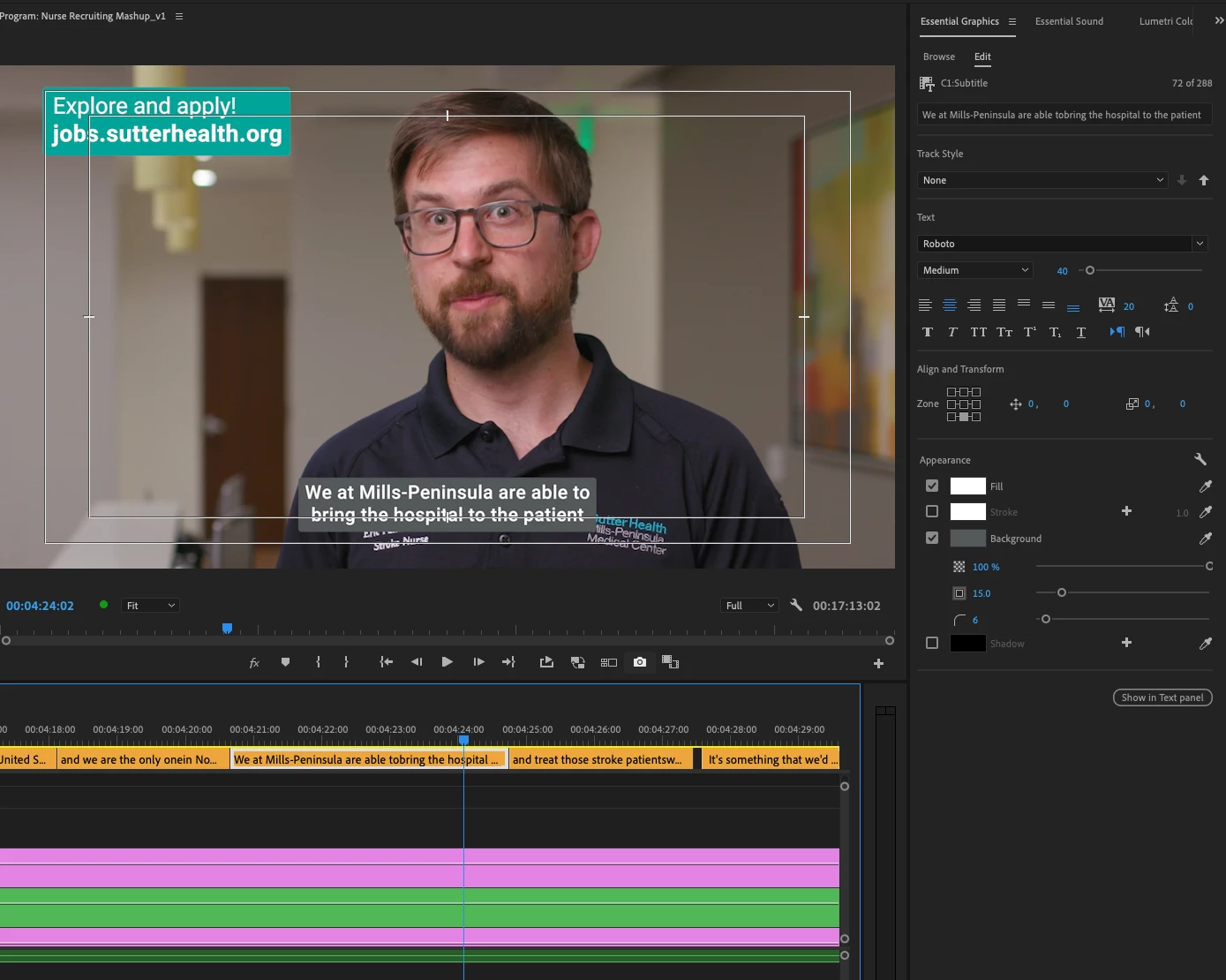
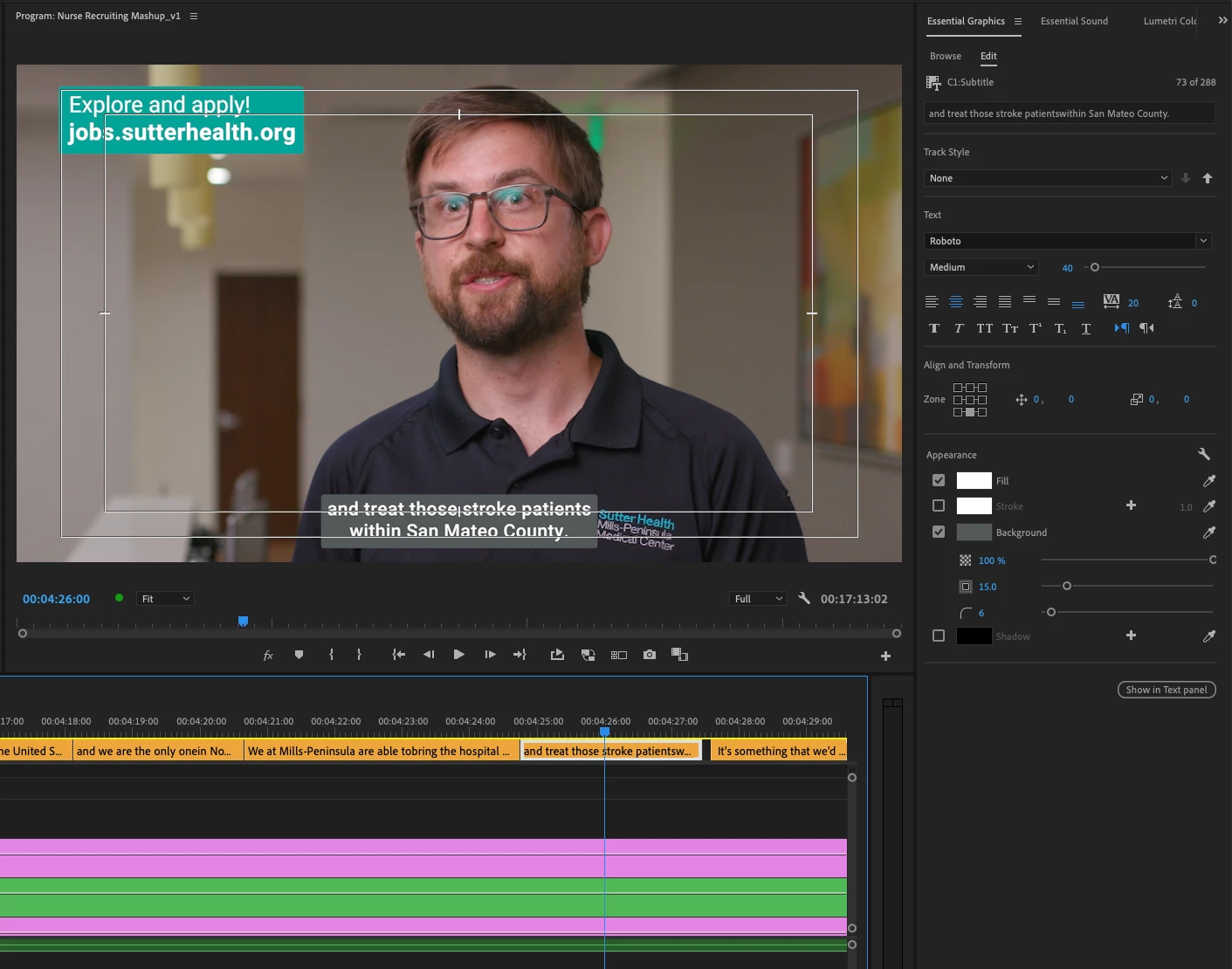
Subtitle/Caption position different even though all settings are same

  • January 26, 2023
  • 1 reply
  • 498 views

Premiere Pro 22.6.3

MacOS Catalina (10.15.7)


Working with captions. Same settings on back-to-back subtitles but the position is different. I've tried clicking difference zone positions thinking it might reset the issue, but it does not. Don't want to have to offset every one of these, obviously. Ideas?
Correct answer BrianHudson_SutterHealth

SOLVED. Carriage return at the end of the higher positioned caption/subtitle. it didn't create a taller box, but rather just moved up the position. Removing that return brought it into the correct position.

1 reply

BrianHudson_SutterHealthAuthorCorrect answer
Participant
January 26, 2023

SOLVED. Carriage return at the end of the higher positioned caption/subtitle. it didn't create a taller box, but rather just moved up the position. Removing that return brought it into the correct position.

Participant
February 1, 2025

Hii I have the same problem but I didn't understand how to solve it. Would you mind to explain further what worked for you? thanks!