
claired48112052
Participant
June 24, 2020
Question

System Compatibility Error - Unsupported Video Drivers

  • June 24, 2020
  • 1 reply
  • 838 views

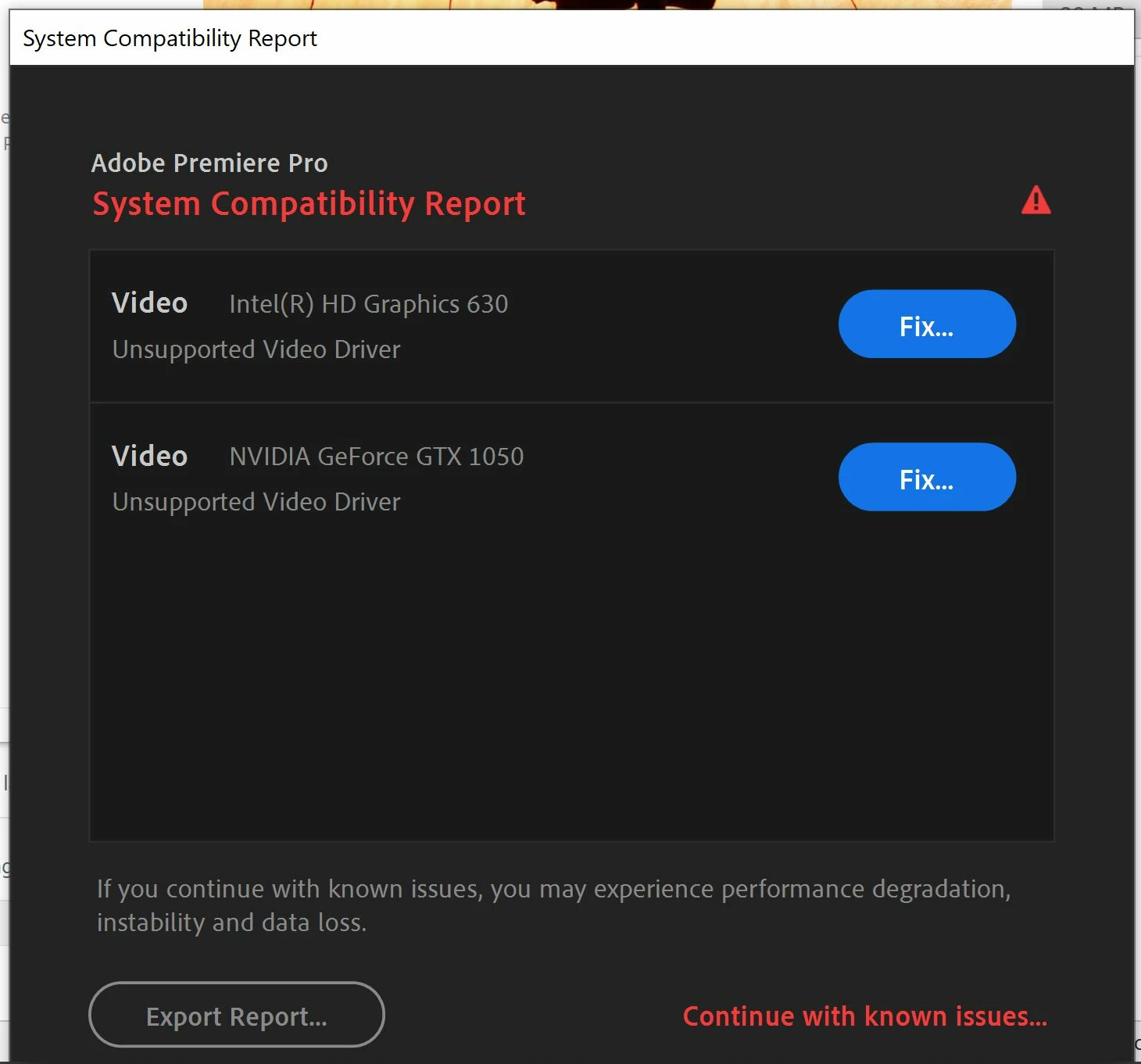
I recently upgraded to the latest Premiere Pro version and I'm getting this system compatibility error on my video drivers. Tried to download the drivers but it is asking me to install a lower driver version so I did not continue. I am using a Lenovo Yoga 720. Is anyone experiencing this and will greatly appreciate any help/advice. 


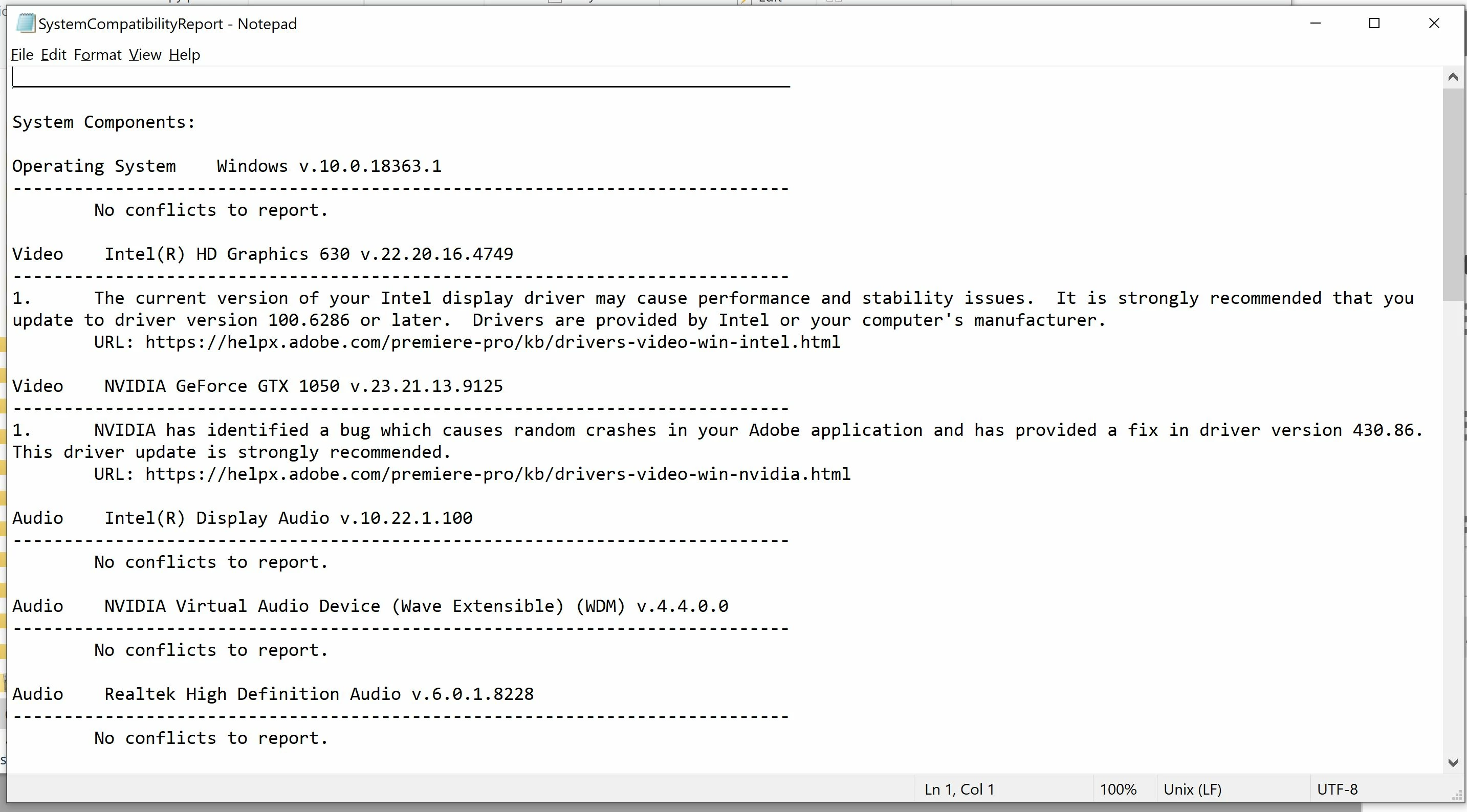
Attached the error screenshot and compatibility report for reference.


Thanks in advance!
This topic has been closed for replies.

1 reply

Legend
June 24, 2020

That is exactly what happens when an OEM big-name system manufacturer (Lenovo, in this case) fails to update the graphics drivers available on its Web site even though both chipset manufacturers (Intel and Nvidia) have much newer drivers available. And when you try installing newer drivers (especially the Intel driver), the installation will fail with the warning that the driver hasn't been verified to work in your system.


And in the case of your system, both of the drivers that are currently installed in your system are now more than two years old. And big-name OEM system manufacturers such as Lenovo have become complacent or indifferent about this, so they refuse to make any drivers that are newer than the ones that were originally shipped with their systems available at all from their Web sites.


In other words, big-name-brand system manufacturers for the most part just don't care.

Participant
June 4, 2022

okay, so what does it mean? Is it impossible to fix it???

Averdahl
Community Expert
Community Expert
June 4, 2022
quote

Is it impossible to fix it???


By @Tamas24730640v0nq


Have you tried to download drivers directly from Nvidia?


Links:

1. Official Drivers | NVIDIA

2. How to Install an Intel® Graphics Driver in Windows® 10 &...