
Target Bitrate Capped at 60mbps?? Please Help
Hi, I am having a problem with my exports. I am using the newest 15.2 version of Premier.
I use a GoPro Hero 8 Black (4K 60FPS 100mbps).I Always Export with HEVC (H.265) 3840X2160 VRB 100mbps bit rate, Highest/Slowest Quality. I’ve been using my laptop for editing and encoding for the past year. Works Great! No issues at all! It has Intel i7 8th gen 4 core CPU, with 620 UHD built in graphics. Again, works fine, no problems at all.
I just built a desktop PC to speed things up. I have an AMD 3970X 32 core CPU, ASUS TRX40 Zenith II Extreme Alpha mobo, 64 gigs of RAM, and just got my hands on an Asus TUF O.C. 3090 GPU 😊 Freekin insane BEAST! The editing and rendering process is INCREDIBLE!! 😊 😊
Only problem I’m having, is now when I export, The HEVC (H265) Target Bitrate is limited to only 60 mbps! When I play around with the 5.1 & 5.2 levels, and switch between the Main & High Tier options, it lets me set the target bitrate as high as I want, BUT… It switches to SOFTWARE ENCODING… I would still like to continue using 100mbps while still utilizing Harware Encoding. Is anyone else having this problem?? 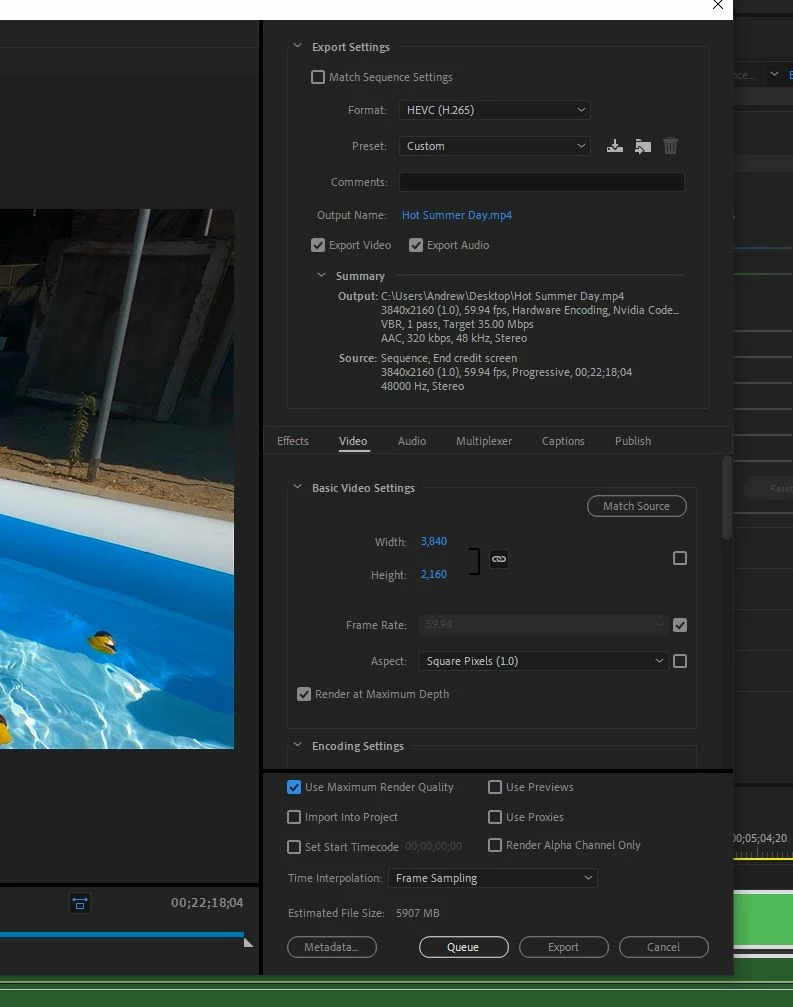
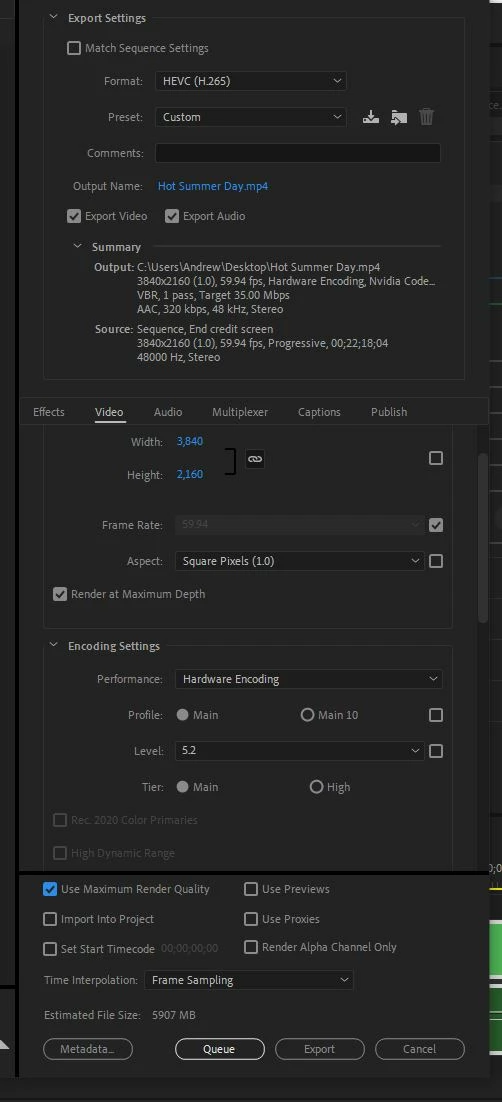
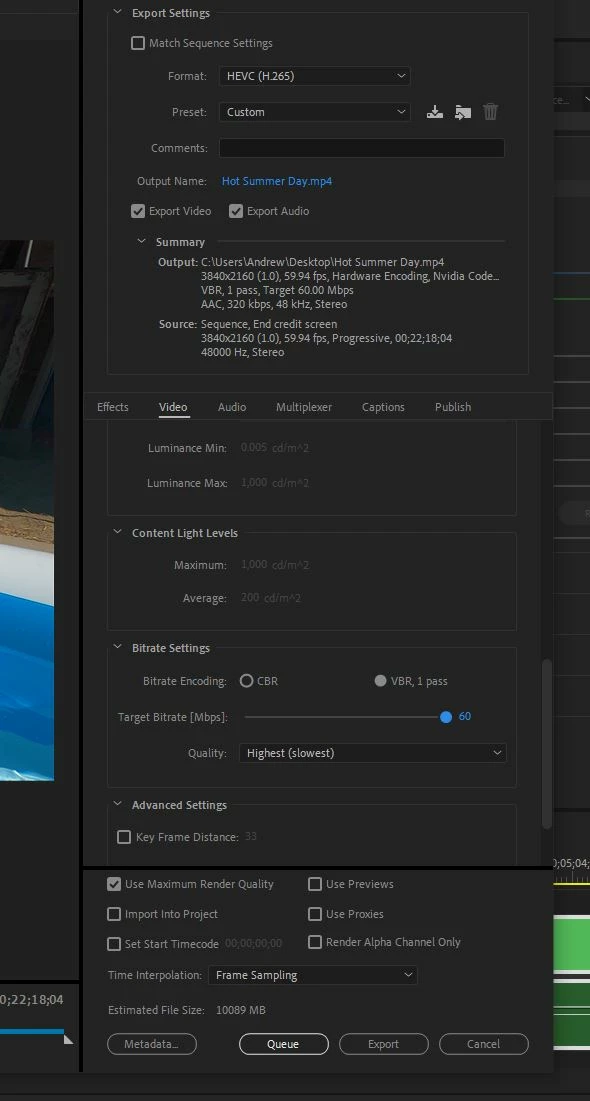
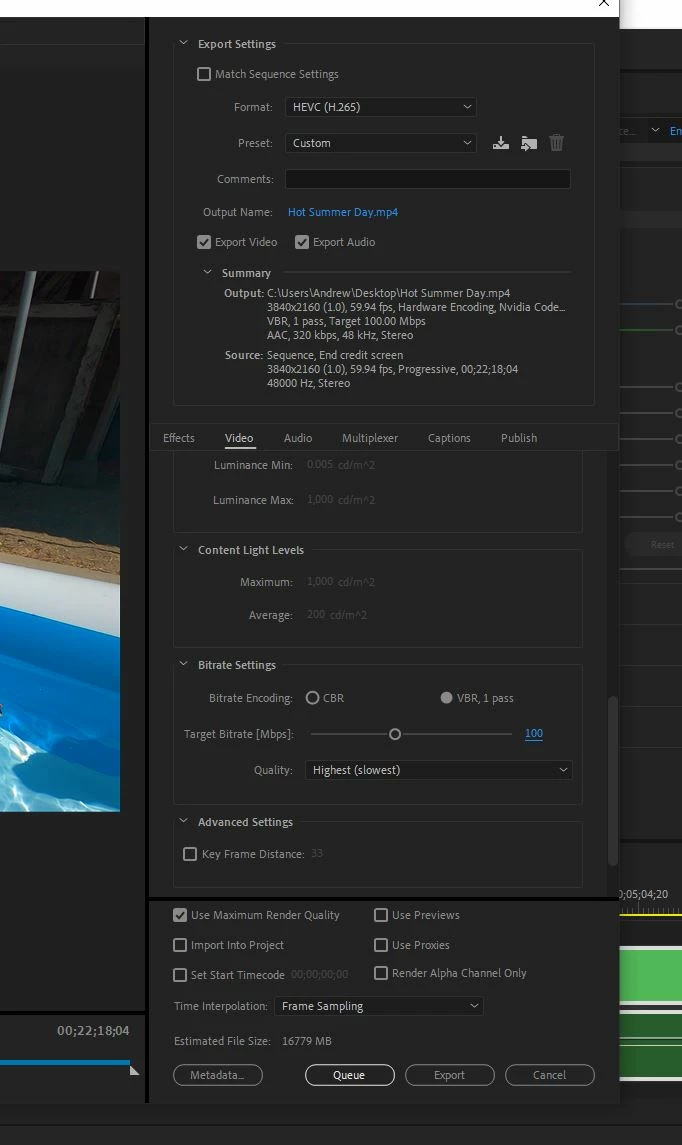
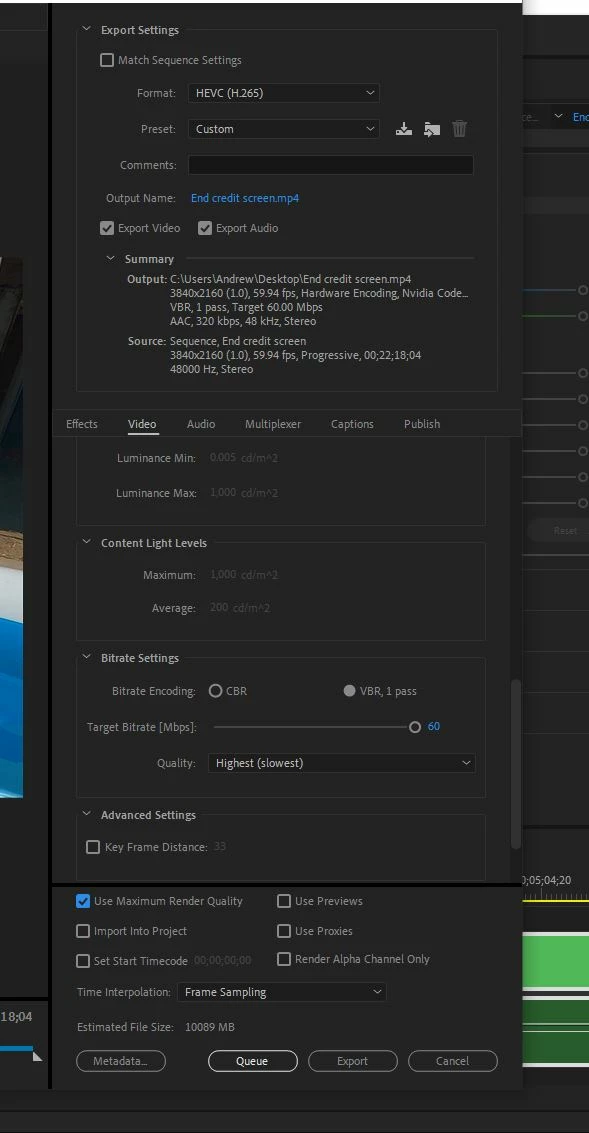
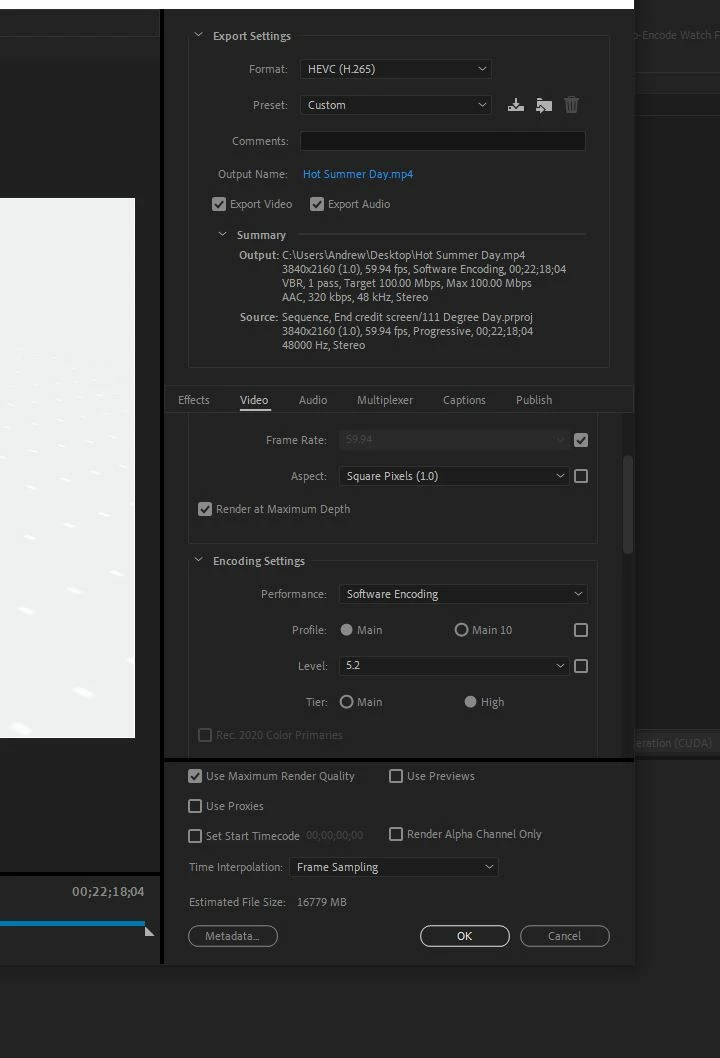 utilizing my Hardware Encoding like I always have. Why is the target bitrate capped at 60 mbps!!?? Is there something I am missing here?
 AdChoices