

Tesla M10 Support
Hi everyone 
We are testing a Tesla M10 card with a view to offer vGPU/GPU Passthrough in a Citrix based environment (running XenServer)
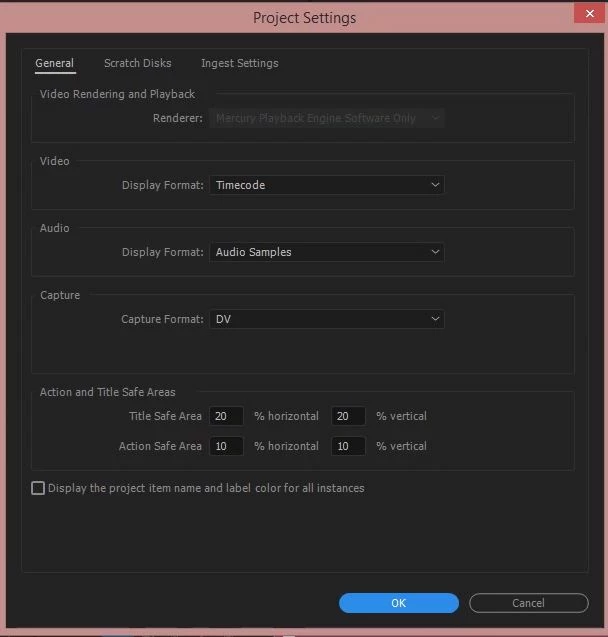
Unfortunately within Adobe Premiere Pro and After Effects CC 2017 I am unable to change the setting in Project Settings from "Mercury Playback Engine Software Only" as the option is greyed out.
GPU Sniffer gives the following output:
C:\Program Files\Adobe\Adobe Premiere Pro CC 2017>GPUSniffer.exe
--- OpenGL Info ---
Vendor: NVIDIA Corporation
Renderer: Tesla M10/PCIe/SSE2
OpenGL Version: 2.1.2 NVIDIA 369.95 21.21.13.6995
GLSL Version: 1.20 NVIDIA via Cg compiler
Monitors: 1
Monitor 0 properties -
Size: (0, 0, 1280, 720)
Max texture size: 16384
Supports non-power of two: 1
Shaders 444: 1
Shaders 422: 1
Shaders 420: 1
--- GPU Computation Info ---
Did not find any devices that support GPU computation.
The system requirements page does not list the new Tesla M10 or the M60 cards only the older Tesla K10 card.
We are running the latest drivers from NVidia.
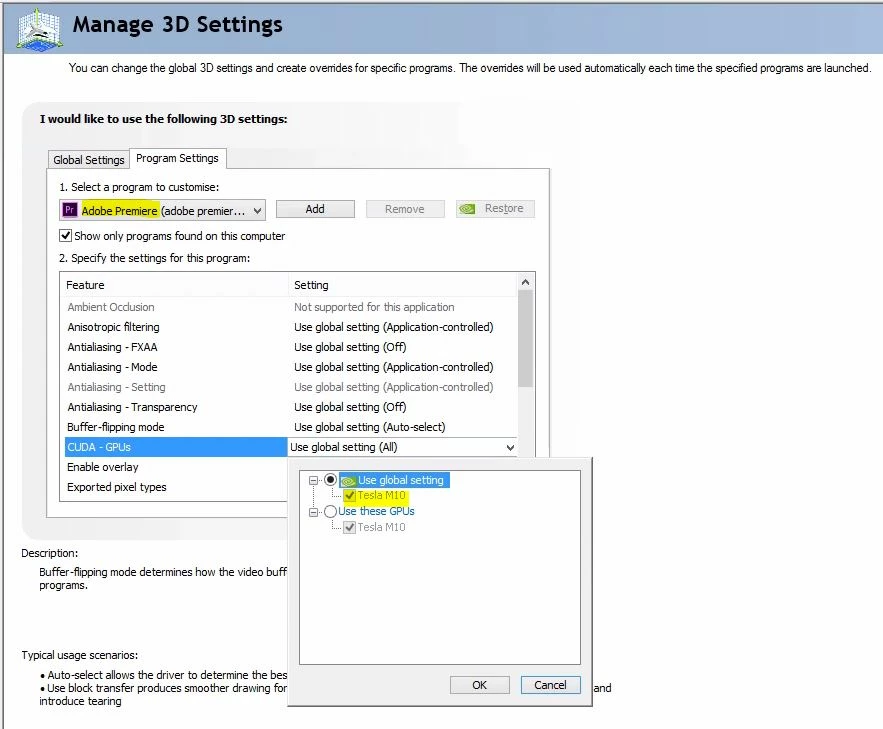
NVIDIA Control Panel Settings show "CUDA - GPU's" as "Tesla M10" selected in both "Global Settings" and "Program Settings" specifically for Adobe Premiere Pro and After Effects.
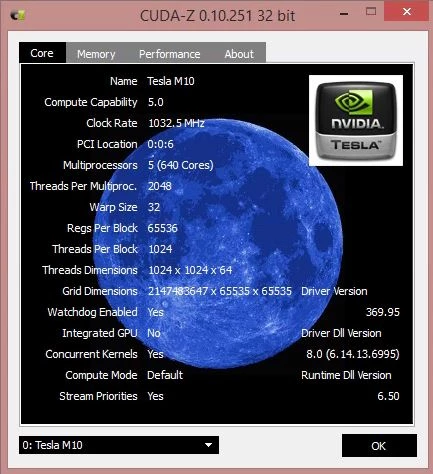
CUDA-Z runs without issues on the VM and shows
Searching the forums suggests amending the "cuda_supported_cards.txt" file but this file is not present as far as I can tell in Adobe CC 2017. Regardless I have tried creating this file and adding a line for Tesla M10 but with no luck.
Could anyone please advise?
Kind regards,
Chris
 AdChoices