Participant
July 22, 2022
Question

Text and images go partially missing or warp on rendering in to out

  • July 22, 2022
  • 1 reply
  • 451 views

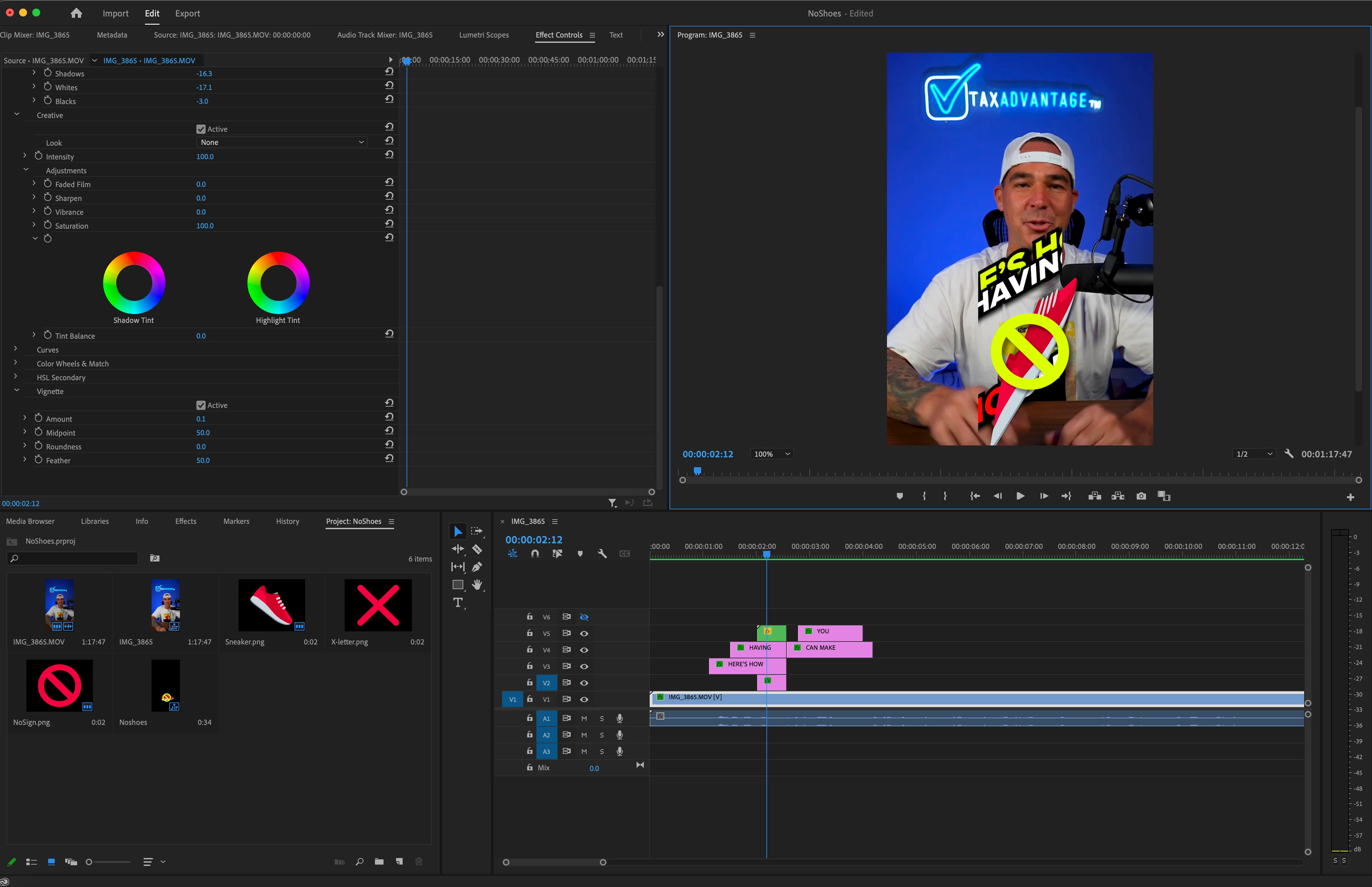
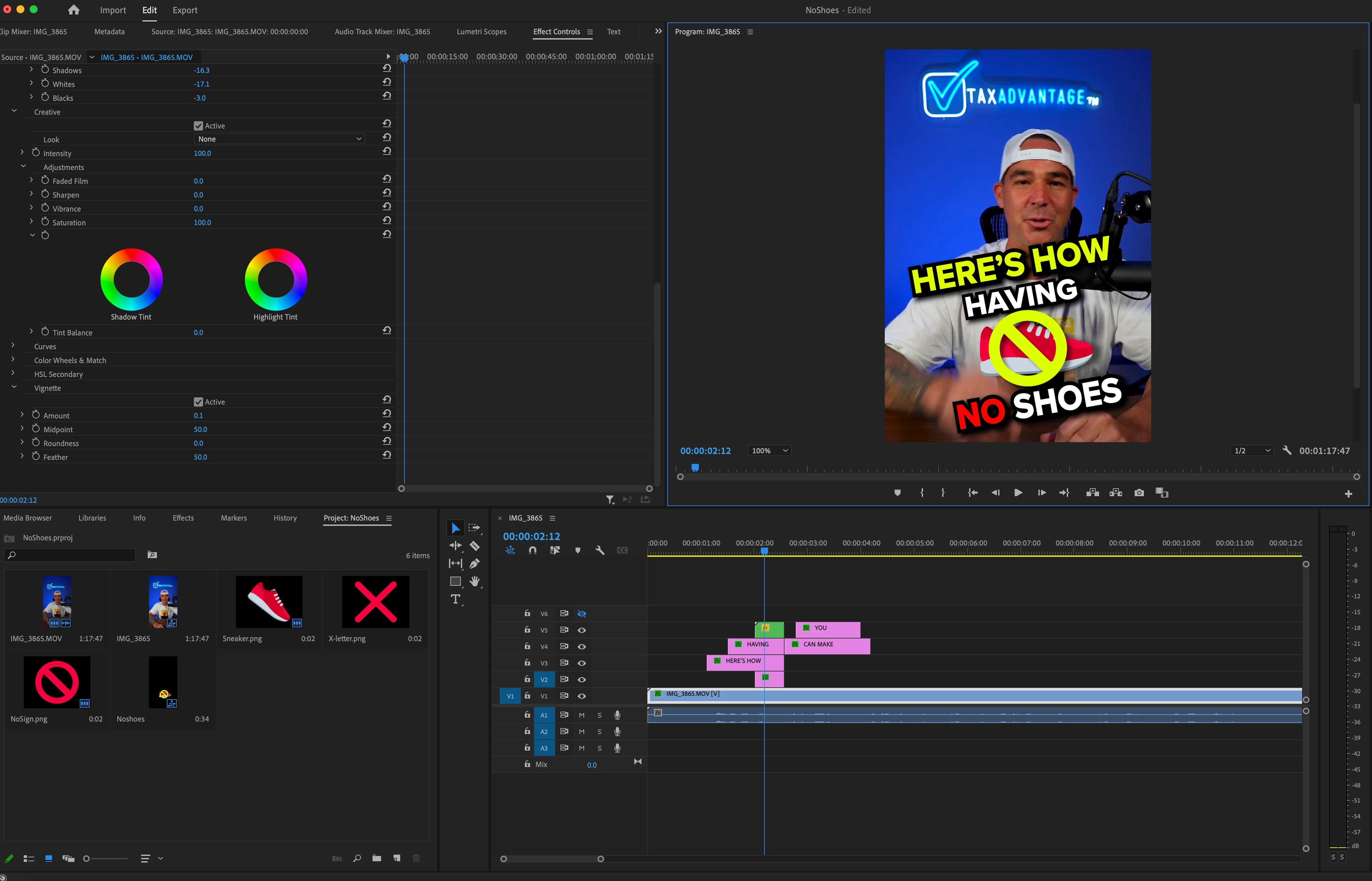
Text or images get distorted or go partially missing when redering in to out as seen in the images below. Images and text reset if I make a change that affects the entire timeline. If I export without rendering the video looks correct and if I render the video shows the glitchy distorted images and text. Premiere is uptodate and restarting the computer or the program does not change the problem. 
 

This topic has been closed for replies.

1 reply

Ishan Y
Community Manager
Community Manager
July 22, 2022

Hey Carlos25345582bpwl,


Sorry about the issue. Have you used any effects in this sequence? Are you on an M1 or an Intel mac? Also, are you using any third-party plugins? Let us know. We're here to help.


Thanks,

Ishan

Participant
July 22, 2022

2020 Intel iMac, no third party plugins and just some effects like shadow and strokes on the text. Nothing out of the ordinary.

Participant
August 25, 2022

I have the same issue - impossible to edit quickly at the moment. Very frustrating. Then impact (cropped text)  screenshots are the same as above so not reposting.  I have found a workaround - moving the base image by 1 point puts the text back in place. But to do this every time for films which are heavily text based takes time and makes the process highly inefficient. 

Changing the Project settings to Renderer to Mercury Playback Engine Software Only - does not fix the issue but creates a new issue - it compresses the text. (screenshots attached) 

Text entered through the text tool/ graphics and background layer added here but the cropping happens evenwithout any background layer.  mac uptodate 12.5.1 - Moneteray -and premiere pro also uptodate. Help appreciated! 


I have also cleared my adobe preferences and relaunched - this didnt work.