
Copy link to clipboard
Copied
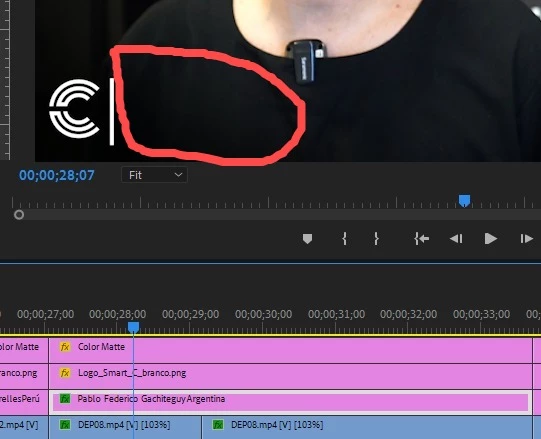
I created a document and inserted a lot of texts using the type tool in Premiere and had no problem, i exported it and saved the document, but when i oponed it today, although the graphics of the texts appear in the video timeline, they don´t appear anymore in the video. I tried to change the font/colors, but they don't even show the text box. What can I do to solve it? I can´t edit the texts and they don´t show anymore, but are still in the timeline.
Copy link to clipboard
Copied
This has been reported when you have ligatures - combinations like lower case F and I that the font turns into a single combined character. I think the problem is when you have ligature turned on and the font you are using does not support it.
But I don't think this affected all text, and I do not see a ligature in the one text in your screenshot.
Showing a screenshot that includes the header area in the timeline and that shows the Essential Graphics Panel might help.
Stan
Find more inspiration, events, and resources on the new Adobe Community
Explore Now