
Participant
June 13, 2024
Answered

The layout and look of my Premiere projects suddenly looks very different. How do I revert it back?

  • June 13, 2024
  • 1 reply
  • 1496 views

My Premiere timeline suddenly has a totally different color scheme with some sort of neon look. Plus a different look for the transitions and fades. The files in the Project window also look different.
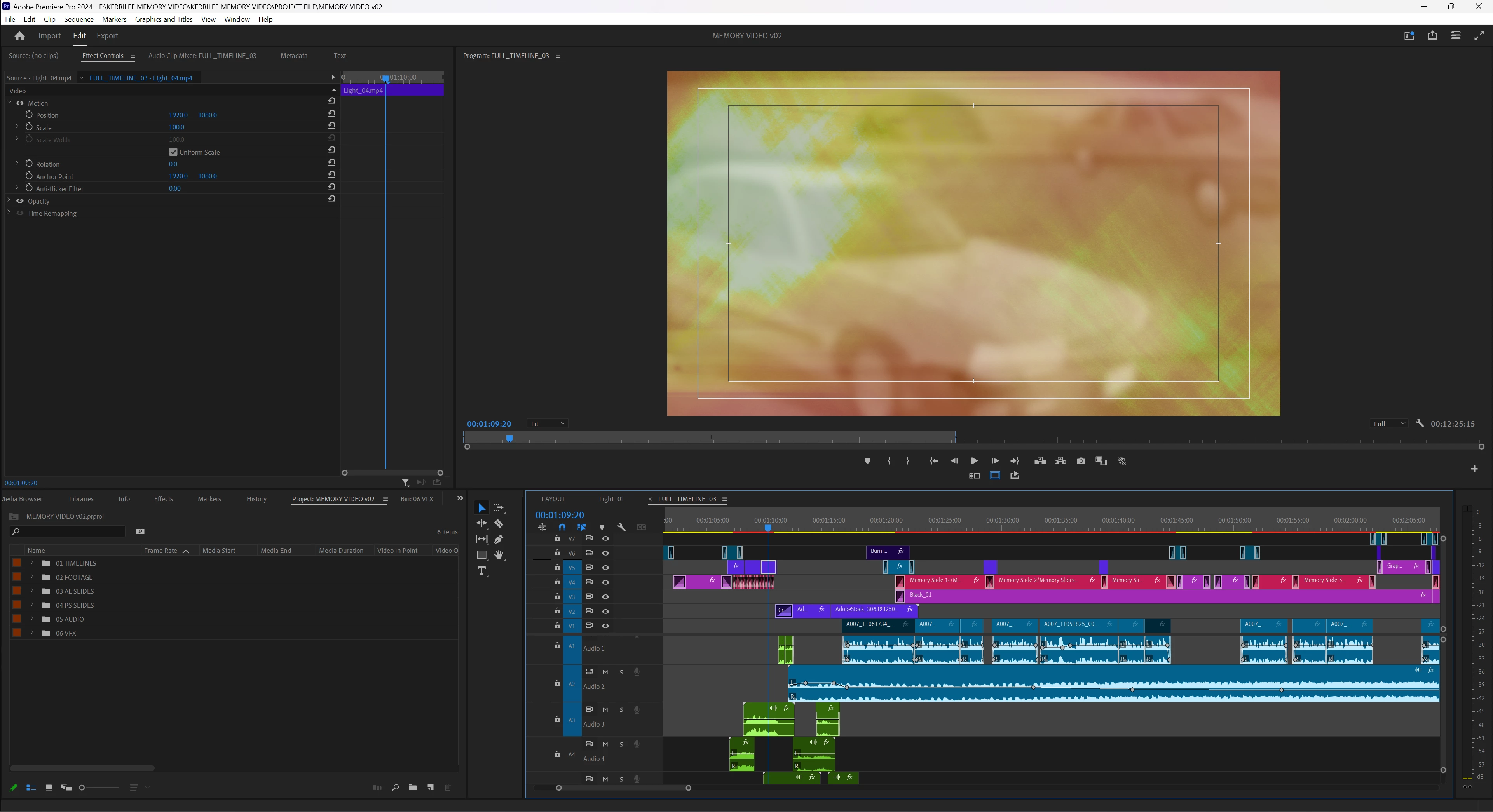
 

How do I revert it back to its original look without resetting all of the settings? Is this what Premiere just looks like with the newest update?

This topic has been closed for replies.
Correct answer Averdahl
quote

Hm thanks. Any way to get it back to the original color scheme? The neon blue, red, green and purple is hard to look at for me.


By @defaultspzig2hso3be


It should be doable by going to Edit > Preferences > Labels and then change the "Label Color Presets" to Classic

1 reply

Averdahl
Community Expert
Community Expert
June 13, 2024
quote

Is this what Premiere just looks like with the newest update?


By @defaultspzig2hso3be


Yes, this is how it looks now. More info here: Premiere Pro feature summary (May 2024 release)

Participant
June 13, 2024

Hm thanks. Any way to get it back to the original color scheme? The neon blue, red, green and purple is hard to look at for me.

Averdahl
Community Expert
Community Expert
August 22, 2024

Hi, 


I have the same issue, the color clip of my timeline changed to a color more flu which is awful to edit with. I went to Labels, and there is no option to set it back to Classic. 


How can I change it back to what it was before this update? 


Thanks


quote

I went to Labels, and there is no option to set it back to Classic. 


By @noemie_di franco2601


Edit > Preferences > Labels should do the trick unless you downgraded Premiere Pro: