Inspiring
December 13, 2024
Answered

The name of the audio track is not displayed

  • December 13, 2024
  • 3 replies
  • 398 views

I searched the entire interface, but I can’t find this option. What kind of mystery? I need the audio title to be displayed on the timeline

Correct answer Ann Bens

Turned on show audio names under the wrench?

or
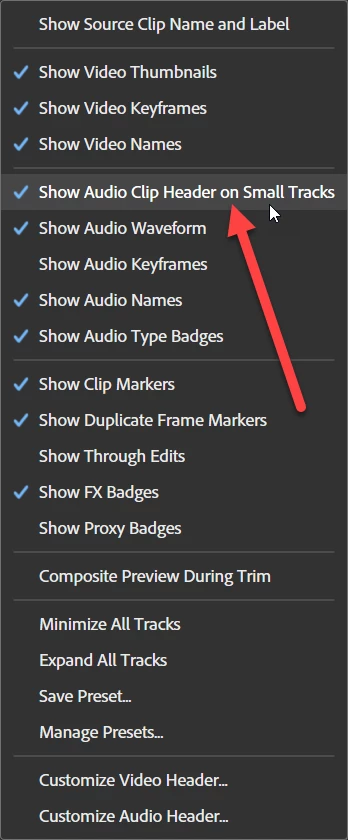
 

3 replies

Community Expert
December 13, 2024

If you right+click in the track header in Choose > Customize, you can actually take track name and reposition it into a much better position where it is always showing even if your track heights are minimized. 


Drag the A1 down from the Customize menu and reposition it. I like to put it right next to the 'M' for Mute and 'S' for Solo. That way it's always visible. 

Inspiring
December 13, 2024

very interesting, thank you!

Ann Bens
Community Expert
Ann BensCommunity ExpertCorrect answer
Community Expert
December 13, 2024

Turned on show audio names under the wrench?

or


Peru Bob
Community Expert
Community Expert
December 13, 2024

Try expanding the track height.