
The problem that the audio waveform and video screen do not match
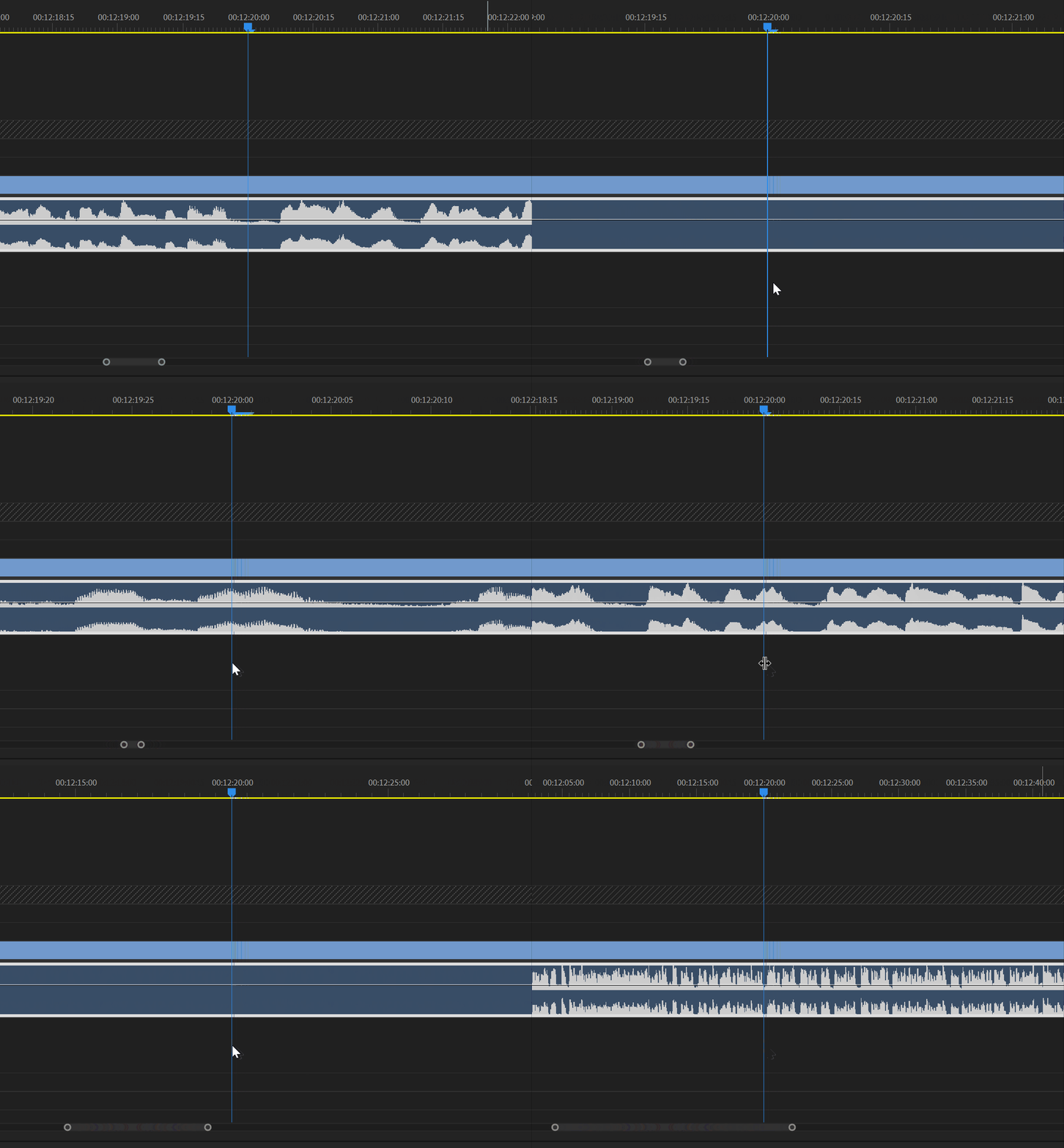
Dear developers,
I'm having trouble matching audio waveforms with video frames in my editing work. Specifically:
Generally, I think a rumbling waveform corresponds to a word (valley → crest → valley). So I used to listen to the audio waveform directly and make a rough cut of the material, cutting out some of the repetitive and redundant words in the lines, such as "emm, Wow, Well".
But recently I found that in one of my video clips, the waveform and the picture do not match up (the waveform does not match up, but the audio does). For example, in this Gif, the mouse pointer/time indicator is in the right place. At this moment, the person in the picture is saying a word. By definition, the audio track should be cresting or near the crest at this point. But when the timeline is not scaled up enough, the audio waveform is collapsed and undulating. But if I zoom in on the timeline, the peaks pop up again.
Please tell me if this is a bug, or if it is caused by the waveform unit scale of PR, or something else. If I don't want to change my editing style, is there any way to avoid this kind of problem? I would appreciate your answer. I am very rambling, so please forgive me.
 AdChoices