
Participant
May 26, 2022
Answered

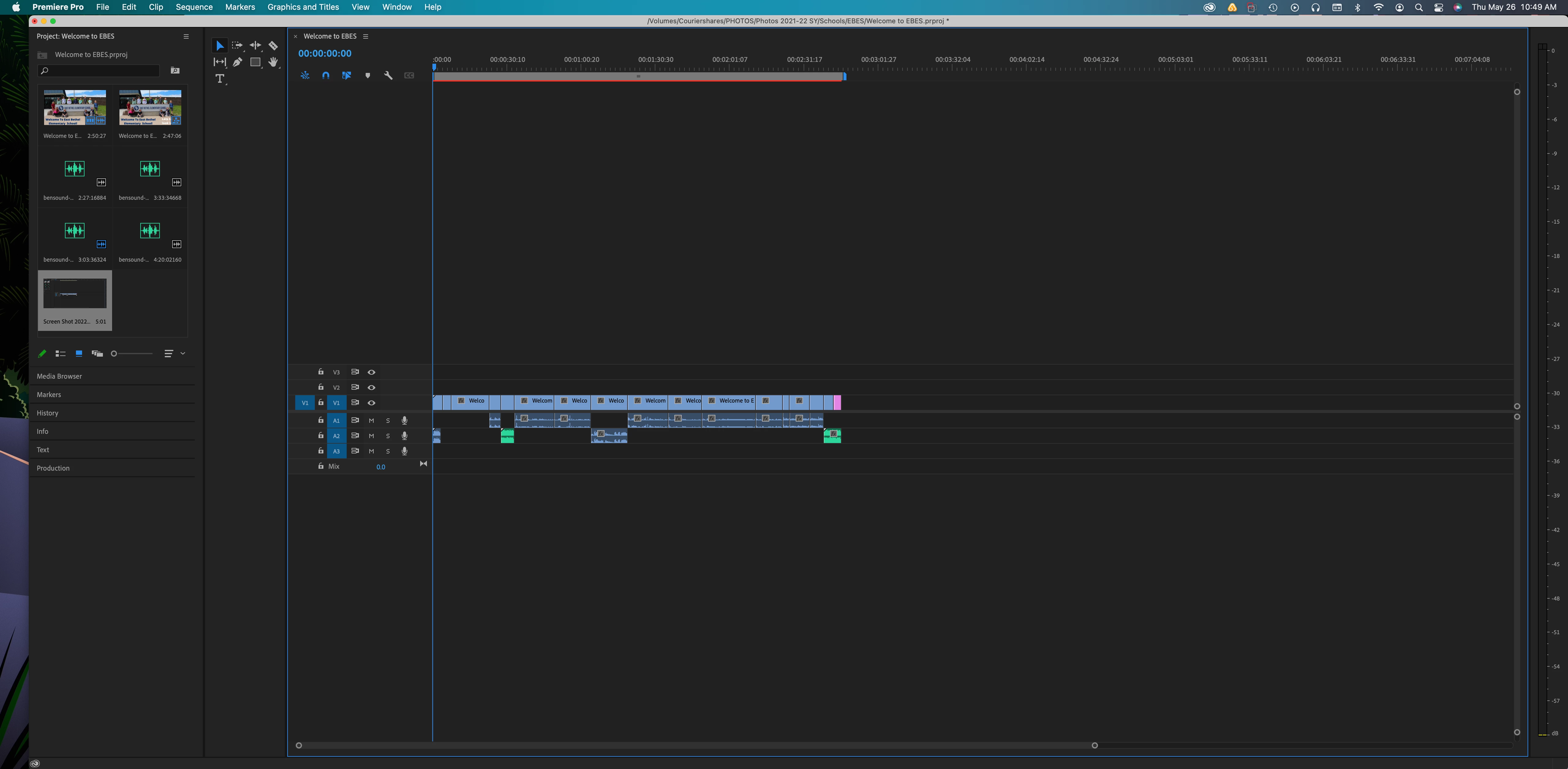
The window to preview the video is gone and I need it back

  • May 26, 2022
  • 2 replies
  • 48349 views

I am using Premire pro to help my students edit a video and I can't see the preview for it anymore. I am know to acciedently click things and change my view so I am wondering how to get that preview back.

I have added an image of what I see. I need  the video bacfk on the top so I can see what I am editing. Any help is appreciated! Thanks!
Correct answer Richard M Knight

Try Alt+shift+0

2 replies

Richard M KnightCommunity ExpertCorrect answer
Community Expert
May 26, 2022

Try Alt+shift+0

Participant
July 6, 2023

Richard, thank you!

Averdahl
Community Expert
Community Expert
May 26, 2022

@AmandaAardvark Go to Windows > Program Monitor or Window > Workspaces > Reset to Saved Layout.

Participant
May 26, 2022

Thank you so much! I really appreciate the help!

Participant
March 21, 2025

i am an audio cat being forced to resync audio to video now lol, i just made this mistake and found this forum hehehehehe, thank you for the leeearrrniinnggss!!! lol i feel like a new born babe trying to build a time machine. Video editing is wild hehehe