
yvette108
Participant
January 31, 2018
Answered

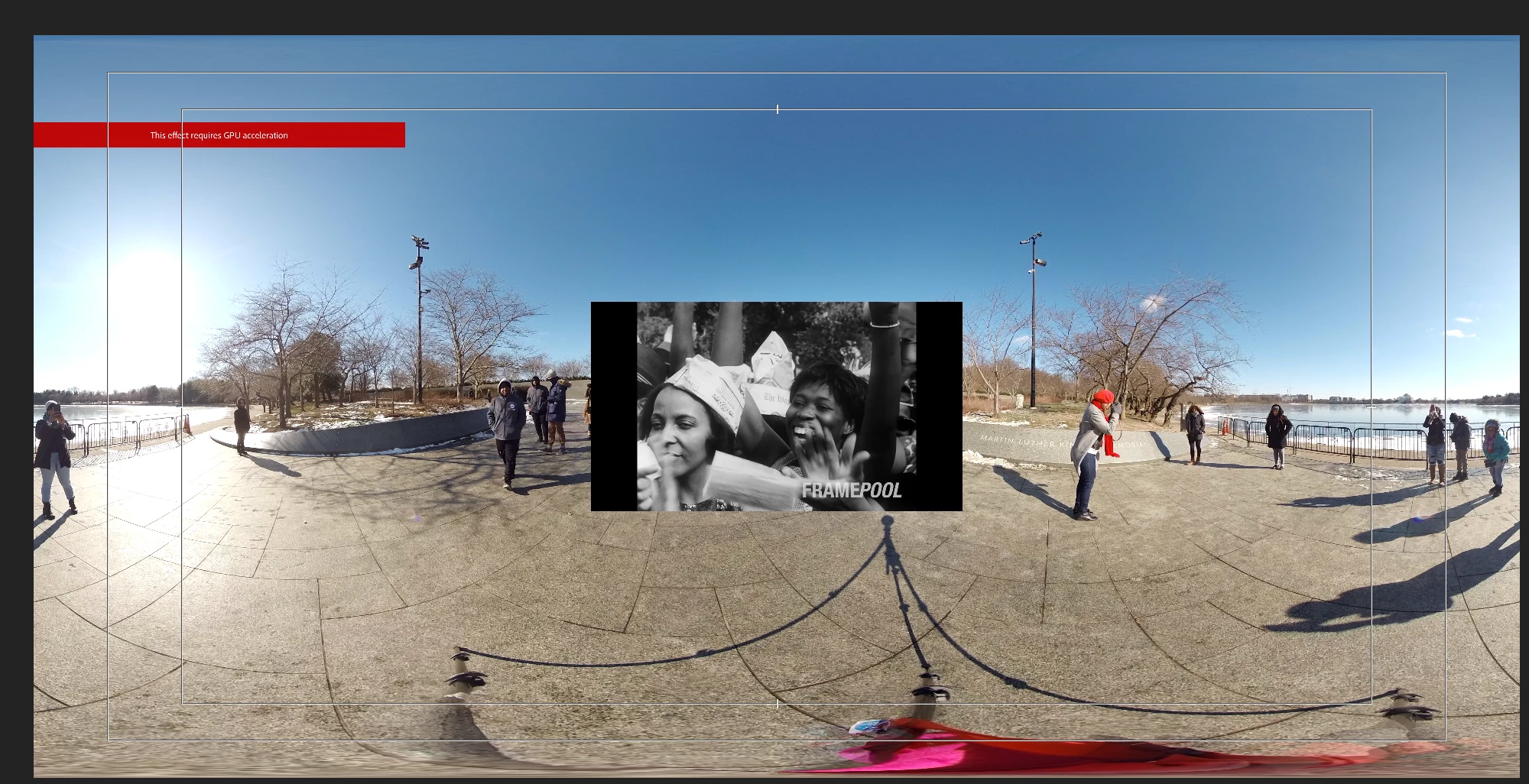
This effect requires gpu acceleration [still IS NOT WORKING after latest 2018 updates]

  • January 31, 2018
  • 2 replies
  • 3743 views

Hi all,

I have a Mac Pro with 3.7 GHZ quad core intel xeon E5

with the AMD firepro D300 2048 MB

I originally edited this VR video in a standard PC, and had no problems. 

But now I can moved the project to Premiere Pro CC and am getting the

red band: THIS EFFECT REQUIRES GPU ACCELERATION.  I have done all the settings changes: 

File>Project Settings" and enable Use: Mercury GPU Acceleration

which was answered in the first discussion on this topic in October 2017.

None of those solutions offered on that post have worked for me. 

I have been told by Apple that I must invest in a new graphics GPU the D700, which costs around $799. 

Adobe has told me that the problem is the AMD driver.  AMD says they have no drivers for this card.

Apple also suggested I buy their latest iMac to resolve the issue. 

I need to know if any one has sorted this out, before I invest more money in my equipment.  Any thoughts... it seems there was a work around in After Effects

but how does that translate to Premiere Pro CC?

    This topic has been closed for replies.
    Correct answer yvette108

    I have also contacted Customer Care at Adobe and they told me to get a driver from AMD.  The driver from AMD does not exist according to AMD tech support. 

    2 replies

    Participant
    January 8, 2020

    I had the same issue (even still in 2019) where I couldn't load any of the immersive video effects, even though my GPU should be compatible. I found a solution to the problem though! I hope this would fix yours as well. I figured out that the immersive fx worked with some other VR footage. The problem with my footage was the size. We shot in 8k and somehow premiere couldn't handle it, even with proxies. So after editing I exported my timeline to a 4k render, and I reinserted that file into my timeline to add fx like sphere rotation. Hope this helps!

    Community Expert
    January 31, 2018

    Hi yvette108​,

    Has you try it with Metal in PrPro with a Mac? You must have an OpenCL choice too in GPU Acceleration options, but try with Metal.

    Byron.
    yvette108
    yvette108Author
    Participant
    January 31, 2018

    Hi Byron,

    Yes I have tried that setting is well.  It does not work with Mercury Playback Engine GPU Metal either.

    I have tried all the usual suspects.  I have tried it with other footage... and the red band appears whenever I add even a transition effect.

    Thanks,

    Yvette