
Exit
  • Global community
    • Language:
      • Deutsch
      • English
      • Español
      • Français
      • Português
  • 日本語コミュニティ
  • 한국 커뮤니티
0

TimeCode Effect GoTo Frame

Explorer ,
Jan 19, 2022 Jan 19, 2022

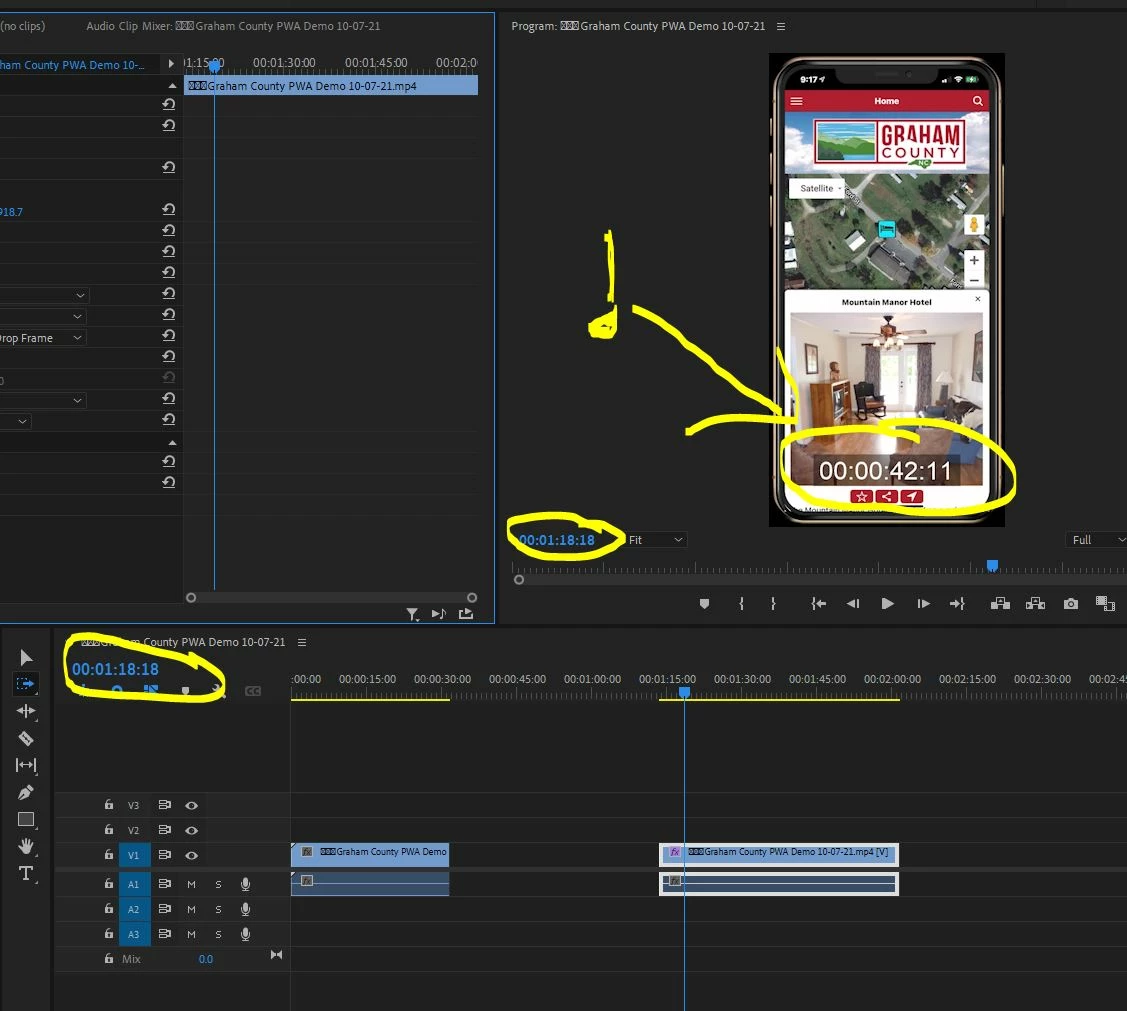
-We have added a timecode effect to our clips that reflect the data from the camera that we will present to client to view.

-Is there a way to jump (goto) the frame in the program window that corresponds to the timecode (highlighted below) and not the timecode of the sequence timeline itself as shown in the smaller circles.

Thanks
 

Capture.JPG

TOPICS
Editing , Effects and Titles
254
Translate
Report
Community guidelines
Be kind and respectful, give credit to the original source of content, and search for duplicates before posting. Learn more
community guidelines
Community Expert ,
Jan 19, 2022 Jan 19, 2022

Maybe  move the clip to V2, highlight the V2 to the left of the lock, do a razor cut at that point on the clip and then tap up or down arrow to jump to the cut.

Translate
Report
Community guidelines
Be kind and respectful, give credit to the original source of content, and search for duplicates before posting. Learn more
community guidelines
Explorer ,
Jan 20, 2022 Jan 20, 2022

Thanks for the idea.

I have tried your solution with no affect on its behavior still.


Translate
Report
Community guidelines
Be kind and respectful, give credit to the original source of content, and search for duplicates before posting. Learn more
community guidelines
Community Expert ,
Jan 20, 2022 Jan 20, 2022
LATEST

Put the clip in its own sequence by nesting and adjust that sequence's timecode to match the clip's timecode?

Translate
Report
Community guidelines
Be kind and respectful, give credit to the original source of content, and search for duplicates before posting. Learn more
community guidelines