
Participant
July 29, 2024
Question

timeline layer thickness

  • July 29, 2024
  • 2 replies
  • 466 views

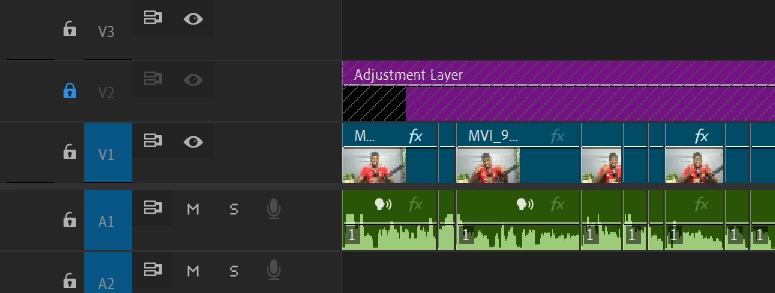
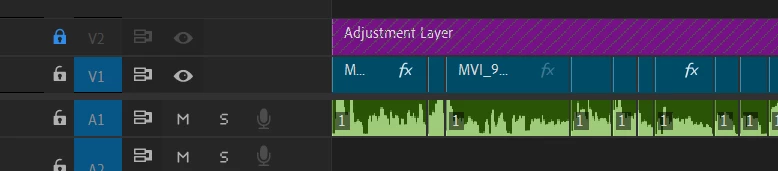
Premiere with 24.5 have made it so the timeline audio and video layers are automatically thicker than usual, is there a way to make it so when i add clips and audio to the timeline it's like pre update, linked photos below, want it like the bottom instead of the top. (i know i can drag them individually each time but i don't want to waste time dragging each layer, just want it to automatically be like that)
 

This topic has been closed for replies.

2 replies

Community Expert
July 30, 2024

I agree with @MyerPj 's suggestion.

You can also quickly return to your preferred track height by pressing Shift + (-) to collapse all tracks and then Cmd/Ctrl + (+) to expand all video tracks and Option/Alt + (+) to expand all audio tracks. These tracks will match the heights in the second screenshot.

Cheers,
Paul

MyerPj
Community Expert
Community Expert
July 29, 2024

You can save a preset to the heights you like or use a default one from Adobe.

Those are located on the Wrench icon on the timeline.

MyerPj
Community Expert
Community Expert
July 29, 2024

BTW: You can even assign a keyboard shortcut to the ones you like "Manage Presets" option on the Wrench menu.