
benj99
Participant
November 5, 2017
Answered

Timeline Lost in Editing Tab

  • November 5, 2017
  • 1 reply
  • 4353 views

Hi All,

I'm new to the Premiere Pro software and I was busy editing my first video when I must have hit something by mistake and I've lost my timeline and therefore sequence from the editing tab. The timeline is still there in the other tabs like Assembly, Color, Effect, Etc.
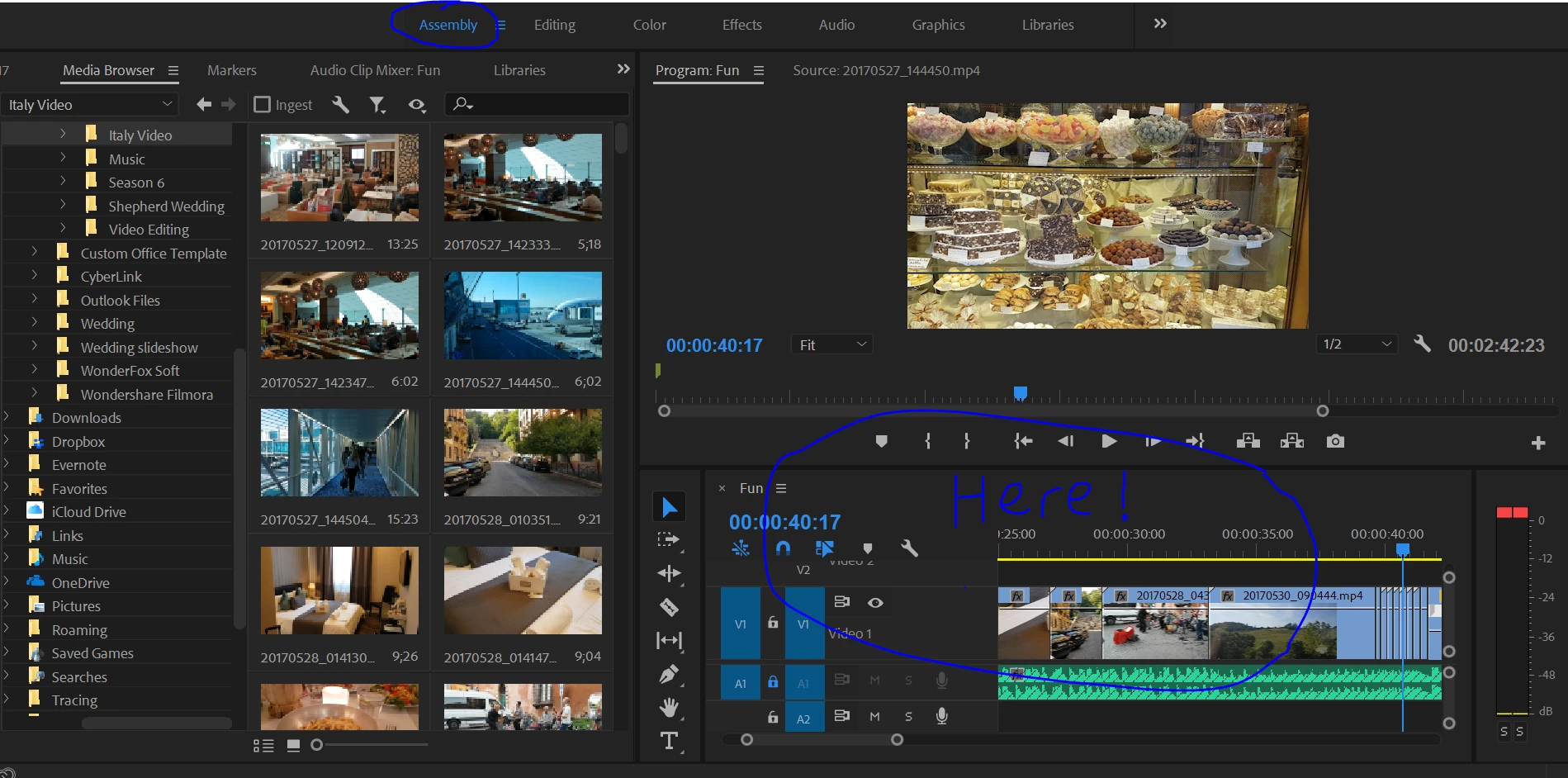
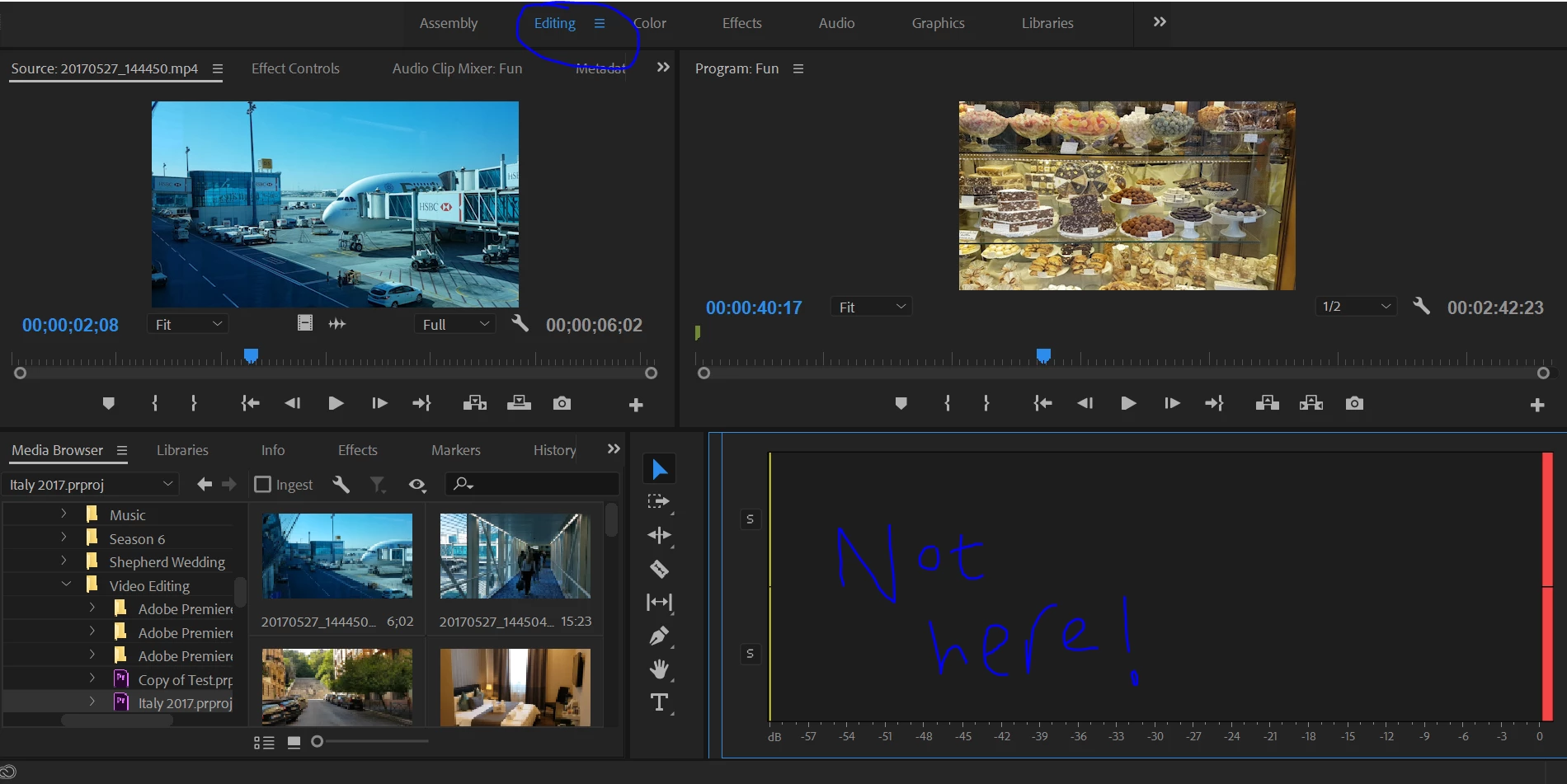
I've tried all the obvious stuff that people have suggested on other forums and nothing is working - any suggestions??

Many Thanks

Ben

This topic has been closed for replies.
Correct answer Ann Bens

Go to Editing at the top; right click and Reset to saved workspace.

If that does not do it for you go the the Project Window and double click on your sequence icon.

1 reply

Ann Bens
Community Expert
Ann BensCommunity ExpertCorrect answer
Community Expert
November 5, 2017

Go to Editing at the top; right click and Reset to saved workspace.

If that does not do it for you go the the Project Window and double click on your sequence icon.

benj99
benj99Author
Participant
November 9, 2017

Thanks Ann Bens, something so simple yet so frustrating if you don't know that's all it is! :-)