
Participant
December 2, 2021
Question

TimeLine Premiere Pro

You got some issues with normal people mindset!
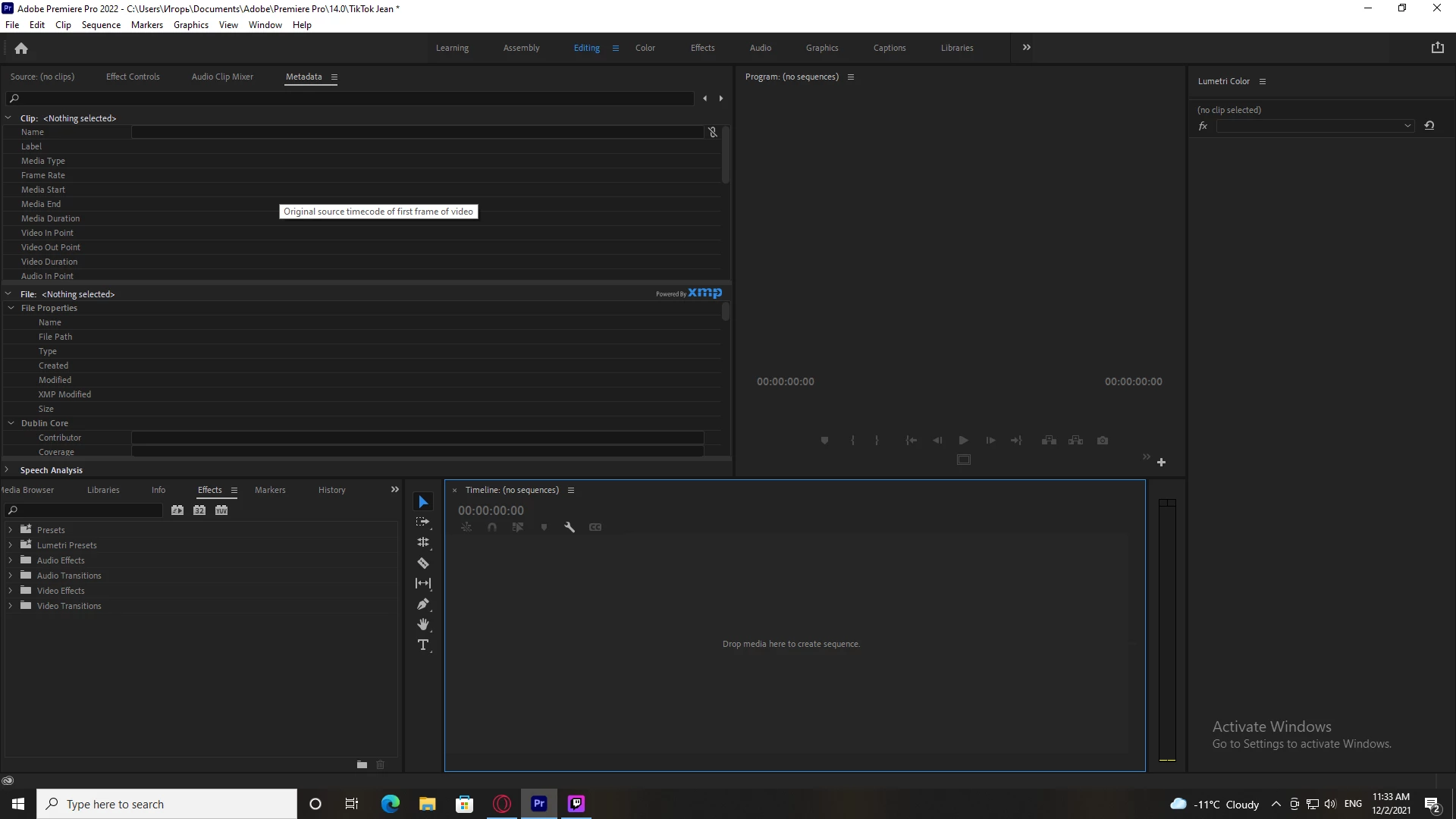
My time line went wrong!
Evrerything went down.
All mine timeline was deleted by mysterios button press.
How to get back all my work?
Cntr + Z
is not workling
(abuse removed by moderator) we gonna do with dat? huh?

Are you nuts do do stuff like this?
This is crazy
How the movies are coming on a large screen with that  program that made for a (abuse removed by moderator) "grind my gear" lovers?
(abuse removed by moderator)?
PLS be humanistink! U R CRAZY 
I was doing that 1 minute video about 2 days!
 

Ce sujet a été fermé aux réponses.

4 commentaires

Legend
December 2, 2021

Find your created sequence in the project panel and double-click it. It will be displayed on your timeline with all your work and saves. You just accidentally closed it by pressing Ctrl+ W. Let me know how it goes

R Neil Haugen
Legend
December 2, 2021

From your screen grab, I see a blank timeline panel and several other metadata panels and such. But I don't see the Project panel, which is where your project assets "live" and are accessed.


So ... how about bringing up the Project panel, and doing another screengrab so we can see what's in the Project panel.


Neil

Everyone's mileage always varies ...
Peru Bob
Community Expert
Community Expert
December 2, 2021

Try resetting the Workspaces:
Reset a workspace
Reset the current workspace to return to its original, saved layout of panels.
1. Do one of the following:
• Click the Workspace menu icon and select Reset to Saved Layout.
• Choose Window > Workspace > Reset to Saved Layout.
from here:
https://helpx.adobe.com/premiere-pro/using/workspaces.html


Then see if your sequence is in the Project Panel and double click it to open it.

If that doesn't work, do you have an autosave or backup?


Community Expert
December 2, 2021

Is everything is deleted also in your project panel?