Ezad
Inspiring
November 13, 2024
Answered

Timeline re-adjusted to a detriment

  • November 13, 2024
  • 2 replies
  • 427 views

Hello

I have reels in the timeline.
I am working on synching the audios to the reels.
I just made a sync, then made a cut, then did a link suddenly
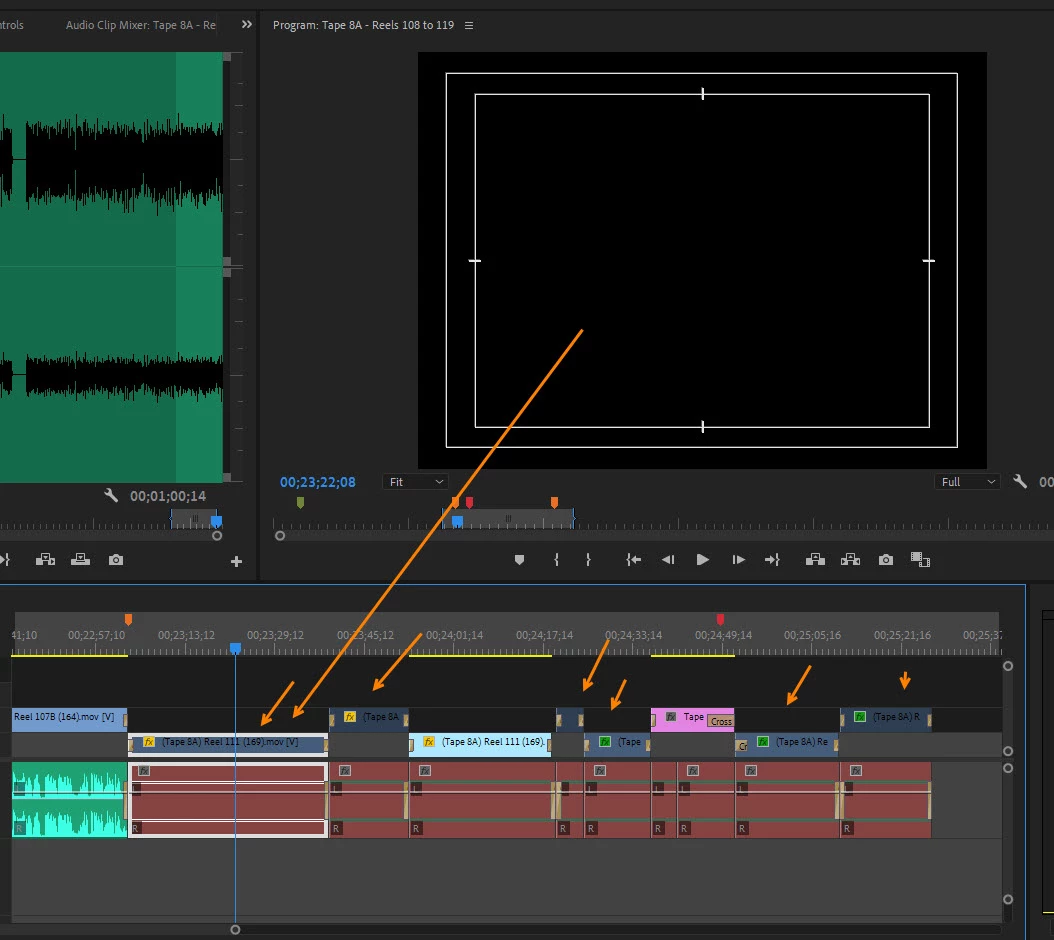
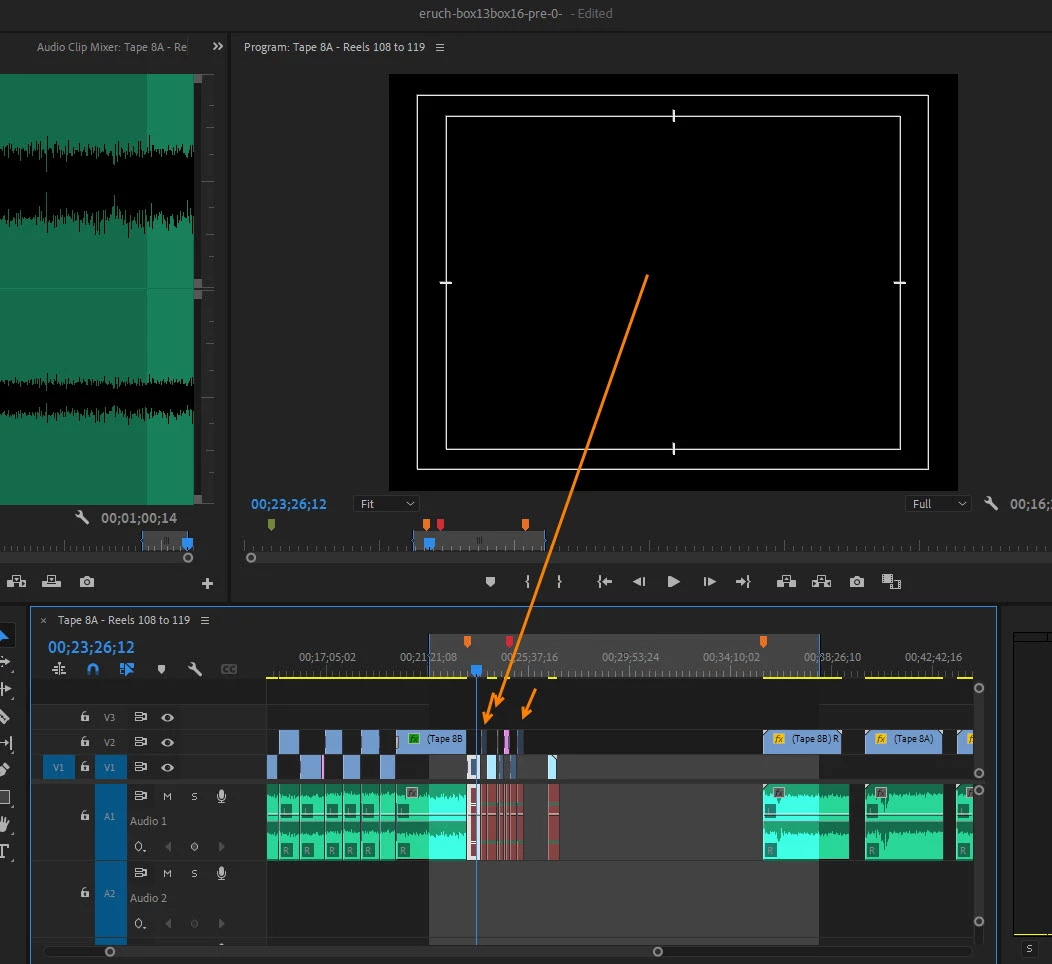
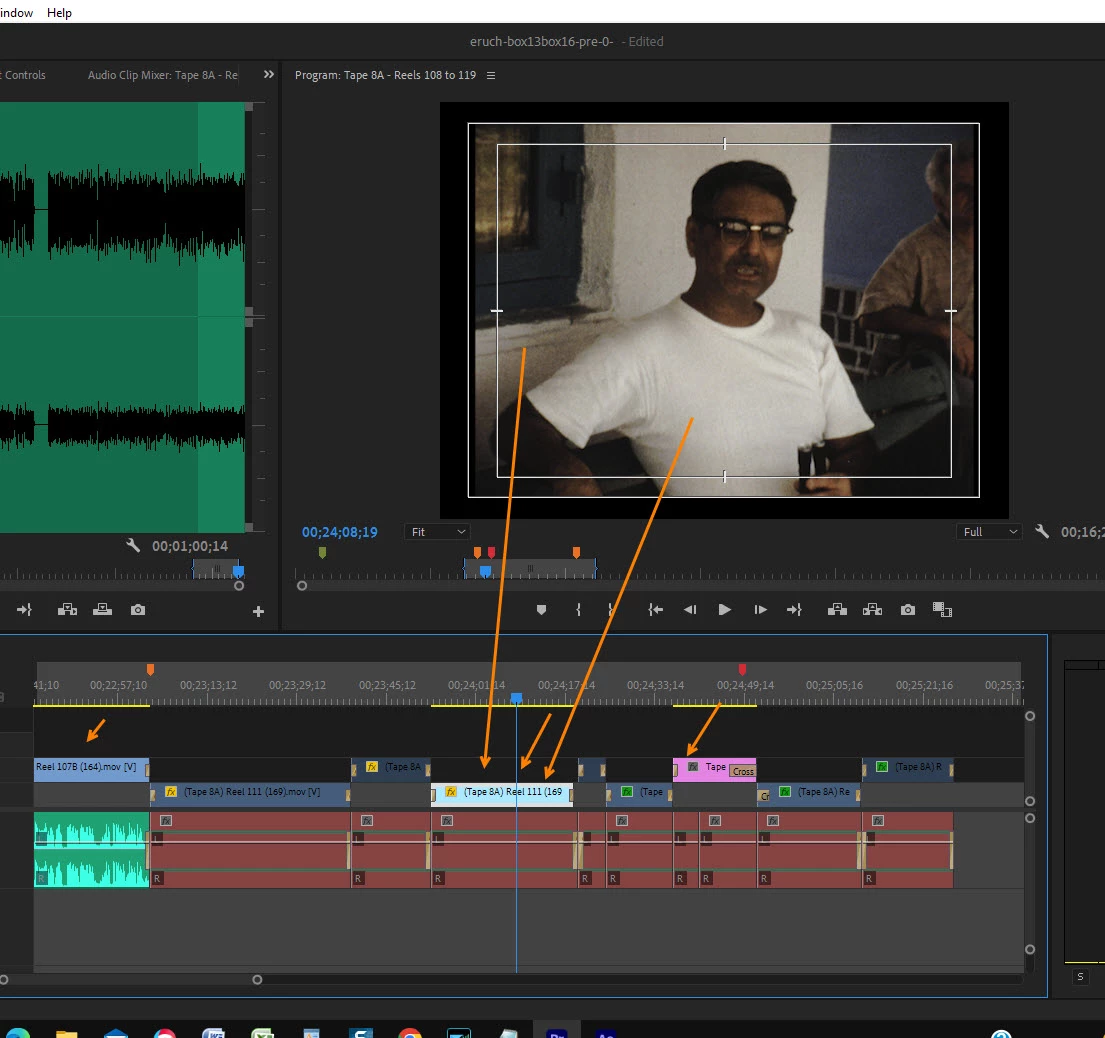
the audio track area went brown and the reels went black. To the left and
right of this section the reels and audio is as it should be.
I don't know how to return this section in the timeline back to viewable
reels and the audio 'green'.
Let me know what to do?
Thanks
 

This topic has been closed for replies.
Correct answer Ezad

Unlink did not work however with the videoes I turned of 'enable' and the video showed up.

For the audio I clicked on 'restore unrendered' and now that area is functioning as expected.

Thanks for posting on to do the unlink as that allowed for experimenation to discover these stated results.


2 replies

Peru Bob
Community Expert
Community Expert
November 14, 2024

Just a guess:

Try unlinking and relinking your media.

Ezad
EzadAuthorCorrect answer
Inspiring
November 15, 2024

Unlink did not work however with the videoes I turned of 'enable' and the video showed up.

For the audio I clicked on 'restore unrendered' and now that area is functioning as expected.

Thanks for posting on to do the unlink as that allowed for experimenation to discover these stated results.


Peru Bob
Community Expert
Community Expert
November 13, 2024

Try updating or rolling back your graphics driver directly from the video card manufacturer’s site. If NVIDIA, do a clean installation of the latest Studio Driver (NOT the Game Driver).

Ezad
EzadAuthor
Inspiring
November 14, 2024

Hello I installed the driver (https://www.nvidia.com/en-us/drivers/details/233142/)

That did not remedy the issue as explained in the timeline.  As in the photos the area that is brown is unchanged, no viewable video; no visible audio - as is in evidence to the left and and the right of this area. The timelime is over one hour with 3min 18 second MOV files. This segment that is now disclored is one of the reels, this segment is 3 min 18 sec.

Possibly there may be another fix that can correct this anomly? 

Thanks