
Participant
July 26, 2024
Question

Timeline Window is Blank

  • July 26, 2024
  • 2 replies
  • 473 views

Hello. I am using Adobe Premiere Pro 2024 and was editing when all of a sudden the timeline window went blank.
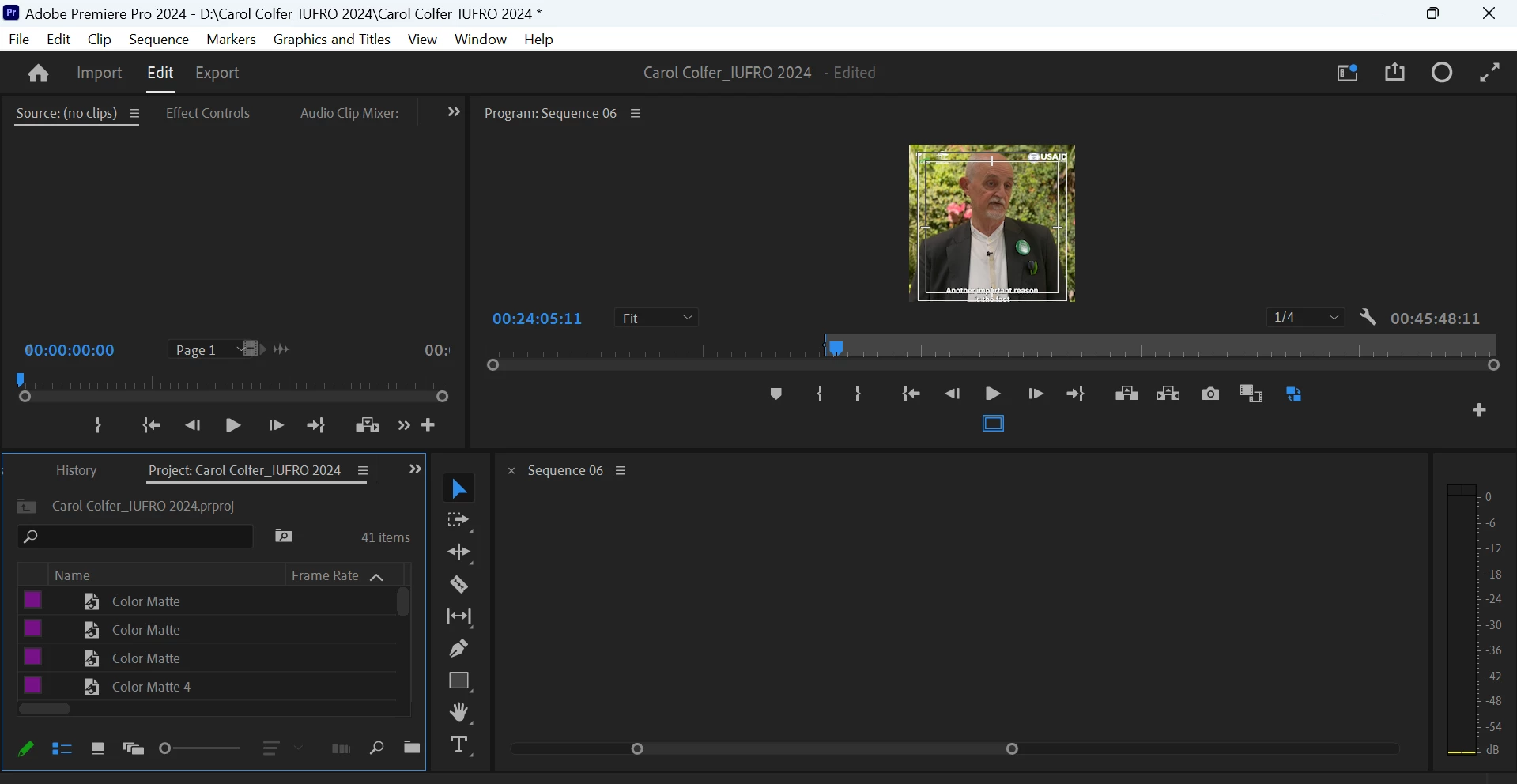
The sequence title is being seen on the title and the project panel however the editing tracks are not there. It looks as if no media has been added to the timeline window. 

Kindly help to fix this. Thank you in advance.

2 replies

Participant
March 5, 2025

Here with the same issue and seemingly no solution. What is this problem??


Averdahl
Community Expert
Community Expert
July 26, 2024
quote

Kindly help to fix this.


By @Fajrin388265514bsh


Try to save the project > close Premiere Pro > restart the computer > launch Premiere Pro and open the project.

Participant
July 26, 2024

Thank you very much @Averdahl. I have tried that method. I have ese deleted the media cache files. I have reset my workspaces to the previous layout but still, it opens as blank. I can't edit anything but I can view it on the Program Panel.

Averdahl
Community Expert
Community Expert
July 26, 2024
quote

I have reset my workspaces to the previous layout but still, it opens as blank. I can't edit anything but I can view it on the Program Panel.


By @Fajrin388265514bsh


Next step is to reset the preferences:

Hold down the Shift-key while launching Premiere Pro. You will get a Reset options dialog, make sure to check Reset app preferences and click Continue.


If that don´t do the trick either:

Create a brand new project in Premiere Pro and import the old project file into the new project.