
WMK
Inspiring
January 6, 2017
Answered

Title Tool - Background Video Keeps on Toggling Back On [!]

  • January 6, 2017
  • 2 replies
  • 1986 views

Hi,

I'm working on an edit that uses a bajillion titles.

I do NOT want or need the Background Video showing up inside the Title Tool - primarily because when the background video

does show, it slows down the playback considerably.

Every time I hit the Show Background Video button to toggle it off, after I hit play on the timeline, the button toggles itself back on, and boom, the background

video is back.
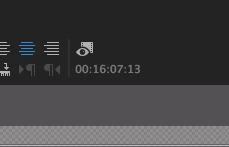
Then I toggle the button, hit play, and boom, the video is back.

How can I stop this infernal madness?

Thanks,


W.

    This topic has been closed for replies.
    Correct answer WMK

    Cannot reproduce on windows either.

    Might want to reset preferences and plugin cache by holding down shift+alt while opening Premiere.


    Hi,

    Ok, first off, thank you to everyone who contributed - I really appreciate your taking the time to help.

    I was interested to see that many of you were unable to replicate the issue I was having.


    I started a new, fresh project and duplicated some titles, and worked with them - and indeed, the background

    video stayed off, fortunately.

    It must have been some kind of setting or but in the sequence I was using.

    So I imported the project into a new project, and so far it seems to be working as expected.


    Thanks again.

    W.

    2 replies

    paulh72938705
    Participating Frequently
    December 15, 2017

    This happens to me all the time. It's infuriating. And the above suggestion of 'create a title where there is no video and move it afterwards' is not a solution. Especially when dealing with a zillion titles.  I've had this happen to me since CC2015, constantly and consistently.

    Any ideas re: solutions?

    Mac OS 10.12.6

    Premiere 12.0.0

    MacPro 5,1

    sequence settings: it happens on various seqs

    Thanks

    stefan_gru
    Inspiring
    December 15, 2017

    Paul: Please explain what is actually happening for you. I'll try to replicate your problem.

    1. You create a new title in the (now legacy) Title tool:

    2. You turn off Show Background Video. I don't know why you'd want to do this since otherwise how will you know how to position the title against the visual elements? But if you have a standard placement for your titles, I could see why you wouldn't need to load the video behind the title.

    3. You close the Title tool and the title appears against the background video in the Program monitor:

    I assume you're not objecting to the video appearing behind the title in the Program monitor.

    4. You create a new blank title in the old legacy tool. My CTI is placed over a portion of the sequence that has video but my Title tool retains the "off" state of the Show Background Video toggle:

    Is this where your Title tool shows background video, even though you'd toggled that setting off previously?

    Now this is just a guess but given the fact that this Title tool is deprecated, I doubt any engineering resources will go into fixing this problem — especially since it seemingly doesn't affect very many users.

    paulh72938705
    Participating Frequently
    December 15, 2017

    Hi Stefan,

    The issue is that the background video, when appearing behind the text in the title tool, causes playback to stutter in my program monitor. I leave the text tool window open on a second monitor for efficiency. This way I don't continually open / close that window.

    When I change from one timeline to another (in projects that have multiple timelines open), the text tool automatically defaults to having the BG video appear. So I always have to toggle the 'Show bg video' icon twice until I get back to the checkboard pattern.

    There are times when I need to bounce back and forth between timelines in rapid succession. This means always having to toggle the icon: instead of it 'remembering' my selection.

    As far as your comment goes: "I don't know why you'd want to do this since otherwise how will you know how to position the title against the visual elements?". The answer is simple: I can see that in the program window. Or I can chose to turn on the 'show BG video" Either way, this is a personal preference. And besides, once the text is 'placed', I often need to make type adjustments / changes due to client whims. I certainly don't need to see placement for this.

    Thanks for your assistance.

    Paul

    Legend
    January 6, 2017

    The behavior you see makes sense to me.

    Playback isn't needed for titles, so PP rightly assumes that if you hit play, you want to see the video.

    WMK
    WMKAuthor
    Inspiring
    January 6, 2017

    No, no, no, no!

    With the heat of a thousand suns, no.

    If one toggles the Title Tool to 'off', then it needs to stay off. Period.

    I don't need an app to "rightly assume" anything.

    Especially when it's dead wrong.

    I still need a solution.

    Or is this another known bug?

    W.

    stefan_gru
    Inspiring
    January 6, 2017

    Version of Premiere Pro?

    Hardware you are running it on?

    Operating system?

    Properties of the source footage you are working with?

    Sequence settings?

    I can't replicate your issue on my system. The status of the background display stays in its last toggled state regardless if I do playback with the title tool open or closed.

    I do NOT want or need the Background Video showing up inside the Title Tool - primarily because when the background video

    does show, it slows down the playback considerably.

    I can't replicate this issue, either.

    MtD


    I too cannot replicate this apparent bug. I selected Title > New Title > Default Still and created a temporary title and toggled off Show Background Video. I then closed the Title tool and dragged the title to the timeline. I double-clicked it back open and the background video was still off. I created a new title and the background video was still off. I then closed my project and created a new one — and the background video was still off. (I'm using PP 2017.0.1 on Mac OS 10.10.5.)