
Track Matte Frame Smaller than Video Frame
Hello Adobe Community,
I'm very new to Premiere and have just started editing one of my first videos. I have attempted to use the track matte effect to create a perfect white background, however I have run into some issues. I've placed a colour matte above my video and below my video, traced around myself using the track matte tool and then applied the affect....it should have worked however as soon as I select "video 3" within the track matte effect the frame size changes to a smaller frame than my actual video. I have tried probably 5 different times, starting new every time. I have also right clicked and selected "set to frame size" and then tried "scale to frame size" and nothing happens. I've tried altering my sequence settings just to see what happens, but premiere always suggests I go back to their formatted settings as the ones I have selected do not match. I've attached a screen shot so you can get a better idea of what I am trying to achieve / maybe obviously overlooking. 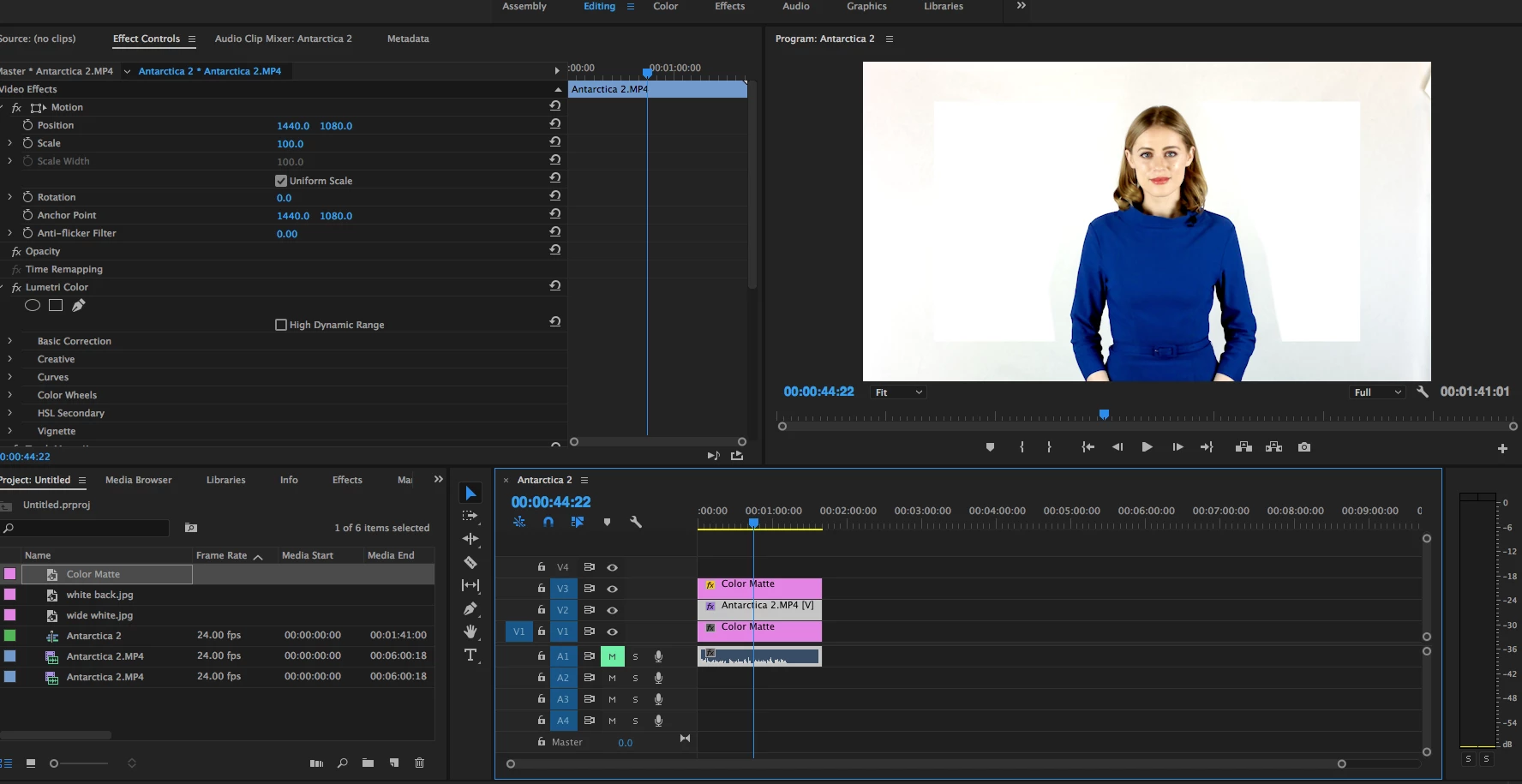
Any help is verryyyy greatly appreciated!
Thanks in advance,
Chantal
 AdChoices