

Track Matte Key intermittent performance
When using multiple track mattes on the same timeline (sometimes different masks, sometimes multiple iterations of the same mask), video goes black at random.
Masks work perfectly at first, but it seems if "too many" masks or perhaps "too many" titles are added, it causes footage to which masks are applied to go black.
The two photos below are taken one frame apart within a single clip with no cuts. (see timeline below photos)
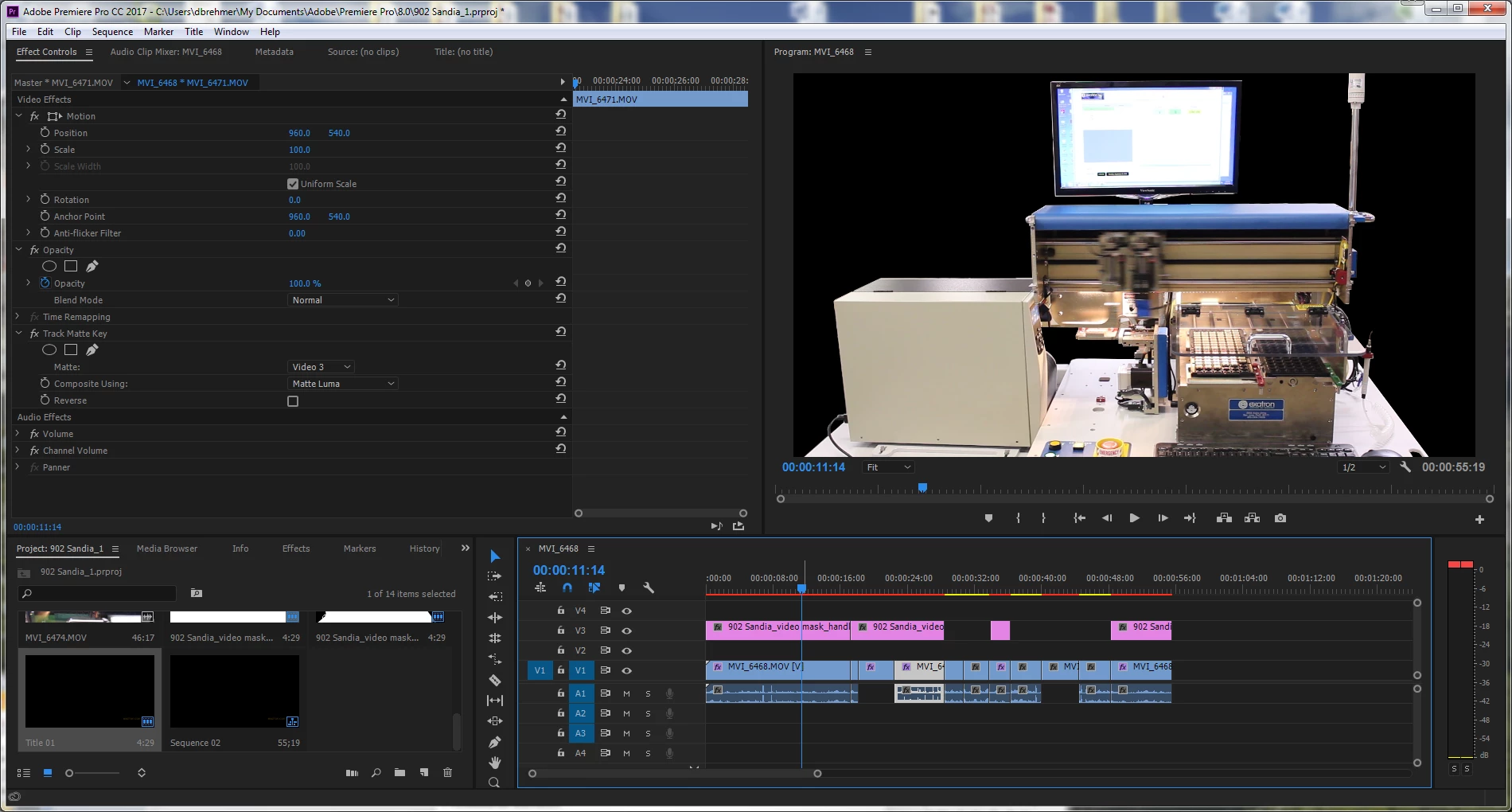
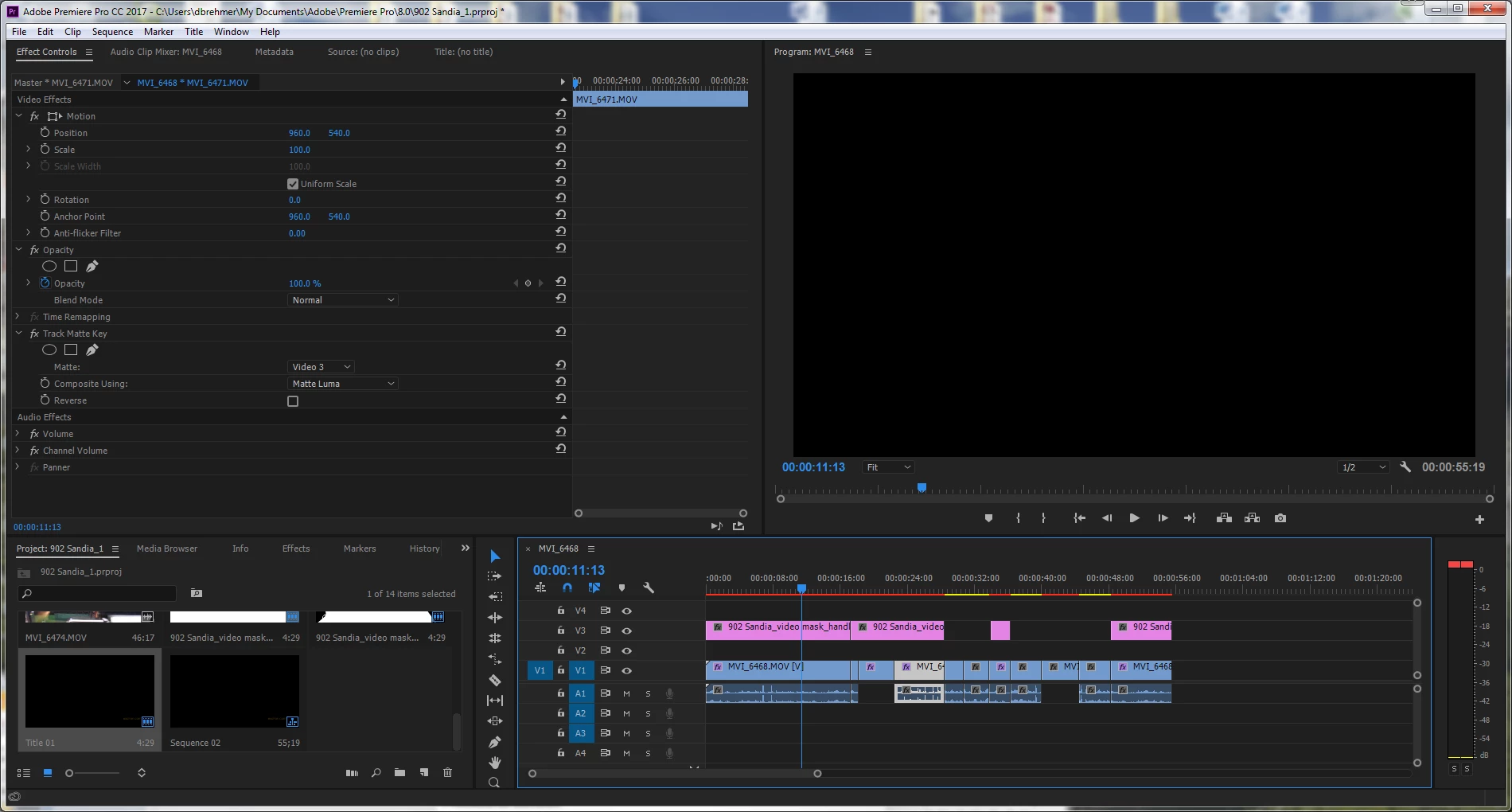
The second instance of the mask/source footage combo is entirely black. The third instance (at the end of timeline) works perfectly.
The masks were created in Photoshop and composited using Matte Luma.
I'm assuming this is a processing or performance issue on my end, but do not know exactly how to solve it. This has happened on a number of different projects. The blackout sections are still present after exporting the timeline.
NOTE: The source footage is being pulled from a server, not saved on the desktop
Source video:
Type: MPEG Movie
File Size: 255.82 MB
Image Size: 1920 x 1080
Frame Rate: 29.97
System:
Windows 7 Pro 64-bit
Dell XPS 8700
Intel Core i7-4770 CPU @ 3.40 Ghz
8 GB RAM
NVIDIA GeForce GT 635 graphics card
Using Adobe Premiere Pro CC 2017.0.1
Thanks very much for you help,
David
 AdChoices