
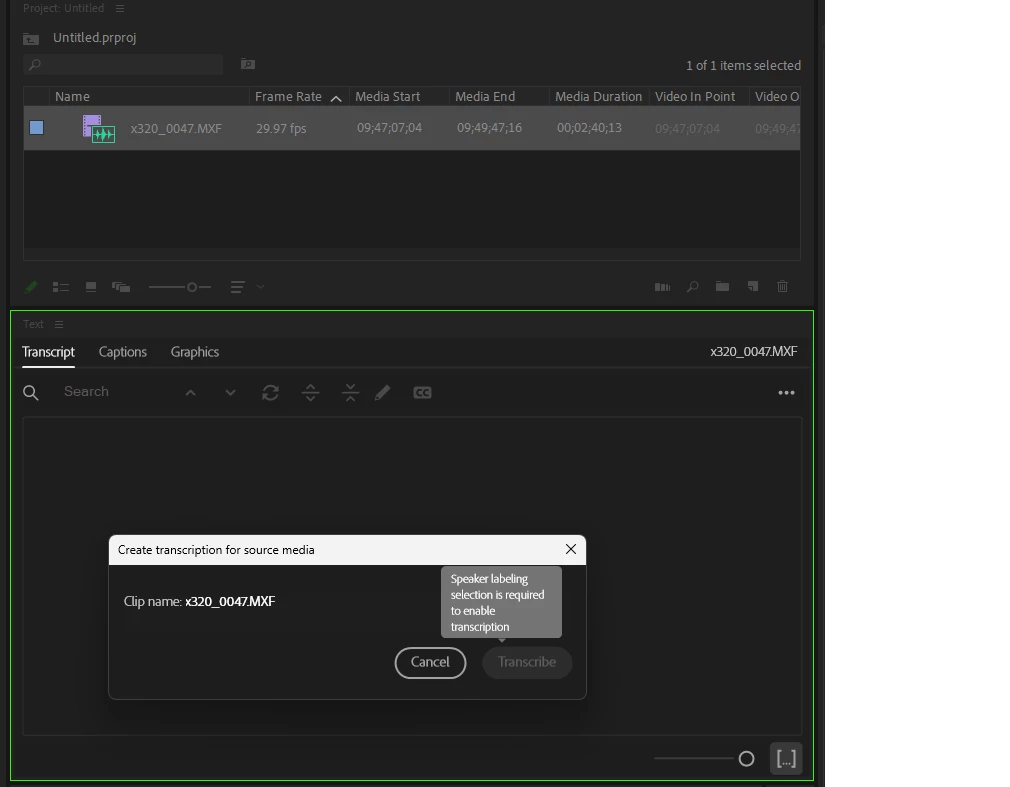
Transcribe Clip_ Speaker labelling selection is required to enable transcription
Premiere Pro: 23.3
PC: Alienware Aurora R8 (i9-9900k @3.6GHz)
OS: Microsoft Windows 11 Pro (v 10.0.22621 Bild 22621)
In wake of hearing that speech-to-text editing is getting implemented in the stable 23.3 release of Premiere, I tried Transcribing a Clip (before creating a Sequence). However, when I select the Clip, (in the Transcript panel) select "Transcribe Clip", I get a Dialog box that only allows me to cancel the operation.
"Transcribe" is greyed out, with the only semi-helpful message "Speaker labeling selection is required to enable transcription". Tried digging in Preferences for an opt-in to allow Speaker labeling, but didn't see anything.
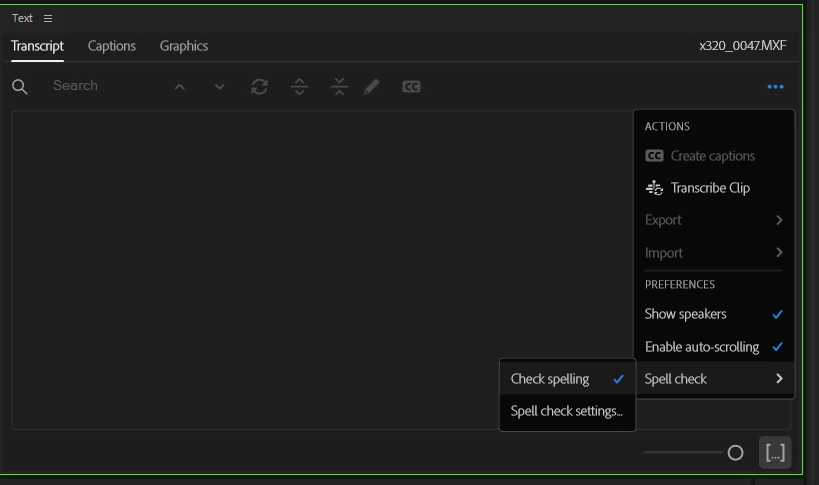
In the Transcripion panel, I do have "Show Speakers", "Enable auto-scrolling", and "Check Spelling" enabled, but don't see any other options to allow this setting.
Help me @kev_mon , you're my only hope!
 AdChoices