
Participant
June 4, 2024
Question

Transcript feature not allowing me to select filler word

  • June 4, 2024
  • 3 replies
  • 9476 views

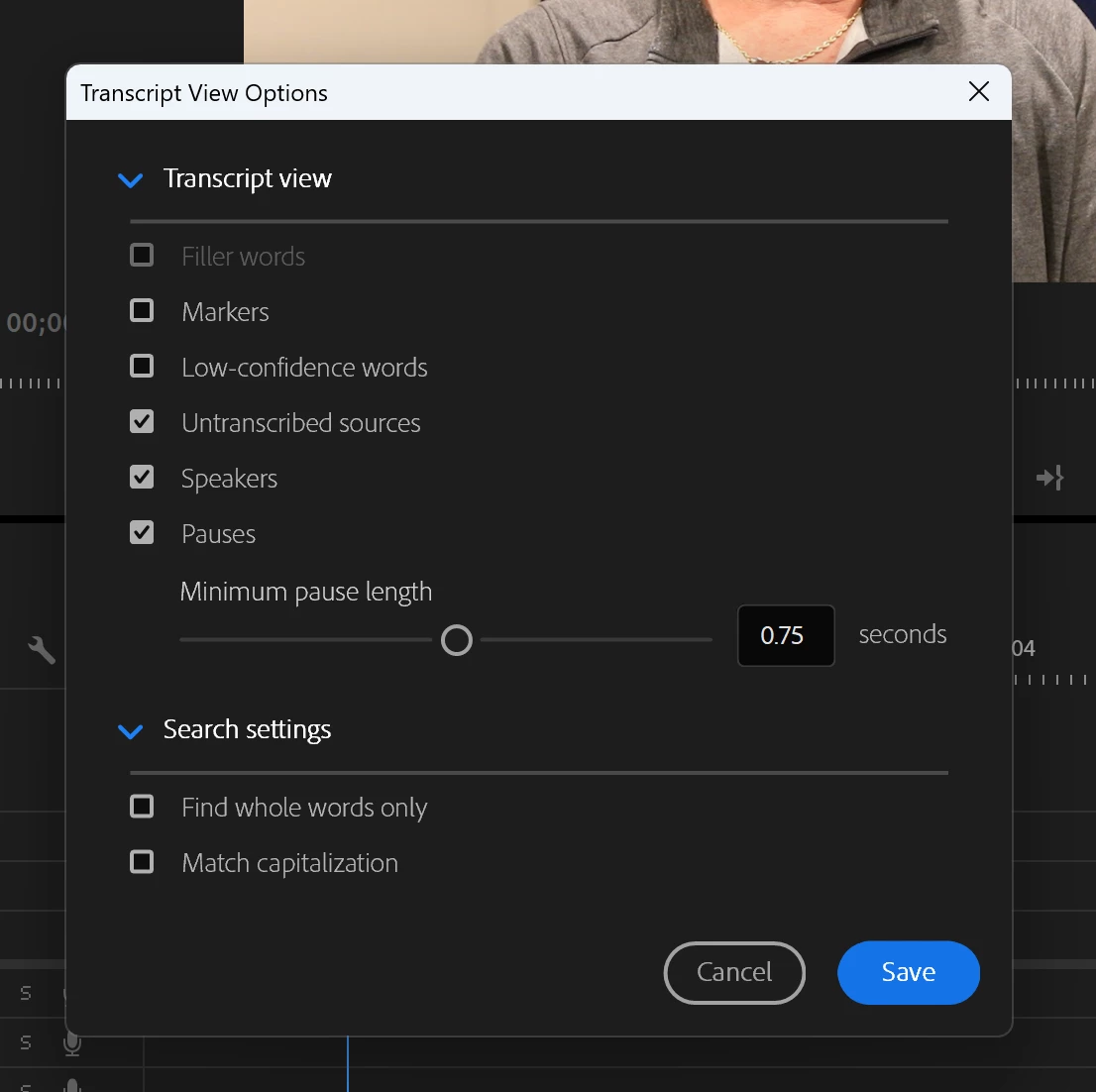
I've used this feature in the past and had no issues. However, in my latest project I can't seem to check the "filler words" box when editing my transcript. I have restarted and updated Premiere and nothing seems to work. Has anyone else run into this issue and how did you fix it? TIA


3 replies

Stan Jones
Community Expert
Community Expert
June 11, 2024

Any chance either of you transcribed these clips before filler words were added to PR? Try re-transcribing if you have not edited the transcription.


In PR 24.4.1, filler words is an option in the Transcript view options, even if there are no filler words. But if the option did not exist in PR when transcribed, it is not an option (greyed out).


Stan


Participant
July 10, 2024

I am having the same issue. My goal is to delete and extract all filler words and the delete button is disabled when trying to do so. I think this is related to what is going on here. Help!


Eileen

Participant
July 11, 2024

Ah. You must be working with a Static transcript of the Sequence. You can't filter/delete Filler words in a static/sequence transcript.


This results in the greyed out (unchecked) Filler option in transcript view options, and the absence of a Filler words option for the filter.


In the Transcript tab, click on the 3 dots and pick Generate text-based editing transcript. You will lose the static transcript, but you'll have to redo it once you delete filler words.


Stan


Stan!!  THANK YOU!! Thanks for sticking with me on this. It was driving me crazy. That was the key! I am pretty much self- taught with video editing and it is so easy to miss something like this. Again, THANK YOU!!


Eileen

Kevin-Monahan
Community Manager
Community Manager
June 11, 2024

Hi @Ivette37836609941v and @linda_CG,

Sorry you're experiencing trouble. @Stan Jones might be able to help. He's our top Adobe Expert on this topic. I hope the community can help you.


Take Care,
Kevin

Kevin Monahan - Sr. Community and Engagement Strategist – Adobe Pro Video and Audio
Inspiring
June 10, 2024

I am having the same problem and Iam not allow to highlight the words that I want to ripple out also.