
Transition Glitches after File Export
Software:
Premiere Pro CC 2017
System/Processor/Memory:
Windows 7 Professional (I know)
Intel Core 2.60GHz
16GB RAM
Issue: Transition glitch (as seen in attached image) when using dip to black transition centered (between) cuts.
Where a clip ends and one begins but with a video transition applied. In my videos, most of the time, I typically have 3-5 video transitions. Usually it is only one of those transitions that produces a glitch. They are very inconsistent. The glitch only presents itself appears for a frame or two and at the end of the transition.
Please see the attached image examples that show the issue, settings and attempts to correct the issue. If you can offer help I would greatly appreciate it.

Image 1: Transition issue using dip to black between two cuts.
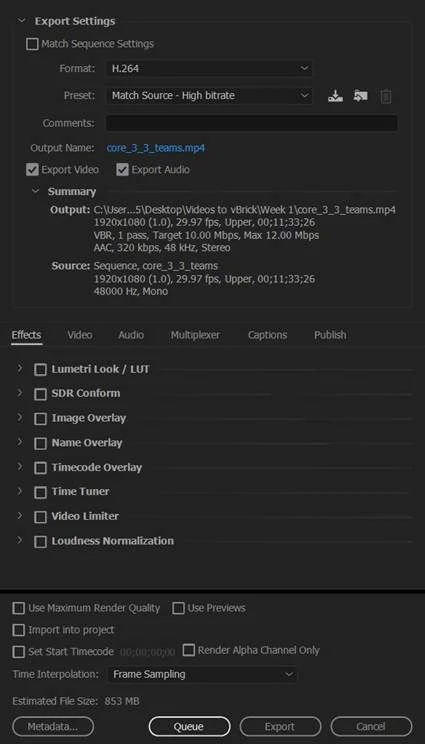
Image 2: Original Export Settings. It was suggested that I try a lower maximum data rate (6-8Mbps) and/or use two-pass variable bit rate. This did not resolve the issue.
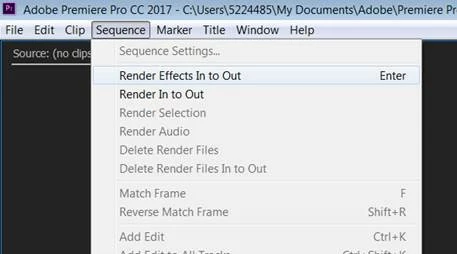
Image 3: Initially, I did not do this. It was suggested I render the clip before exporting using Sequence>Render Effects In to Out and choose Render Entire Work Area when exporting. Neither resolved the issue.
 AdChoices