
Exit
  • Global community
    • Language:
      • Deutsch
      • English
      • Español
      • Français
      • Português
  • 日本語コミュニティ
  • 한국 커뮤니티
0

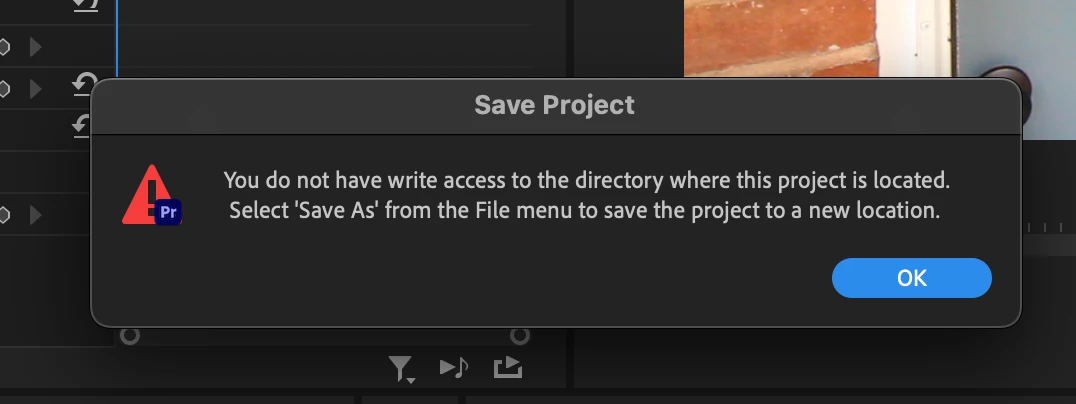
Trying to save project file, PP says I don't have access to the directory
New Here ,
Sep 07, 2022 Sep 07, 2022

Screen Shot 2022-09-07 at 4.05.24 PM.png


I am on MacOS Monterey 12.5.1.


The project file and media is on an external SSD, the SanDisk 2TB Extreme Pro, and I don't see how to change read/write permissions to it.


Any new PP project I create makes me 'Save As' which is inefficient since it saves while editing.


How resolve this?

TOPICS
Editing , Error or problem
150
Translate
Report
Community guidelines
Be kind and respectful, give credit to the original source of content, and search for duplicates before posting. Learn more
community guidelines
Adobe Employee ,
Sep 07, 2022 Sep 07, 2022

Hi Benjamin,

Sorry. Can you check your macOS system preferences > security and privacy? See if Premiere Pro has been granted full disk access to your Documents folder.


Thanks,
Kevin

Kevin Monahan - Sr. Community & Engagement Strategist – Pro Video and Audio
Translate
Report
Community guidelines
Be kind and respectful, give credit to the original source of content, and search for duplicates before posting. Learn more
community guidelines
Community Expert ,
Sep 07, 2022 Sep 07, 2022
LATEST

Was this drive formatted with a Windows machine? It may not be fully compatible with Mac.

Translate
Report
Community guidelines
Be kind and respectful, give credit to the original source of content, and search for duplicates before posting. Learn more
community guidelines